Trados Business Manager – End of Life Announcement

Trados Business Manager (TBM) has reached end of life. Following the discontinuation of TBM sales on 31 October 2023, all maintenance and support services will conclude on 31 October 2024.
What Does This Mean for TBM Users?

  • End of Services: RWS will no longer provide any services related to the installation or updating of TBM.
  • Existing Installations: TBM will remain functional where already installed, but the RWS support team will not offer assistance in troubleshooting issues, addressing reported problems, or providing further development for TBM.
  • Documentation: The TBM documentation has been removed from docs.rws.com.
  • Community Support: The community forum for TBM will remain accessible in a read-only format for users to reference if needed.

Vendor portal fails to offer unlimited users as confirmed by the support team

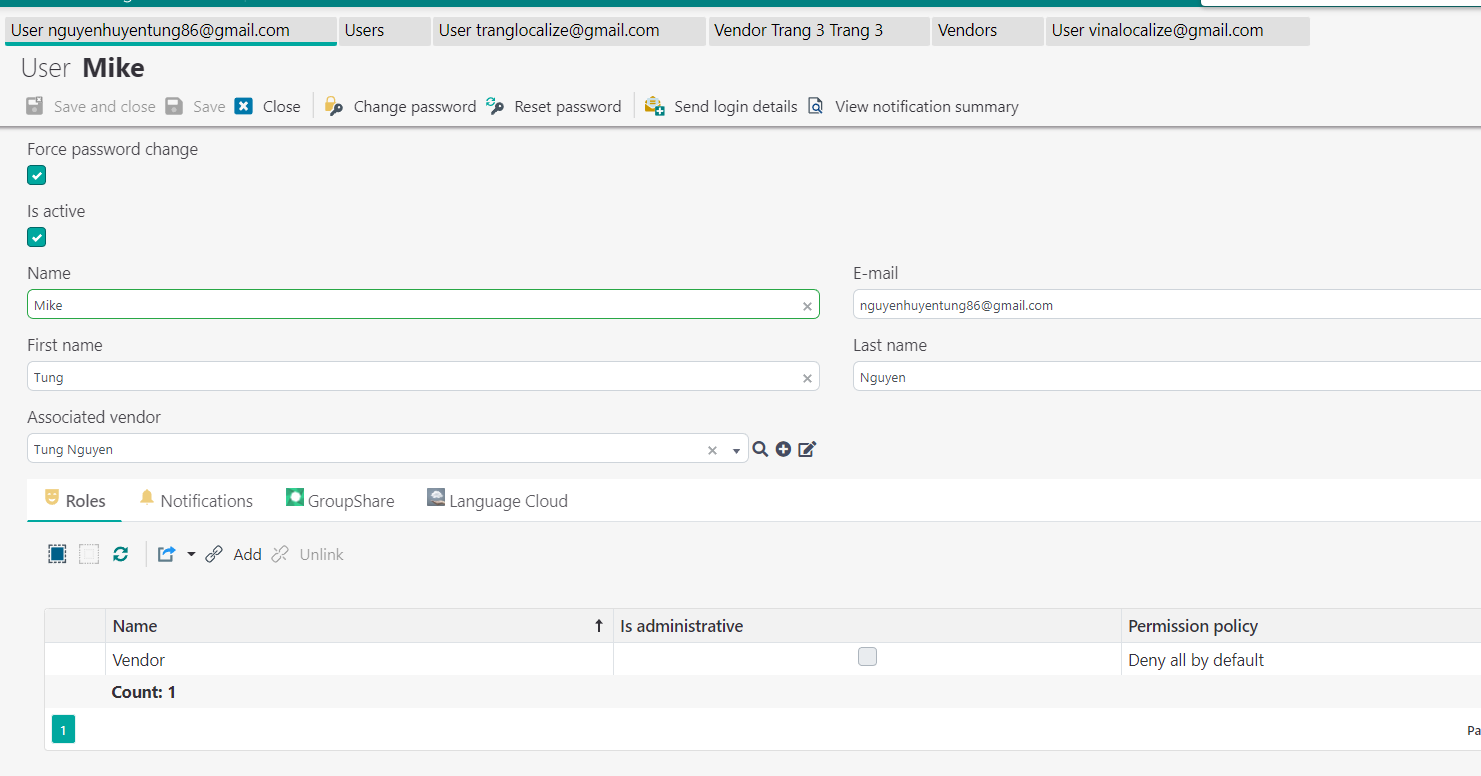
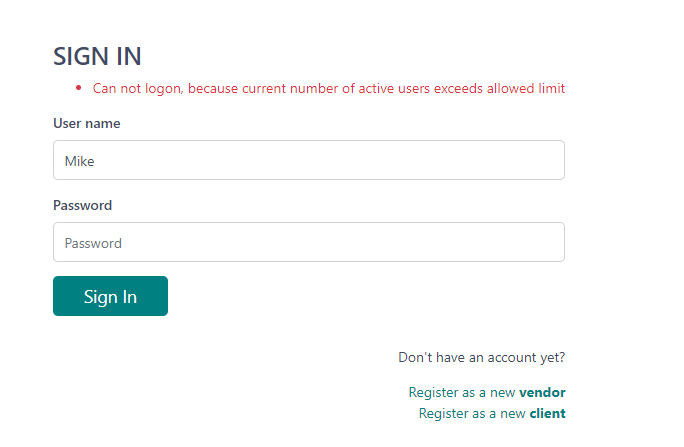
I purchased Vendor Portal add-on for TBM 6 (Team version with 3 + 1 additional users) and received the support team's confirmation that it offer unlimited vendor user accounts. However, regardless of account/user types (Admin, PM-based, Sale Manager, Vendor Manager accounts, Vendor account, etc.), only a maximum of 4 accounts/users can log in to TBM (while the vendor role accounts should be unlimited). Could you please help me out with this?

emoji
Parents Reply
  • Hi Eugene,

    Now I know the Update Download button mystery!

    Do you have spare time to check this query out?

    "2. Could you work on a permission type where the excel/pdf/html export/import (e.g. vendor list xls export) permission can be allowed/denied to a certain user/role? Much appreciated!"


    Also, the "test piece" feature looks promising. I'm studying it but not sure how to upload a test of certain specializations and assign it to a certain (candidate) vendor. It seems that this feature is not mature yet, doesn't it?

    emoji
Children
  • Hello, Mike,

    So,

    2. Could you work on a permission type where the excel/pdf/html export/import (e.g. vendor list xls export) permission can be allowed/denied to a certain user/role? Much appreciated!

    For this, indeed this feature was asked few times already, but we didn't implement it. The reason why we don't implement it:

    • when user views a table, he/she already can see data there, then why to restrict exporting data which is currently visible on screen? User can simply press Ctrl-A Ctrl-C to select and copy visible data.
    • For Excel export and import, this operation becomes automatically restricted if role assigned to a user restricts data deletion. If user can only view and edit some data, they won't be able to use Excel export/import functionality.
    Also, the "test piece" feature looks promising. I'm studying it but not sure how to upload a test of certain specializations and assign it to a certain (candidate) vendor. It seems that this feature is not mature yet, doesn't it?

    We have implemented it, but yes, waiting for some feedback. Here is Wiki page:  Test pieces 

    So, to upload new test, you simply go to tests and create a new one. Then, to assign it to a vendor, you open vendor profile, switch to Test pieces tab, create a new one, load your created test and click Send. To view all tests for all vendors, go to Reference data - Vendors, and click Test pieces button on the toolbar.

    Hope it helps!

    emoji
  • Hi Eugene,

    Thank you for your reply. Unfortunately some issues have arisen (sorry, I hope there would be less issues to be asked in the upcoming time)

    1. Data Export/import:

    I notice that even If an user can only view and edit data, they can still easily use this feature to export it. I agree that the data is visible on the screen, but it would help partially restrain the use of readibly usable/digitized data that could be used for personal purposes.


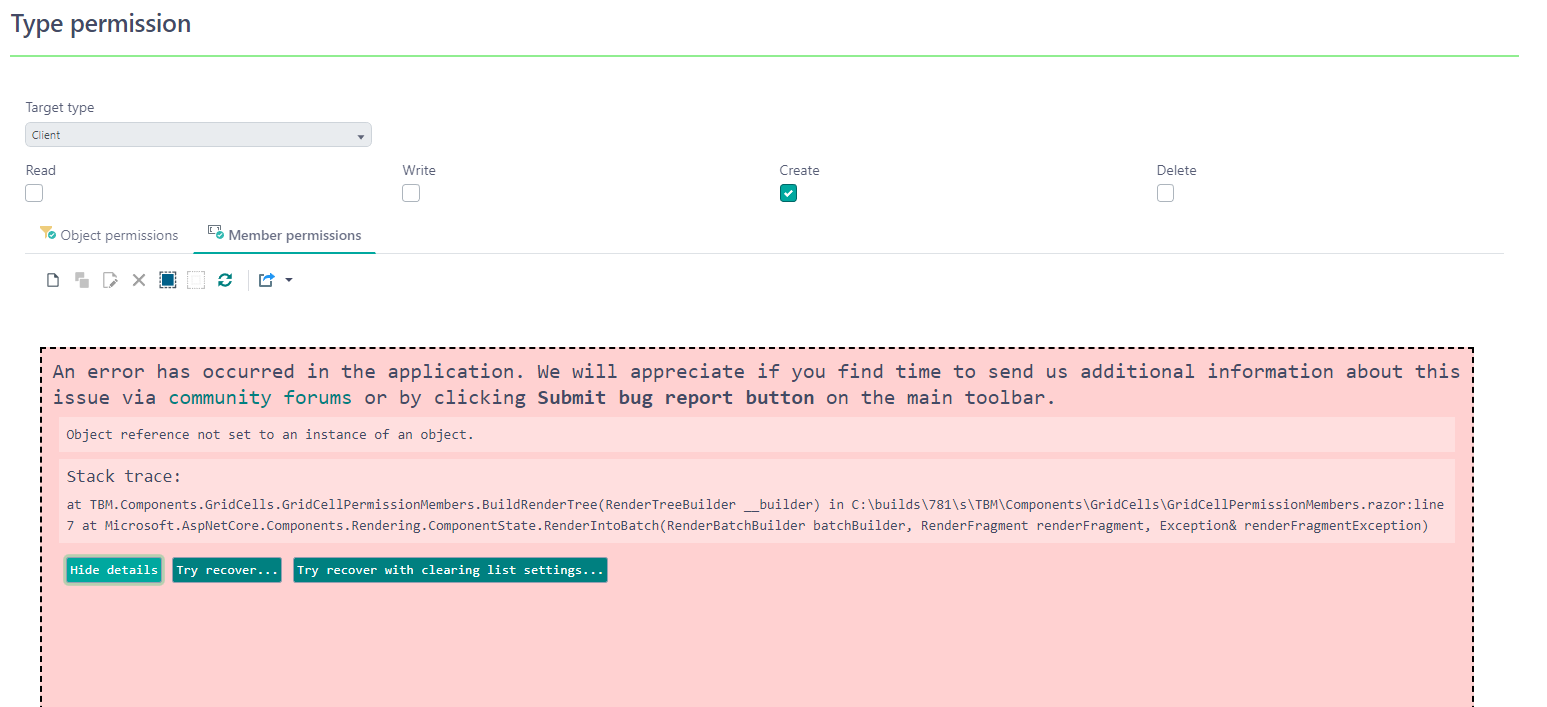
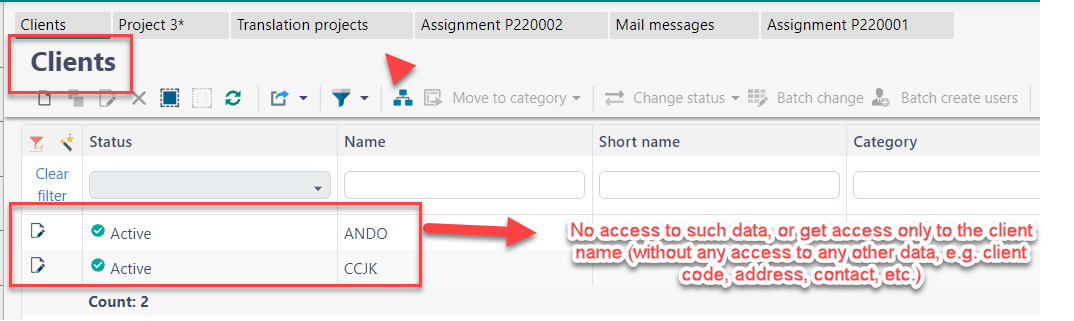
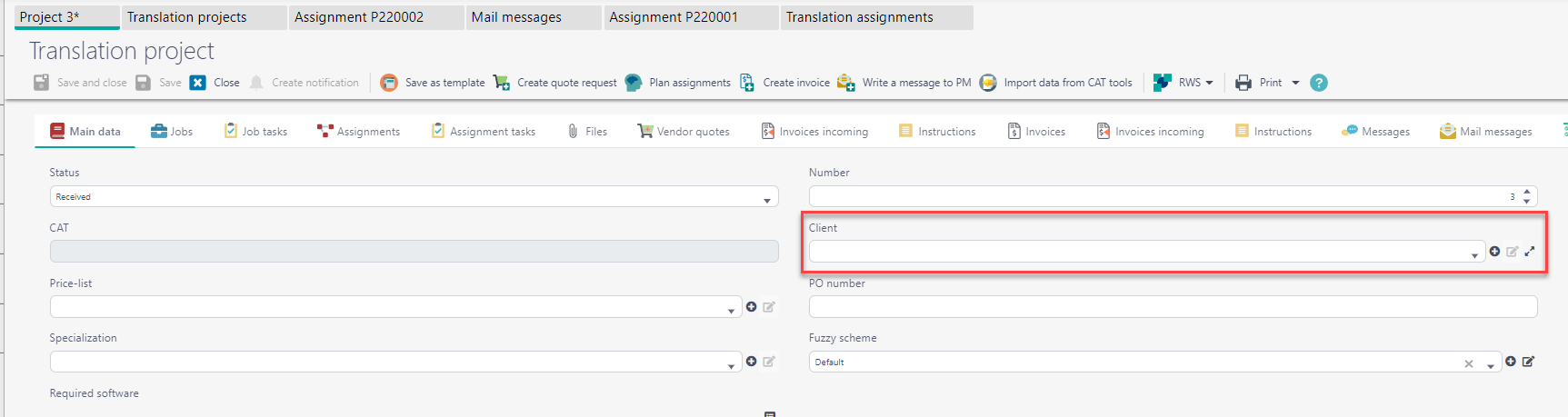
    2. I want to restrict access of non-Admin users to any client fields (except for "Client Name" field, e.g, so that our PM users can still create translation project/job/job task). According to the reference materials, we are not sure how to do this. It could be helped in "Member permission" section, but everytime I set some criteria, errors are encountered. Could you help check it out?


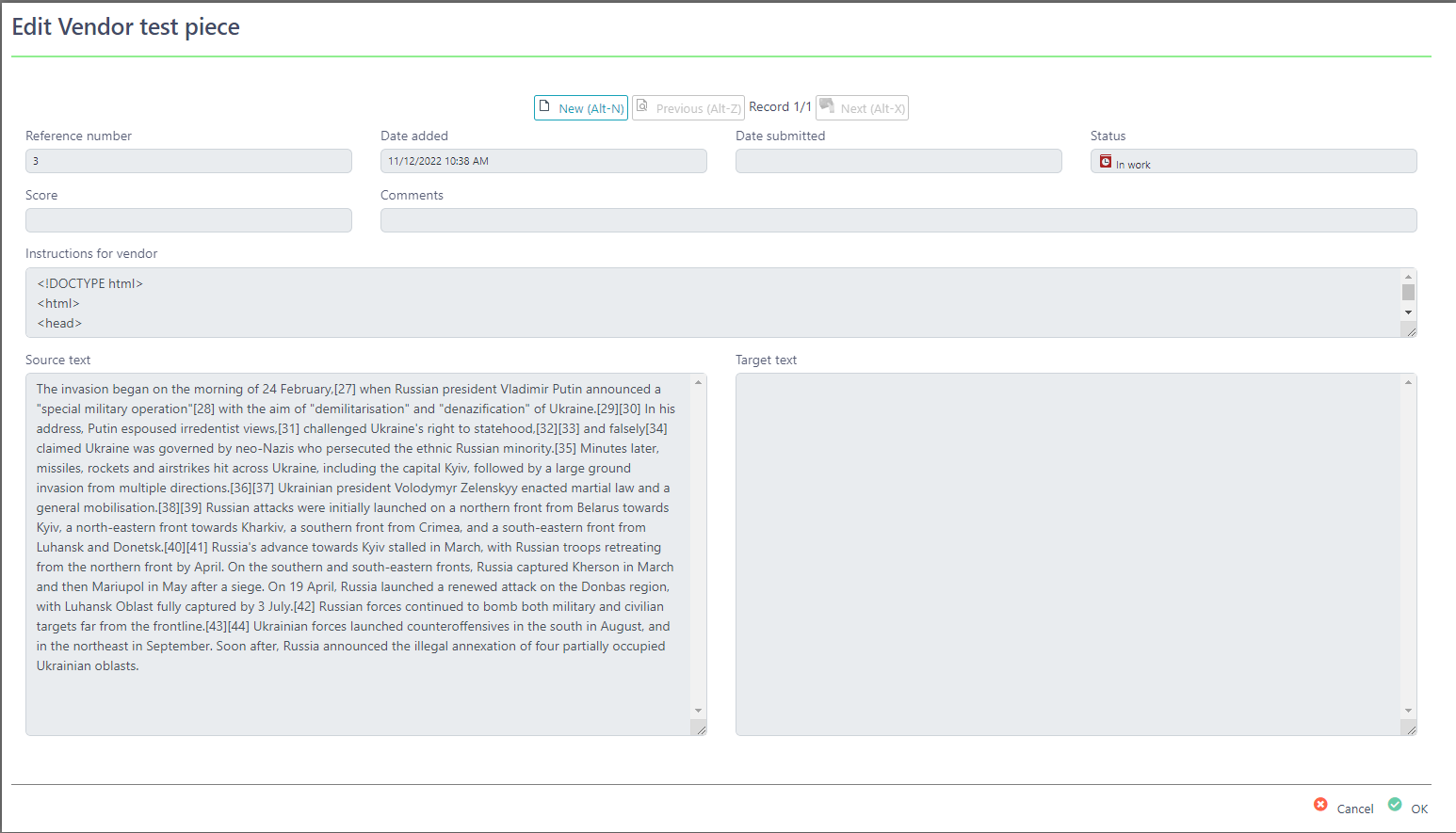
    3. Regarding the test piece function, I have tested to send a test to a vendor, but in the TBM's vendor user interface, it seems that there is no option for them to work online. An option for submission is available though:


    Could you have a look into these and advise please? Thank you in advance!

    emoji
  • Hi Eugene,

    I really hope you can provide the solutions to these only pending issues. Looking forward to hearing from you!

    emoji
  • Hi Mike, excuse us for delays, indeed not easy to answer fast.

    1. Ok, so this added to to-do, but can't promise it could be done very fast.
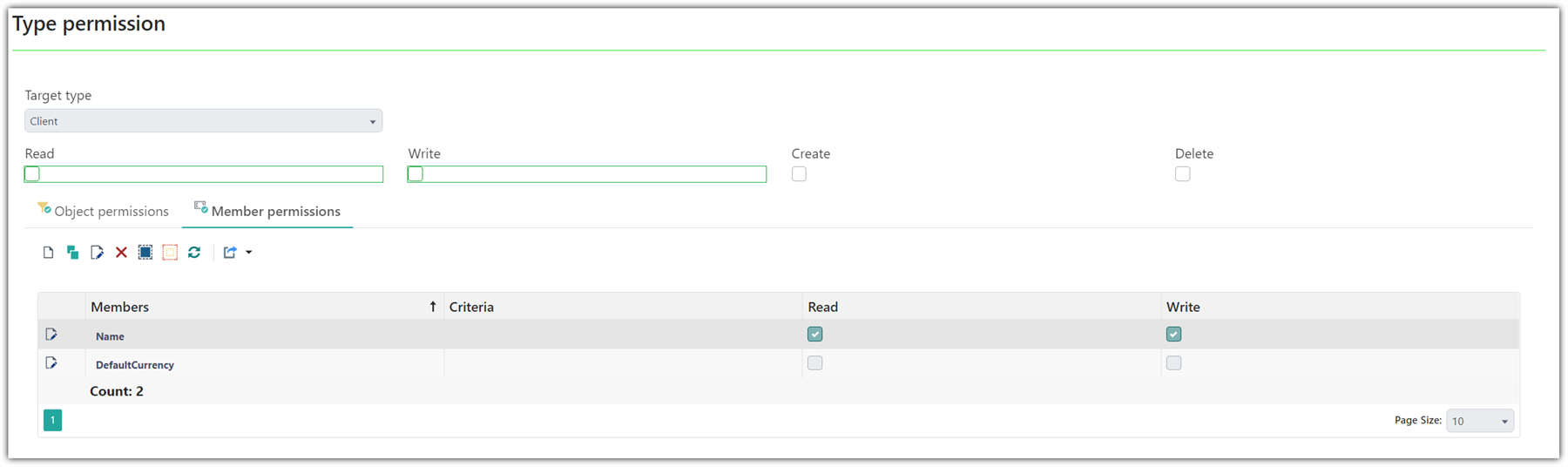
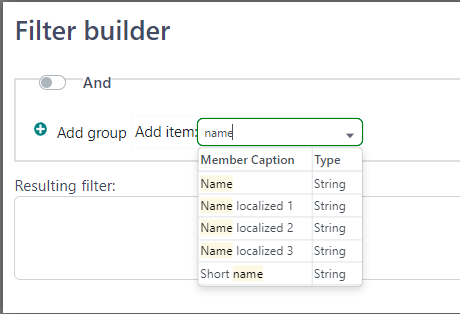
    2. Interesting bug, I wasn't able to reproduce it. However, we'll fix this. But yes, you have to add Client permission, remove Read/Write checkboxes, as you show on the screenshot, and then add Name to member permissions and allow Read and/or Write. In muy case, it worked, maybe you can just try again?
      Screenshot of Trados Studio's Type Permission settings showing Client selected as Target type with Read and Write permissions unchecked and a member named DefaultCurrency with Read permission checked and Write permission unchecked.
    3. Confirm the bug, and we will fix it in today's (or Monday's) release 6.1.71. Thank you! Indeed the field is in read only mode.
    emoji


    Generated Image Alt-Text
    [edited by: Trados AI at 11:01 AM (GMT 0) on 4 Mar 2024]
  • Hi Eugene,

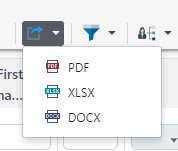
    Thank you for your help. Actually I have only one more request: Could you pleaseenable the vendor role's permission to use this function? E.g. they can use this to export a list of all monthly invoices in pdf/xls/docx files, input their signature, then send back to us as a confirmation to the final payment sheet (everything is correct and no complaint shall be made later on)

    Trados Studio export options dropdown menu showing file formats PDF, XLSX, and DOCX.

    emoji


    Generated Image Alt-Text
    [edited by: Trados AI at 11:02 AM (GMT 0) on 4 Mar 2024]
  • Ok, we'll include this in the next update. Also, maybe as an option we can create custom report for this?

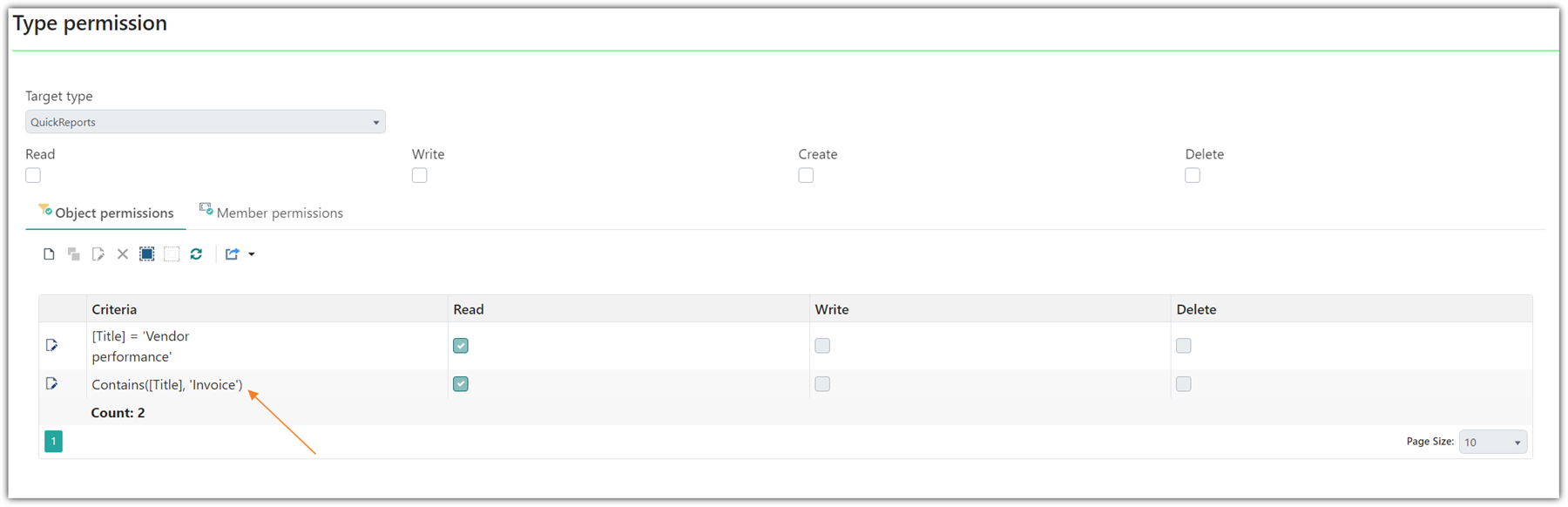
    Look at the attached example. You can create a new QuickReport, import this layout, then open Vendor role, and add a new permission so vendors can use it from the portal:

    Trados Studio Type Permission screen showing QuickReports selected with Read permission enabled for Vendor performance and Invoice criteria.

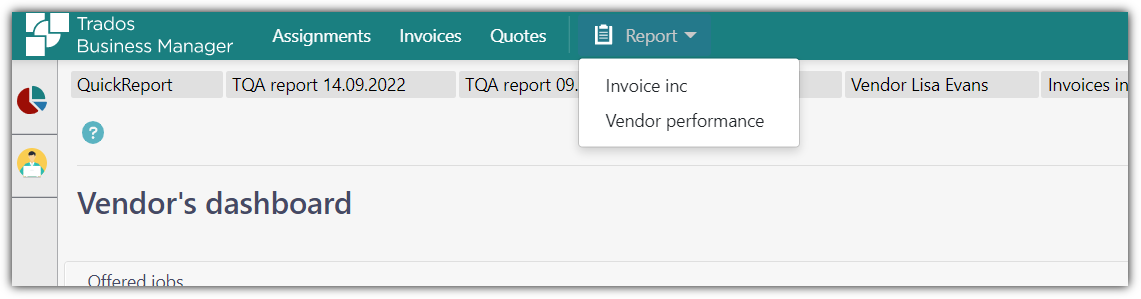
    Then it becomes available on the portal:

    Trados Business Manager portal with QuickReport dropdown menu open showing Invoice inc and Vendor performance options.

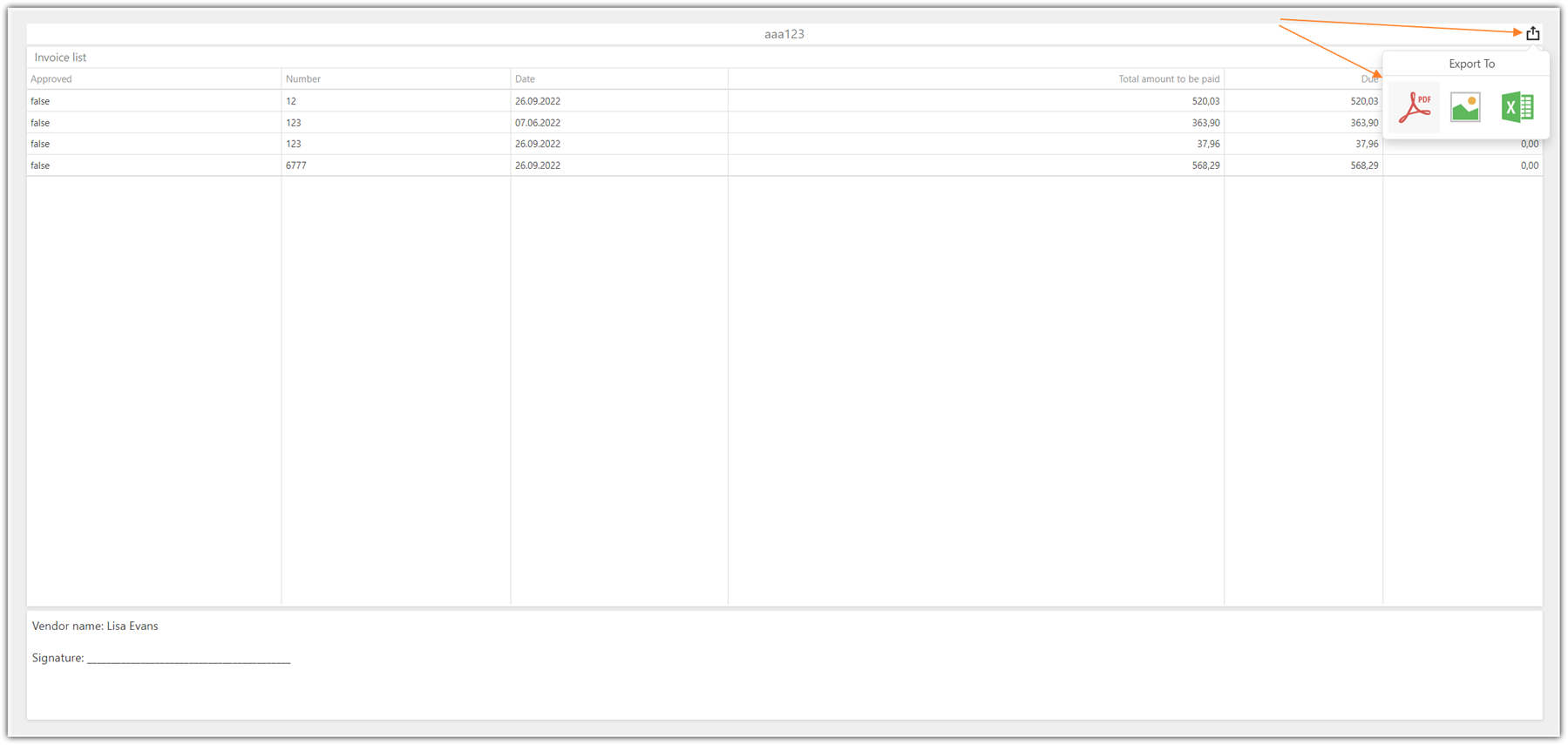
    The open it and export:

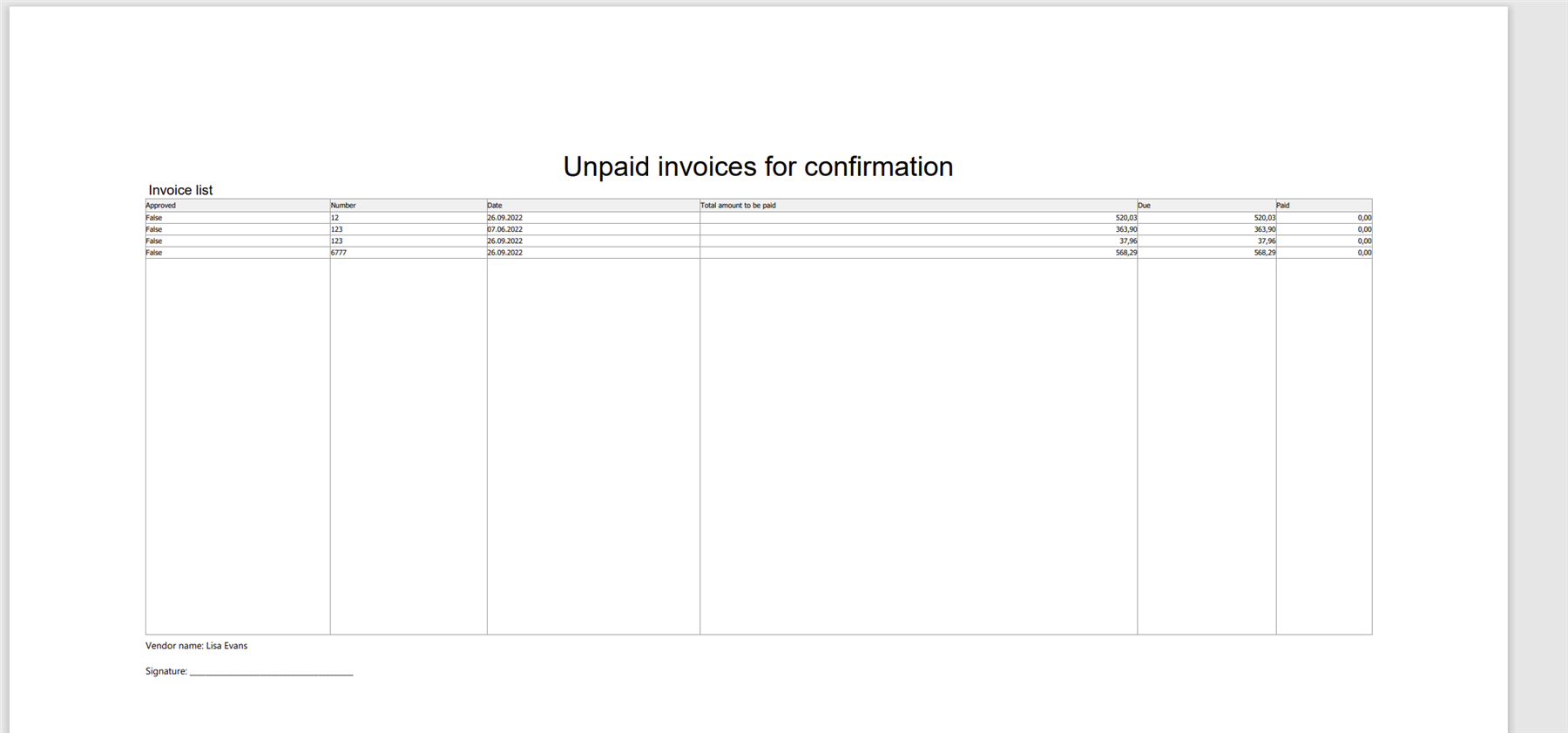
    Invoice list in Trados Studio with Export To options, highlighting the PDF export button.And you get nice PDF:

    PDF document titled 'Unpaid invoices for confirmation' with a list of invoice details including approval status, number, date, and amounts.

    Here is the file:

    Invoice inc.zip

    emoji


    Generated Image Alt-Text
    [edited by: Trados AI at 11:02 AM (GMT 0) on 4 Mar 2024]
  • Hi Eugene,

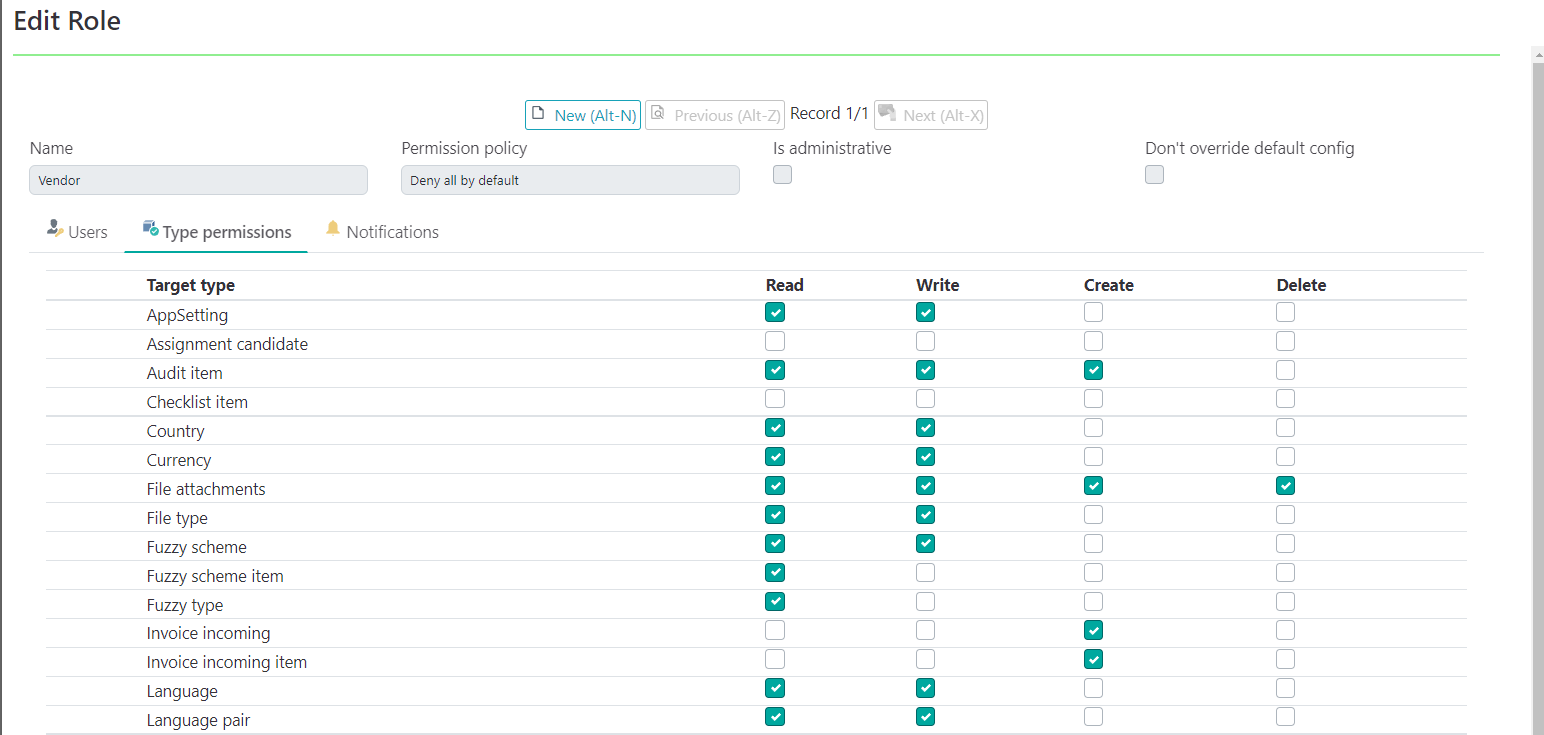
    I will definitely try your great suggestion. One of the condition is, however, I can add/modify/delete type permission to the vendor role. But it seems that this is not possible (maybe it's a fixed role that prohibits any modification?) despite how many times I tried (all modifications are not in effect). All other roles are fine though...

    emoji
  • Hi Mike,

    Correct, when you make changes in the Vendor role, it gets overwritten with next update. But it affects only default settings. But in the example above, when I added a new row to the permissions table, it will stay there, and should work correctly even after installing an update Slight smile

    emoji
  • Hi Eugene,

    I confirm that itmes #1 and #3 have been fixed. Thank you so much!

    For #2, the Member permission works properly now. However, I could not set the criteria and member items to "restrict access of non-Admin users to any client fields (except for "Client Name" field, so that our PM users can still create translation project/job/job task", meaning that they cannot get access to:


    but can still select fully from the dropdown list:

    Can you show me the detailed steps of creating the "Name" Member as mentioned in previous thread, because I tried some ways but failed to succeed.


    can you give me some more screenshot

    emoji
  • Hi Eugene,

    I managed to set it successfully, so no need to waste your time for this any more :).

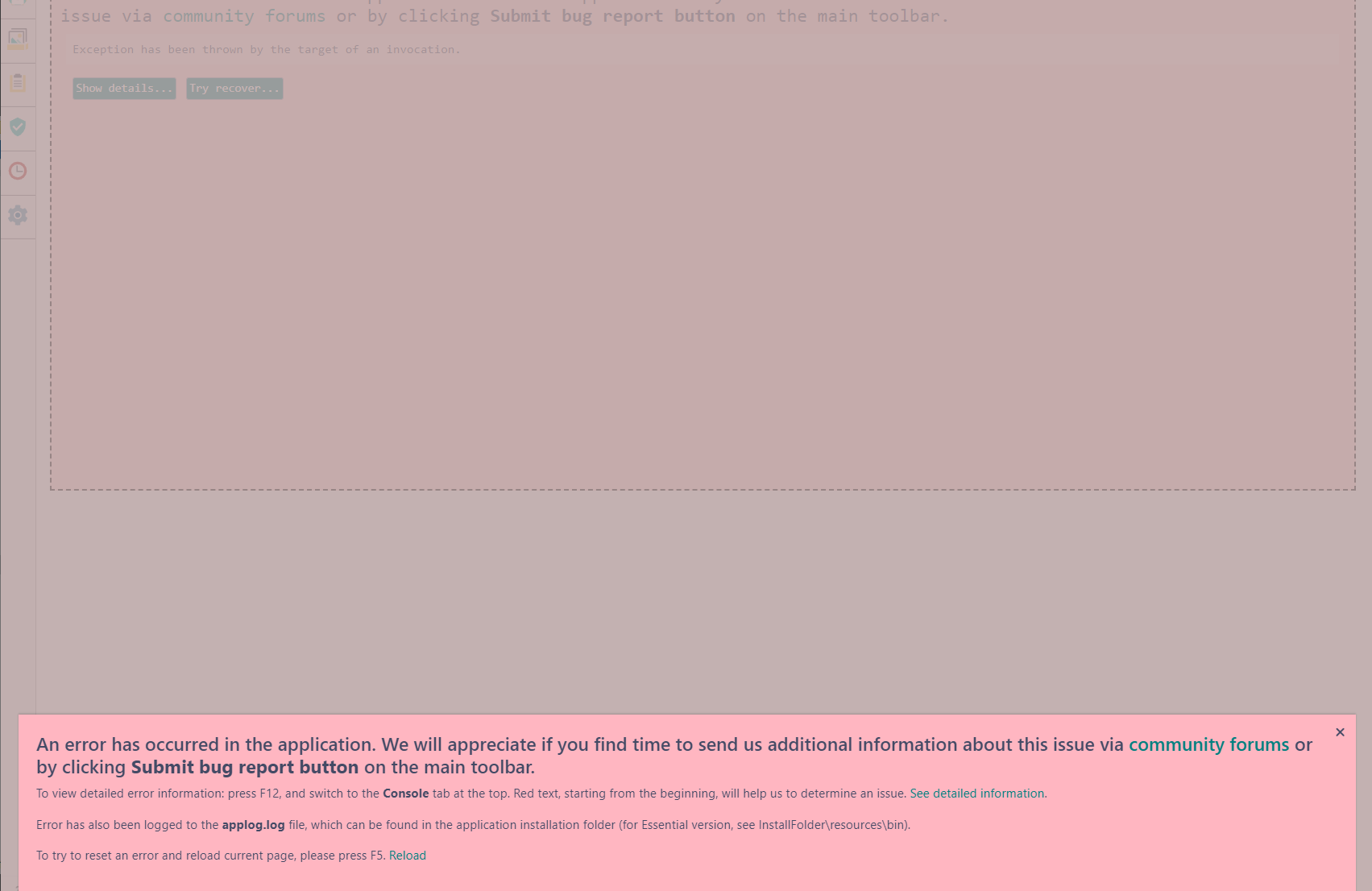
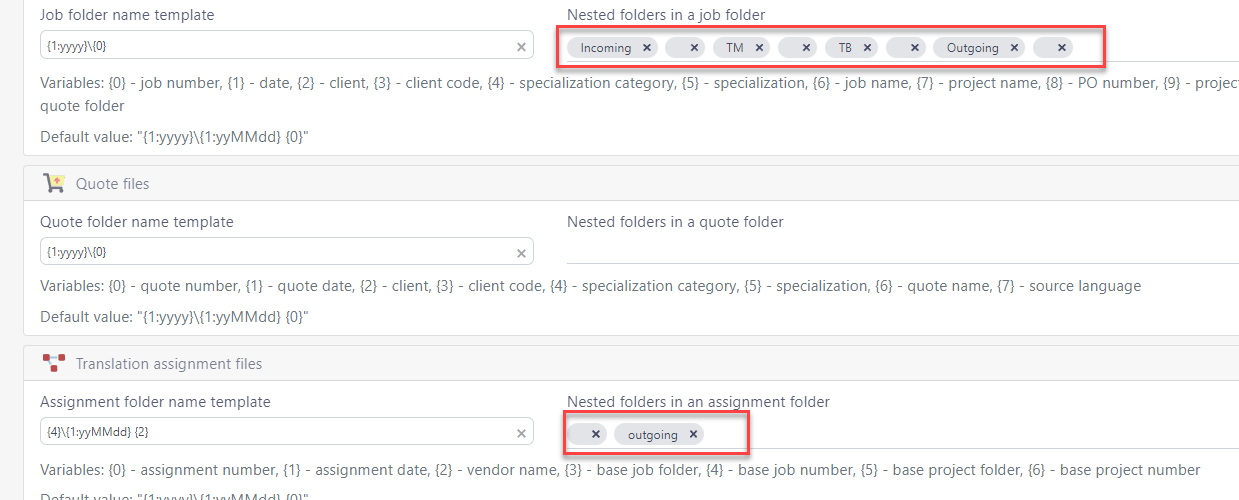
    Actually, a minor error arises: The nested folder setting will not work after creating the nested folders  - They don't show up in the default structure ("out", "source". "ref"). In addition, the created ones are not deletable (after trying to click the "x" mark, the following screen will pop up. If you have spare time, please have a quick look into this issue. So far I have not encountered any more major issues. Thank you in advance!

    Error message in Trados Studio indicating an exception has been thrown by the target of an invocation with options to show details, try recover, or submit a bug report.Trados Studio settings showing nested folders in a job folder with 'outgoing' folder marked with an 'x' indicating it cannot be deleted.

    emoji


    Generated Image Alt-Text
    [edited by: Trados AI at 11:02 AM (GMT 0) on 4 Mar 2024]