You are currently working on UAT 

Plug-in TermExcelerator -

Greetings, 

A week ago a translation agency asked me to install the TermExcelerator plug-in. I clicked on the Adds-in tab - SDL AppStore - Downloaded the TermExcelerator plug-in and the SDL plugin installer as I was suggested. Screenshot of a file explorer window showing a list of downloaded files including TermExcelerator and SDL plugin installer..
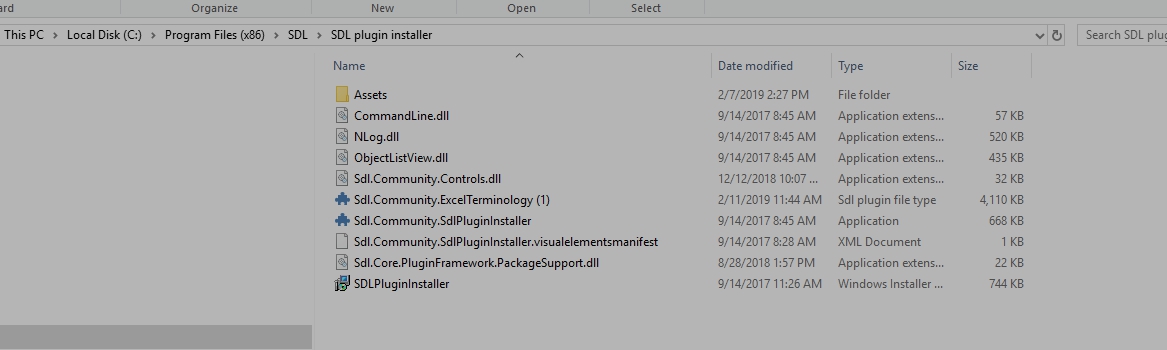
I was then told to Install the plug-in by just double-clicking on it and follow the instructions. It did not install. I communicated with SDL and someone replied to read the following and that they couldn't help me...

https://appstore.sdl.com/language/app/glossary-converter/195/

https://multifarious.filkin.com/2012/09/17/glossaries-made-easy/ and install Glossaries instead. Glossaries is now installed but it's not doing what it is supposed to do and what everyone does and use at the translation agency. I tried hundreds of things and the TermExcelerator plug-in and the installer just don't install. I don't get an error message.

I have had the help of 3 different technicians, no one can have the plug-in work! I lost the possibility to work with the agency.

I will have the chance to learn SDL better after I finish my university in April, but for now, I consider myself as a beginner. 

So please I would like to get some help to install the plug-in in a simple fashion.  I have the licence for SDL 2017R1-14.1.10015.44620. 

Thanking you in advance.

JO


Generated Image Alt-Text
[edited by: Trados AI at 5:47 PM (GMT 0) on 28 Feb 2024]

emoji
  • Hi ,

    When trying to download the TermExcelerator, do you get some error message thrown by Studio?

    Please attach a screenshot of the error message so that we can see the error details.

    Oana Nagy | QA Engineer | RWS Group

  • Good Morning,
    The first few times, I received a message like "you have to have admin rights in order to install, but one of the technicians I dealt with told me to click on the right mouse and the security tab and check all the options. I've tried so many things, I can't remember all of it. Now, as you can see on the screen, the two TermExcelerator and Plugin Installer icons are under the Plugin Installer directory. If I double-click on the icon, I choose Run as administrator, I receive the message "Do you want to allow this app from and unknown source to install...on your computer?" I say yes. It seems to be settling in, but I have no further instructions. Same thing with TermExcelerator and if I open the Plug-Inn tab neither one appears in the list. Myself and the technicians erased the two icons, removed the firewalls, the virus detector, nothing can be done about it. It's very frustrating as I was told by the Translation agency, you'll see it's very easy. Thanks for your suggestions

    Jo

  • Error message 'Error access is denied (0x80070005: Access is denied)' displayed while trying to execute 'setup.exe' file for Trados Studio.

    I don't get any message for TermExcelerator: I click twice as suggested, nothing happens.

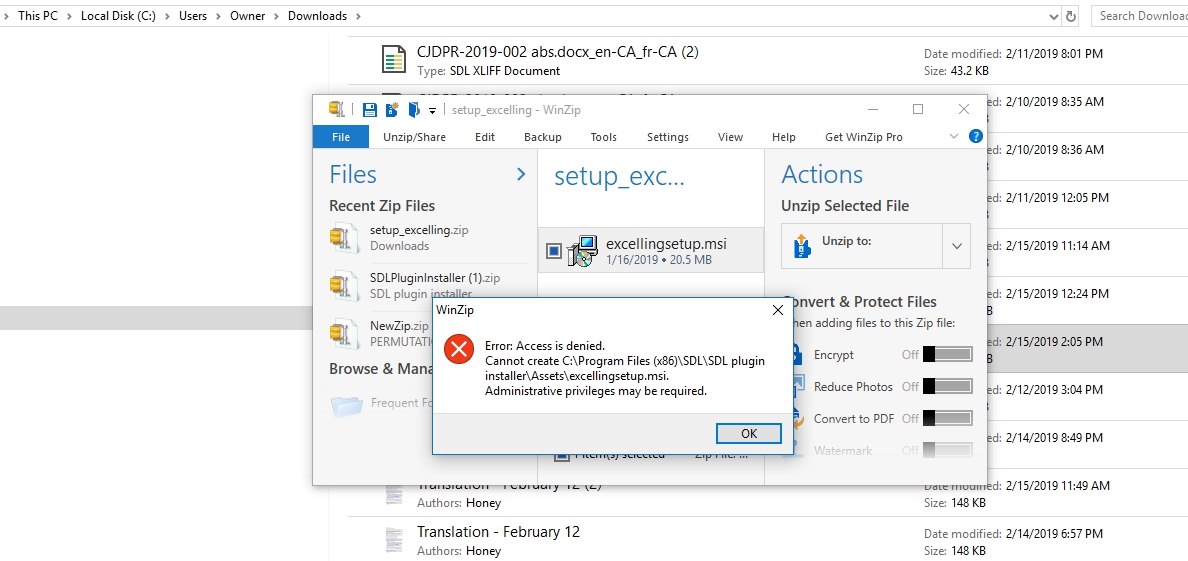
    Then I tried downloading the excelling and I get the following message. I'm the administrator on my computer, I don't know what this message is about (see at the top of this message.

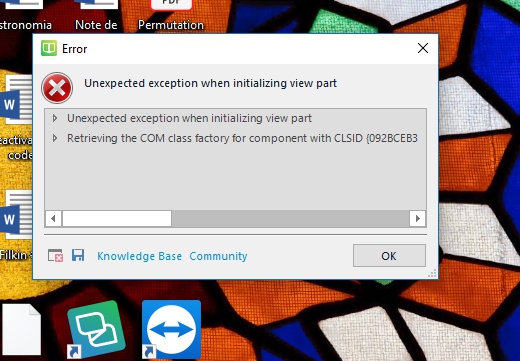
    I also tried to open SDL Termbase from the desktop, could be the cause of the problem. I really need help as nothing seem so be working. It's never easy!


    Error dialog box with message 'Unexpected exception when initializing view part: Retrieving the COM class factory for component with CLSID 0928CE83' on a desktop background.


    This is very frustrating. A technician from GS took control of my machine, tried the same steps. Nothing works. I have to be productive or I will loose some contracts until I can do like my colleagues and use TermExcelerator.

    Any kind of  help will be appreciated.

    Jo

    emoji


    Generated Image Alt-Text
    [edited by: Trados AI at 5:47 PM (GMT 0) on 28 Feb 2024]
  • Hi Jo,

    I know this is far-fetched, as I can see from the screenshot that apparently you have used this method and you describe further problems I didn't encounter. However, I will describe my case in case someone else benefits.

    I was having a similar problem. I downloaded the app via Firefox > clicked the "Display the progress of ongoing downloads" (Cntrl +J) on the browser > clicked the folder icon (to open up the window that shows where the file has been downloaded) > computer opens the window showing the path C: > users > [user name] > AppData > Local > Temp. When double-clicking the file within this window, nothing happened. No errors, just a brief turn of the blue ring, then nothing. The file size looked OK.

    Problem was solved when I chose that the app file must be saved onto the Desktop (not the path above). Then, double-clicking it launched the SDL app installer and the app now appears on my app list and I can add an Excel-file to Termbase.

    Nina