
 Translate



Greetings,
A week ago a translation agency asked me to install the TermExcelerator plug-in. I clicked on the Adds-in tab - SDL AppStore - Downloaded the TermExcelerator plug-in and the SDL plugin installer as I was suggested. 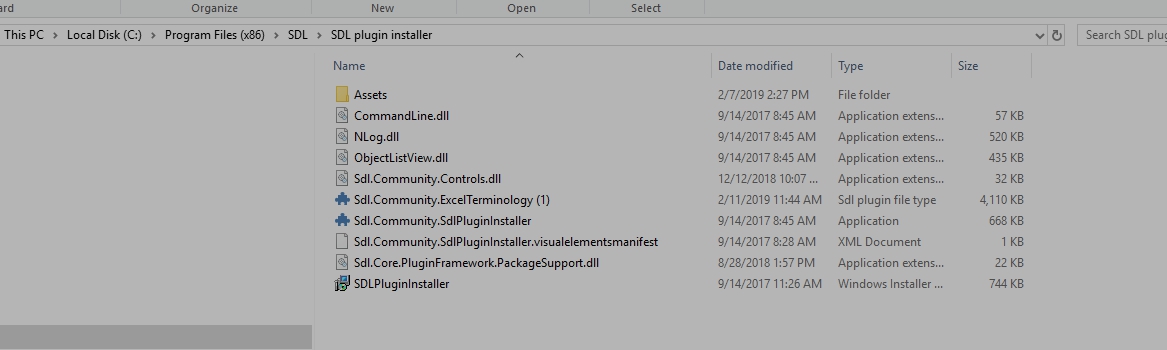 .
.
I was then told to Install the plug-in by just double-clicking on it and follow the instructions. It did not install. I communicated with SDL and someone replied to read the following and that they couldn't help me...
https://appstore.sdl.com/language/app/glossary-converter/195/
https://multifarious.filkin.com/2012/09/17/glossaries-made-easy/ and install Glossaries instead. Glossaries is now installed but it's not doing what it is supposed to do and what everyone does and use at the translation agency. I tried hundreds of things and the TermExcelerator plug-in and the installer just don't install. I don't get an error message.
I have had the help of 3 different technicians, no one can have the plug-in work! I lost the possibility to work with the agency.
I will have the chance to learn SDL better after I finish my university in April, but for now, I consider myself as a beginner.
So please I would like to get some help to install the plug-in in a simple fashion. I have the licence for SDL 2017R1-14.1.10015.44620.
Thanking you in advance.
JO
Generated Image Alt-Text
[edited by: Trados AI at 5:47 PM (GMT 0) on 28 Feb 2024]


