Force new segment after measurements

Is there a way to force Trados Studio 2024 to split segments after the first one has a measurement in it?

For example:

This mini highchair measures: 26.6cm L x 26.3cm W x 57cm H. Includes fabric cushion for doll to sit on.

After the 57 cm H. there should be a new segment, but I always get as I have written in the example above. It does not automatically split, I have to do it manually each time.

Is there a way to tell the program to split the segments?

Thank you in advance for your help.


word with a mistake
[edited by: Serge Dugas at 5:04 PM (GMT 1) on 11 Jun 2026]
emoji
Parents
  • Hello,

    To achieve automatic segmentation after measurements in Trados Studio 2024, you can customize the segmentation rules in your translation project. Here's how you can do it:

    ### Step 1: Open the Project Settings

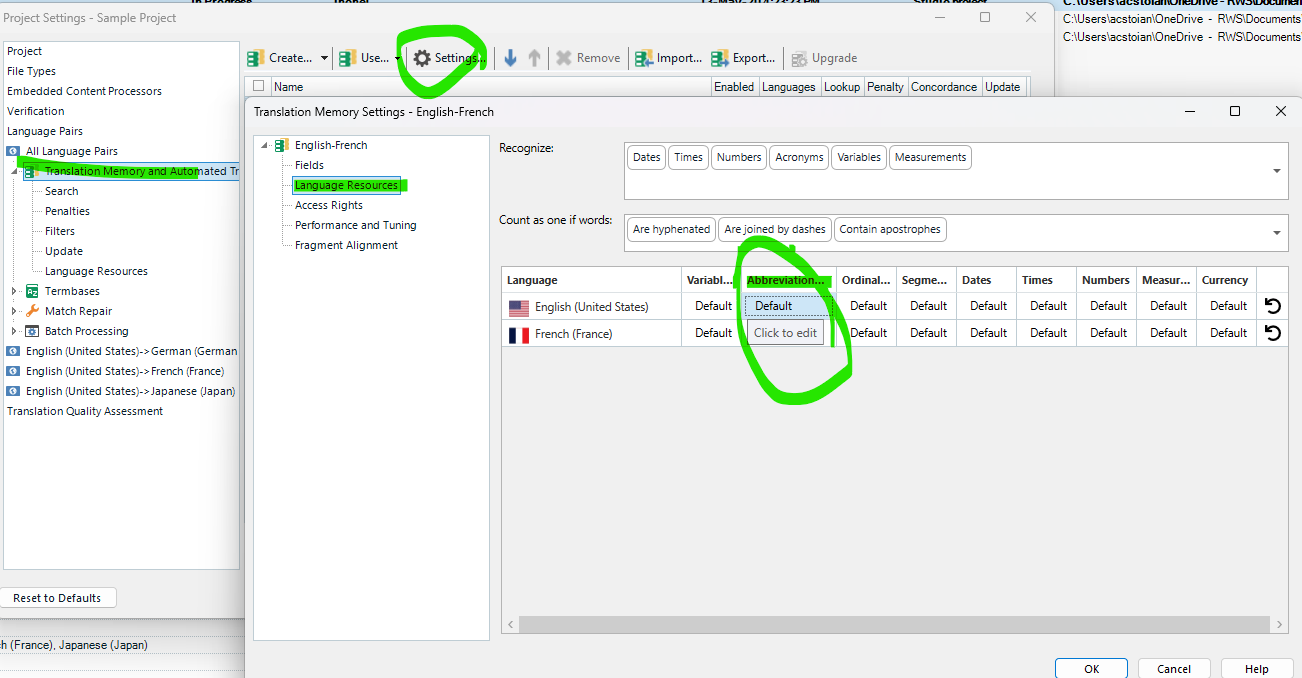
    1. In Trados Studio, go to your project and click on **Project Settings** from the ribbon or the File menu.

    ### Step 2: Access the Segmentation Rules

    1. Under **Language Pairs**, expand the **Translation Memory and Automated Translation** section.

    2. Select the **Translation Memory** you're using and click on **Settings**.

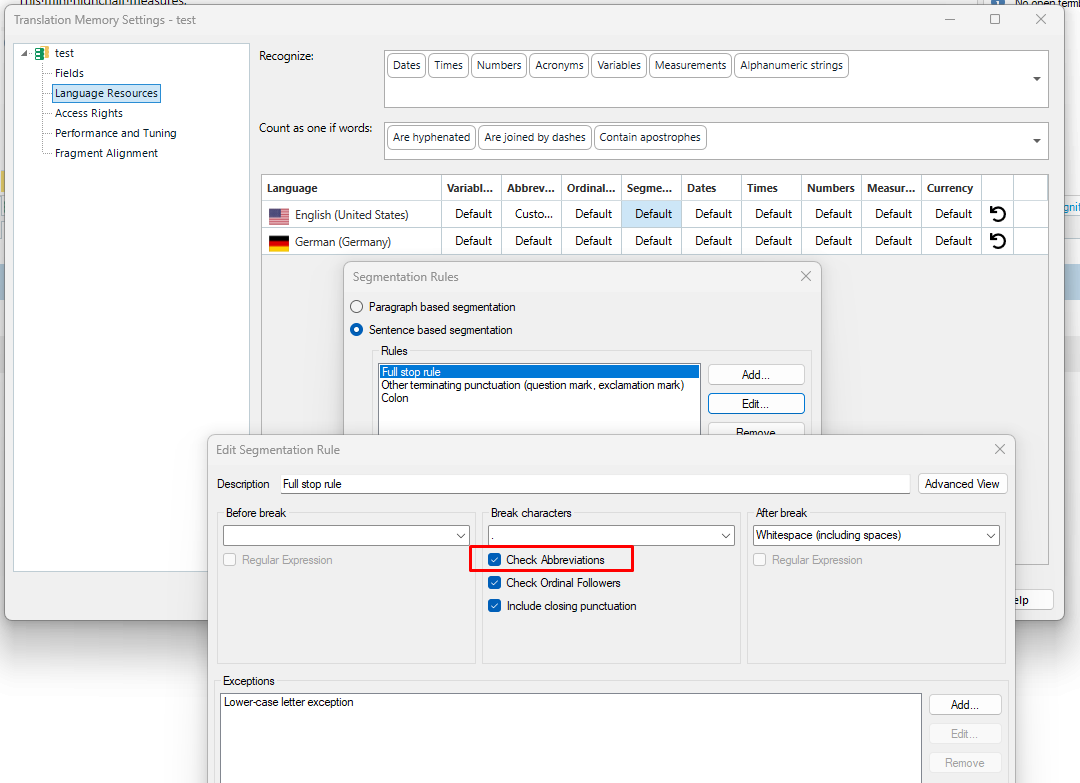
    3. In the settings window, navigate to **Segmentation Rules**.

    ### Step 3: Edit the Segmentation Rules

    1. Click on **Edit** to open the segmentation rules editor.

    2. Add a new rule by clicking **Add**.

    3. Define the rule to split segments after a measurement. For example:

      - **Before Break**: Add a regular expression to detect measurements (e.g., `\d+(\.\d+)?\s?(cm|mm|in|L|H|W)`).

      - **After Break**: Specify the conditions for the text following the measurement (e.g.,

    emoji
  • That did not work. When I enter all that info, it seems to be ok, then I say ok... and I do see the rule that I called "Measurements"... I go out of there... and go back in to check it out again... it's gone, deleted. Why I don't know.

    emoji
Reply Children