QA Check to check for 'Different target in translation memory'

I want to check whether there are discrepancies between my translated xliff file and the TM. Is this possible in bulk?

I found two related features that almost do what I want:

  • If I browse through my file segment by segment, I get a message 'Different target in translation memory' in my translation results pane. This is great, but I want a full list.
  • If I run the QA check (Inconsistencies> Check for inconsistent translations), I see errors if a source string occurs multiple times, but has different translations. This is great, but it does not check vs. the TM.

Ideally, I want the QA check (Inconsistencies> Check for inconsistent translations) to check vs. the TM. It could be an option (a third checkbox) that says something like "ignore TM".

Does anybody know any workaround?

Parents
  • Yes, there is such a function. I cannot locate it in Options>Keyboard Shortcuts though.
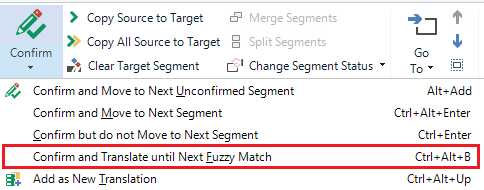
    Simply open the file for translation, put your cursor into the first segment (not the orange XLIFF header in the top row). Click Ctrl+Alt+F. This will locate the next segment where 1) there is no entries in the TM for some reason, 2) the TM entry is different than the actual target text for that segment, 3) there are multiple different target entries in the TM for the same source segment.

    I love that function.

Reply
  • Yes, there is such a function. I cannot locate it in Options>Keyboard Shortcuts though.
    Simply open the file for translation, put your cursor into the first segment (not the orange XLIFF header in the top row). Click Ctrl+Alt+F. This will locate the next segment where 1) there is no entries in the TM for some reason, 2) the TM entry is different than the actual target text for that segment, 3) there are multiple different target entries in the TM for the same source segment.

    I love that function.

Children