You are currently working on UAT 

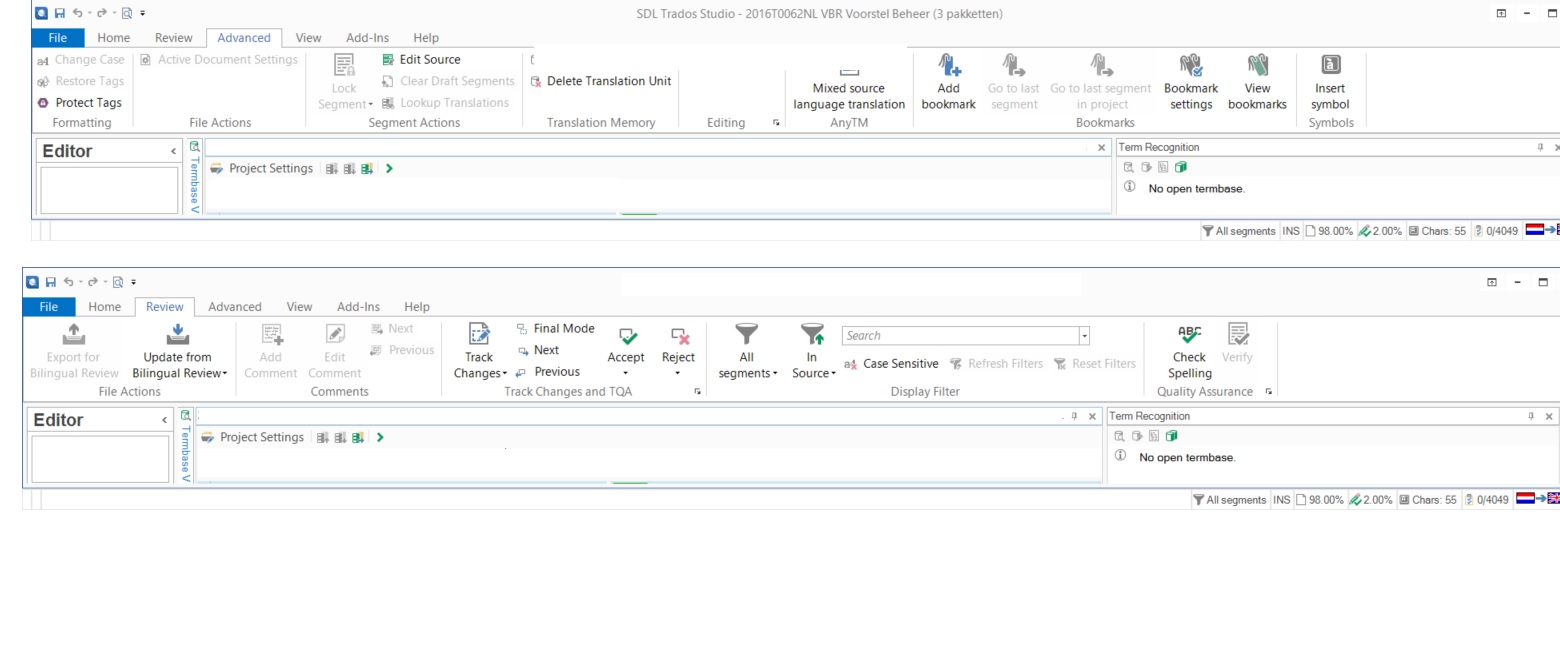
ALT+ DEL (clear target segment) grayed out in Trados Studio 2015 SR2

Since updating to 2015 SR2 I can no longer clear target segments. ALT+DEL does not work and the option in the ribbon and under the right mouse button are grayed out. The segment status of the segments I wish to clear is "untranslated". Has anyone else experienced this and/or does anyone have a solution to this problem?

Parents Reply
  • Walter,
    The segment had to be merged with the following segment and then cleared so that a concordance search would take place and the target segment would be populated with a close match. I usually hit ALT+DEL to clear the field in this and similar instances, but ALT+DEL has been disabled for some reason. Since I thought it might have to do with the status of the target segment, I set the target segment manually to empty. However, it still contained the text which I wish to clear (hence both empty and containing text). If I press the ALT key, letters light up along the ribbon (the various "ALT+" options), but nothing happens when I press ALT+DEL.
Children