Pre-translate function in Trados 2024 using private TM and Language Weaver- NOT ACCEPT PRIVATE TM SUGGESTIONS FIRST

I’m working on a translation and have enabled the pre-translate function in the project, linking my TM first and then Language Weaver’s NMT. I’m wondering why, when I translate, it accepts the NMT’s suggestions rather than those from the TM (which I’ve set as the first source with a 70 per cent threshold; it won’t let me set it any lower). When I confirm my segments by editing the Language Weaver output, I notice that the segments not yet edited retain the NMT output, so I am forced to replace the NMT output with the result from my TM every time, even though these are very repetitive segments. I’ve chosen to update only my TM and not Language Weaver. Could this be the reason? If I update Weaver, does it affect the ‘confidentiality’?
What would you suggest me to do? Thank you in advance for your feedback!

Flavia

emoji
Parents
  • Hi  

    Did you pre-translate the entire file before starting your translation or are you working in an interactive setting, which means that target segments are only filled when clicking in them?

    If you pre-translated the file before starting your translation and your TM was empty, MT will be applied for every segment. If you then confirm segments while translating, the MT outputs are not necessarily overwritten by your TM results but you have to insert the TM matches manually every time. This is by default (unless you use auto-propagation, see below).

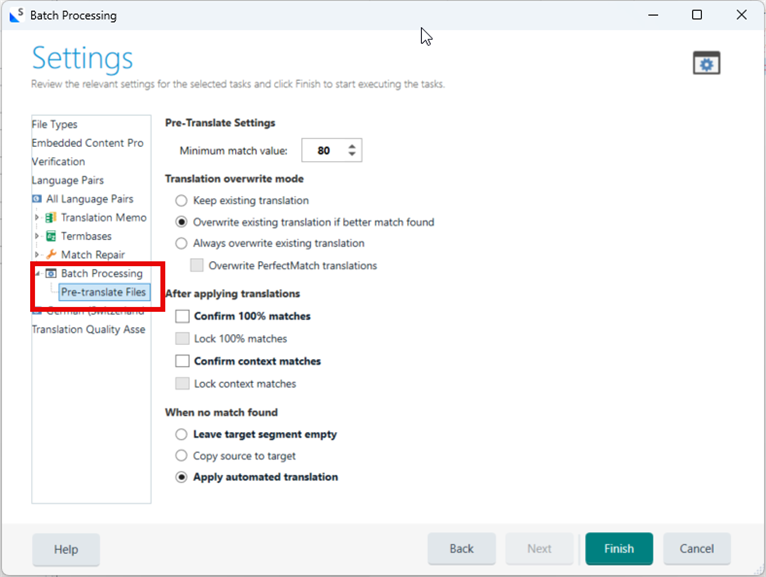
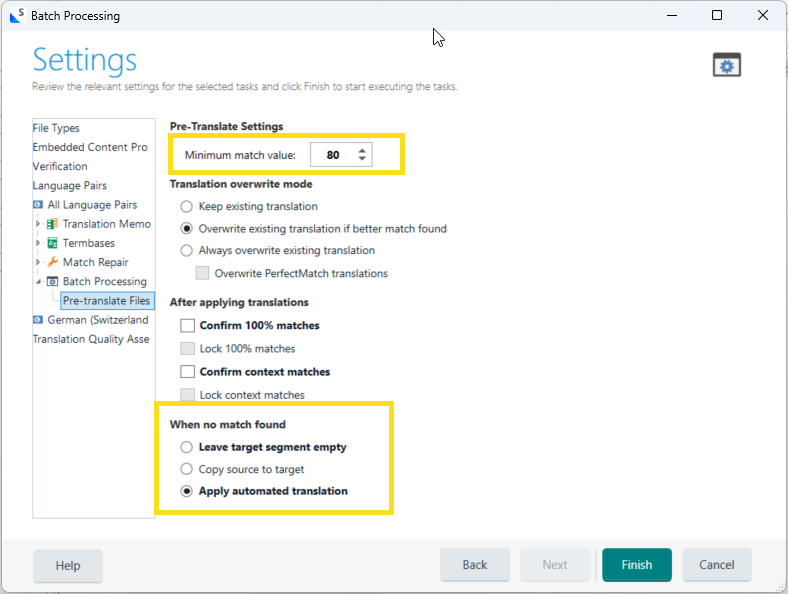
    If your TM is not empty and already contains translation units which you expect to be applied, you could check your settings under Project Settings > Language Pairs > either All Language Pairs or [specific language pair, e.g.] English (US) -> German (Germany) > Batch Processing > Pre-translate Files:

    Maybe you need to adjust the Minimum match value to receive Fuzzy Matches, too. Also check what Studio does when it can't find a match in your TM (leave target segment empty or apply automated translation):


    With regard to Language Weaver, unfortunately, I can't answer your question as I've never used this translation feature so far.
    I'm not sure, though, if you're even able to update Language Weaver at all. I'd expect it to be grayed out because I don't think update is available as it's not a custom model which most probably doesn't learn from your output adjustments in real time.

    So if you pre-translated the document before starting your translation, the segments which already contain MT outputs are not replaced by your newly created Translation Units from your TM, you have to insert them manually every time (unless they're auto-propagated, again, see below).

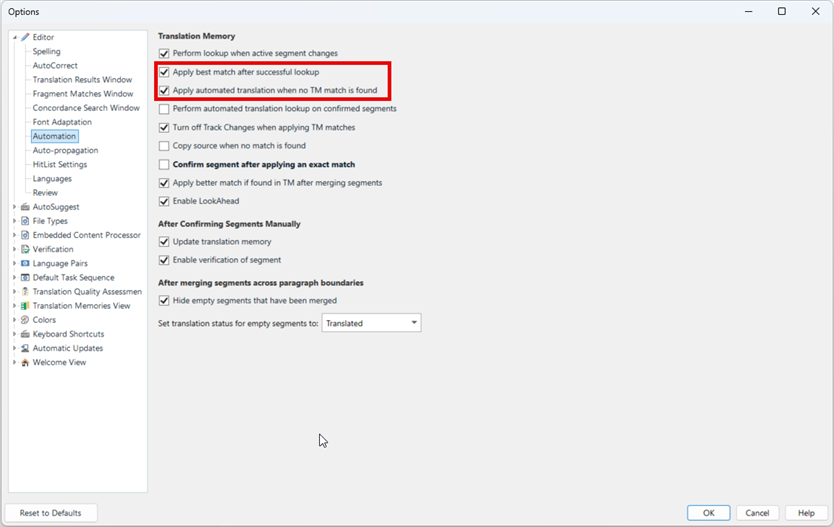
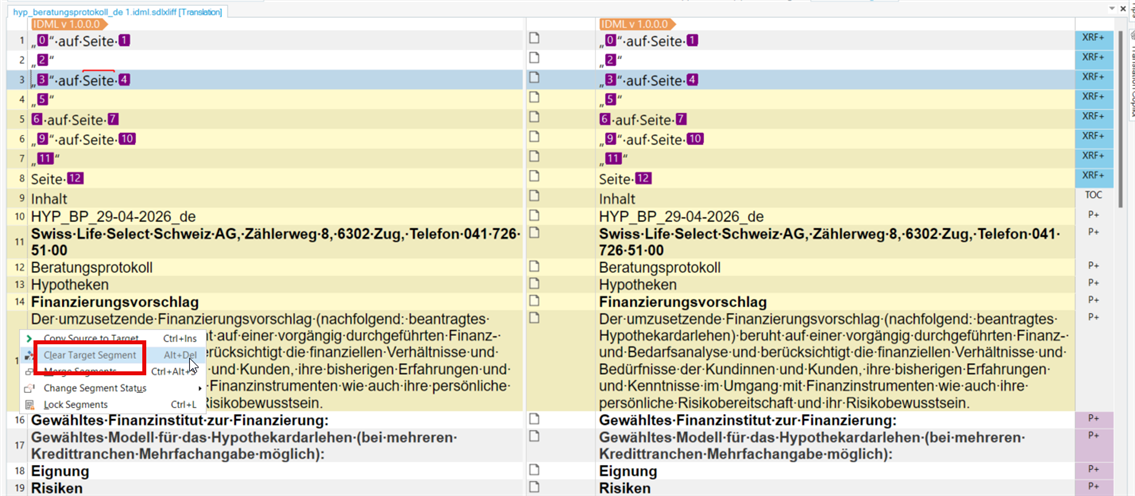
    In you're case, I'd rather clear all the target segments, and only apply MT outputs interactively as soon as you click/jump into a new segment. To do so, these are the two boxes that would need to be ticked under File > Options > Automation:

    Box 1 applies your TM matches
    Box 2 applies MT outputs if no TM matches could be found (or if only matches could be found below 70 % threashold in your case).

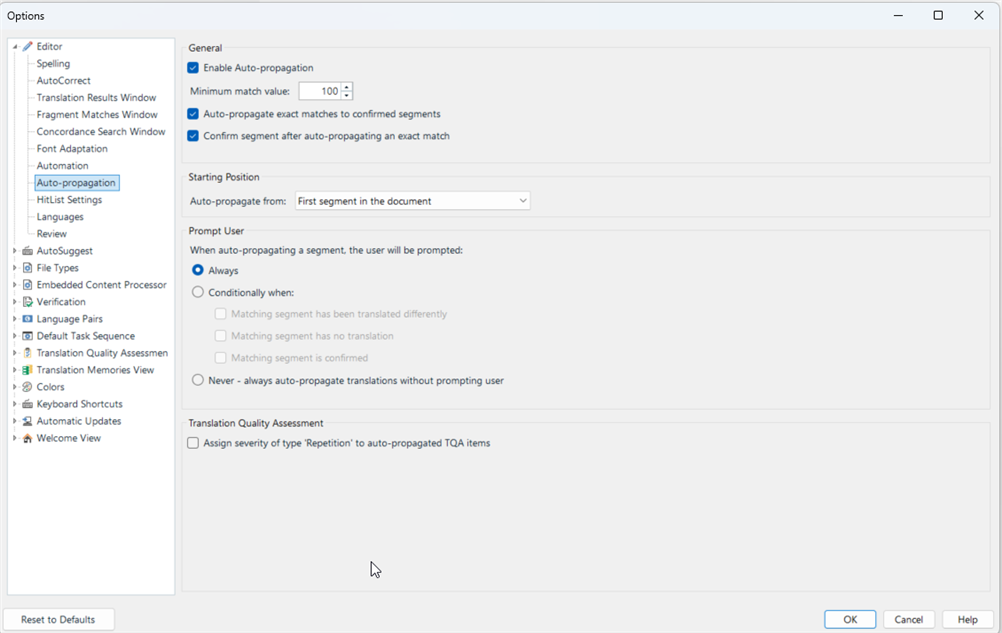
    If you wish to use the auto-propagate feature, you can find the settings under File > Options > Auto-porpagation:

    Here you can define whether you want matches from your TM to be applied to exact (100%) or similar (Fuzzy Matches, below 100 %) segments.

    I hope this helps.

    Best regards
    Seraina

    emoji
  • Thank you Seraina for your detailed answer! I tried to apply auto-propagation to the file I had already started using pre-translating, but the function doesn't apply automatically to the segments translated by LW.  What do you mean by "clear the target segements"?  I suppose I've to eliminate the file in the project and rename the original file given by the client so that I can use the auto-propagation, without using the pre-translate function but  only the MT interactively as you say. I cannot clear all the segments manually. Am I right?  Thanks for your feedback if you can. Flavia

    emoji
Reply
  • Thank you Seraina for your detailed answer! I tried to apply auto-propagation to the file I had already started using pre-translating, but the function doesn't apply automatically to the segments translated by LW.  What do you mean by "clear the target segements"?  I suppose I've to eliminate the file in the project and rename the original file given by the client so that I can use the auto-propagation, without using the pre-translate function but  only the MT interactively as you say. I cannot clear all the segments manually. Am I right?  Thanks for your feedback if you can. Flavia

    emoji
Children