TM not updating (Trados Studio 2022)

Hi,

I have a long-running issue since I bought Trados Studio 2022 (version SR2 - 17.2.12.19268). I have used it not very often.

Most of the target file was pretranslated by alignment, so most of the results where suggested, and shown as a 99% match.

What I see is that when I try to update the project TM by means of Batch Tasks > Update Project Translation Memories, it does not get updated. I get a warning:
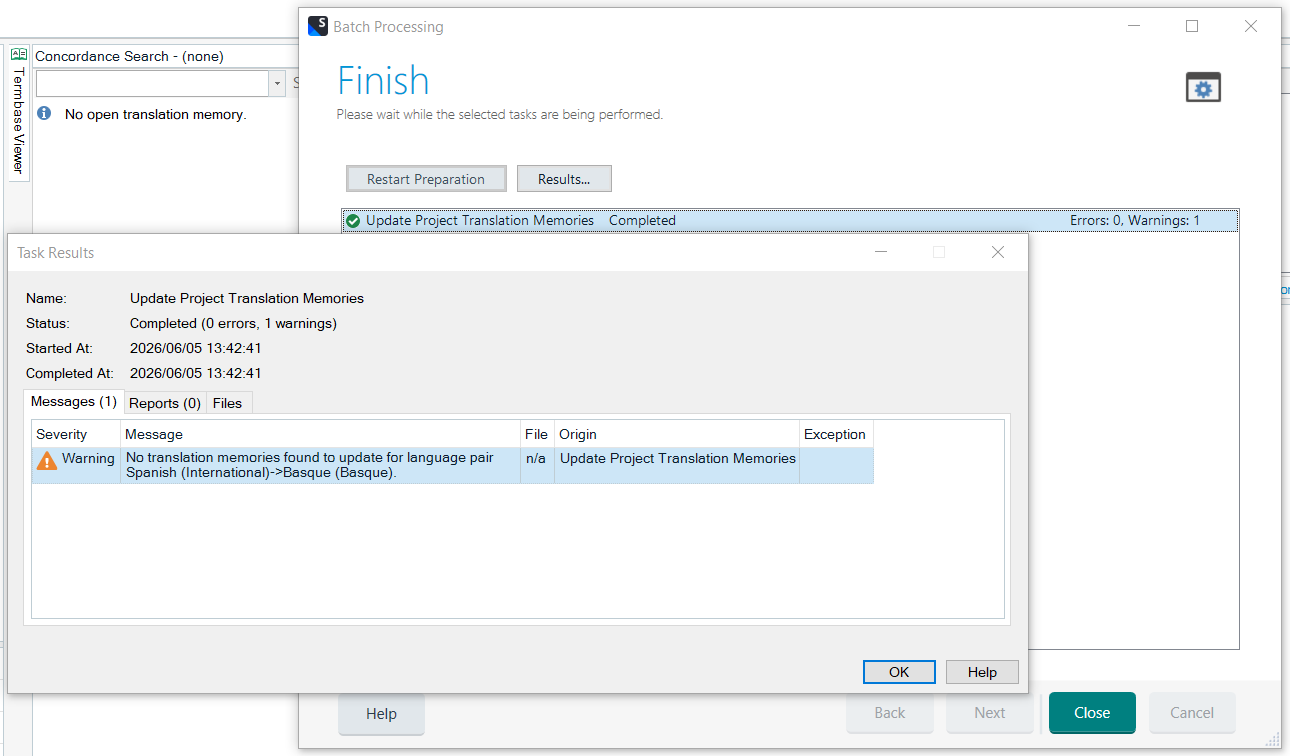
Batch Processing window showing 'Finish' with a warning: 'No translation memories found to update for language pair Spanish (International) -> Basque (Basque)'.

I checked the "Merge translation units options (recommended)"
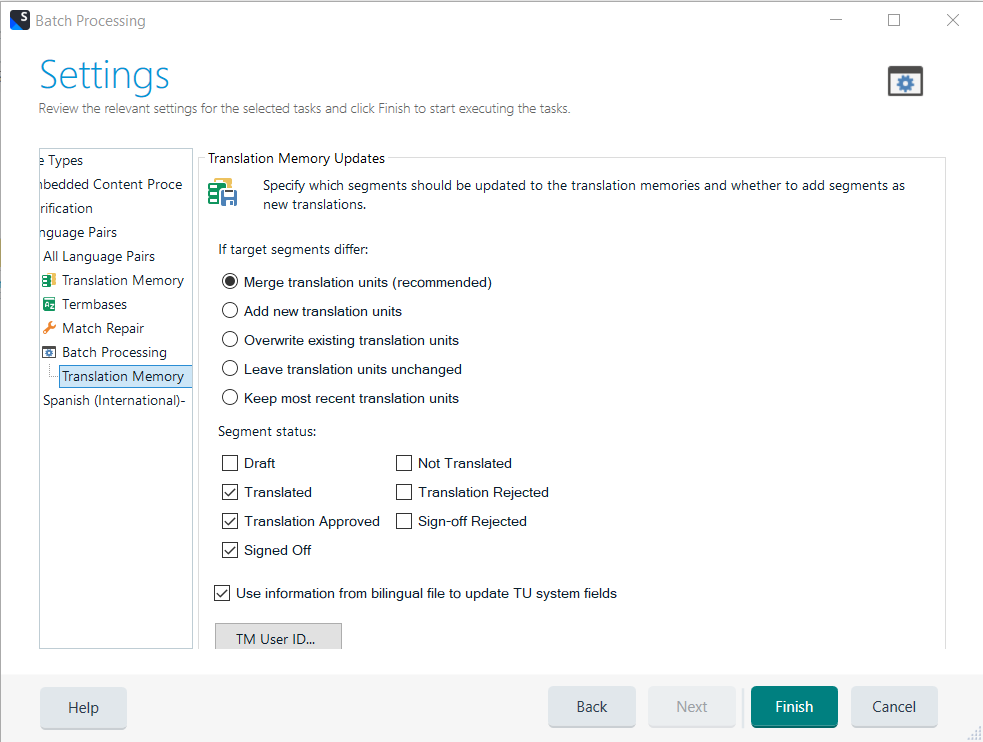
Settings window for Batch Processing with 'Merge translation units (recommended)' selected and options for segment status like 'Translated' and 'Translation Approved' checked.

 One thing I noticed is that whenever I go to File > Options > Language Pairs, with the language pair Spanish (International) > Basque (Basque), the one that is activated (I have removed all the other pairs), no matter if I check the Update and the rest of the boxes, it does not update, and after I run the operation, when I come back to that window, the main box on the left turns out to be unchecked: 
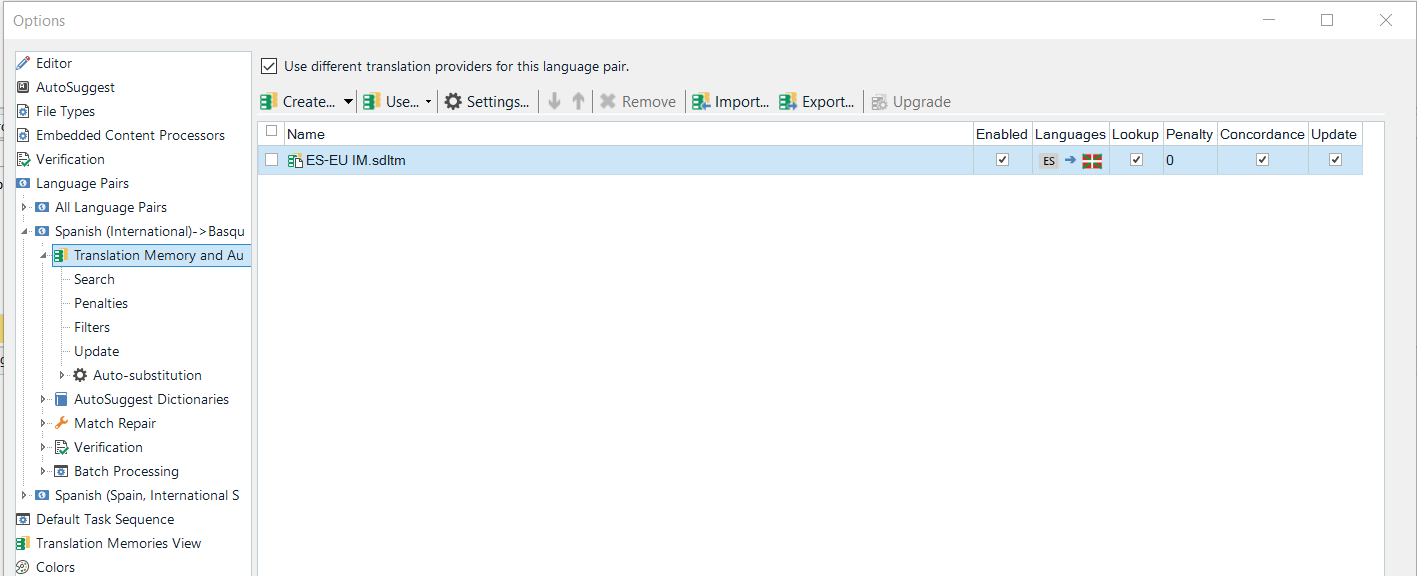
Options window showing Translation Memory and Automated Translation for Spanish (International) -> Basque with a file named 'ES-EU IM.sdltm' enabled and update checkbox selected.

So at this point, I do not know what more to do. I have gone through this query here (2019), which seems to be pretty similar. I repeated most of the steps, except for the last ones (reset, reinstall...). Any hints appreciated 

Iñaki


Removed AI Suggestion
[edited by: Iñaki Lopez de Luzuriaga at 12:10 PM (GMT 1) on 5 Jun 2026]

emoji
Parents
  •  

    First of all, there a mismatch in the source language.

    Explanation: The Spanish variant of your project is Spanish International:

    Warning message stating 'No translation memories found to update for language pair Spanish (International) -> Basque (Basque)'.

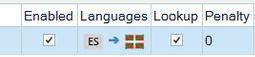
    The Spanish variant of your TM is different:

    Table showing translation memory settings with columns: Enabled, Languages (ES to Basque), Lookup, and Penalty set to 0.

    My 2 screenshots above are taken from yours.

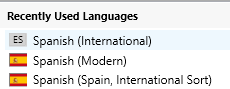
    Apart from other Spanish, such as Argentina, Mexico, etc., these 3 Spanish variants can be confusing:

    3 Spanish variants

    I believe that the variant used for your TM is probably the first one (grey flag as opposed to the red and yellow). Both source language must perfectly match in order to populate the TM.

    There are a few workarounds for this first issue. I'd add a second TM to the project and then use Update Main Translation Memories.

    Second, Instead of using Update Project Translation Memories, use Update Main Translation Memories. Your TM is a main TM, not a project TM.

    Summarising, solve your first issue and select the right batch task and you'll be able to update your TM.

    emoji


    Generated Image Alt-Text
    [edited by: RWS Community AI at 3:40 PM (GMT 1) on 5 Jun 2026]
Reply
  •  

    First of all, there a mismatch in the source language.

    Explanation: The Spanish variant of your project is Spanish International:

    Warning message stating 'No translation memories found to update for language pair Spanish (International) -> Basque (Basque)'.

    The Spanish variant of your TM is different:

    Table showing translation memory settings with columns: Enabled, Languages (ES to Basque), Lookup, and Penalty set to 0.

    My 2 screenshots above are taken from yours.

    Apart from other Spanish, such as Argentina, Mexico, etc., these 3 Spanish variants can be confusing:

    3 Spanish variants

    I believe that the variant used for your TM is probably the first one (grey flag as opposed to the red and yellow). Both source language must perfectly match in order to populate the TM.

    There are a few workarounds for this first issue. I'd add a second TM to the project and then use Update Main Translation Memories.

    Second, Instead of using Update Project Translation Memories, use Update Main Translation Memories. Your TM is a main TM, not a project TM.

    Summarising, solve your first issue and select the right batch task and you'll be able to update your TM.

    emoji


    Generated Image Alt-Text
    [edited by: RWS Community AI at 3:40 PM (GMT 1) on 5 Jun 2026]
Children