Trados Studio 2024 does not start. It stops at "Showing application window...".

Trados Studio 2024 does not start on our desktops. It seems to stop at the step "Showing application window...". See below screenshot.
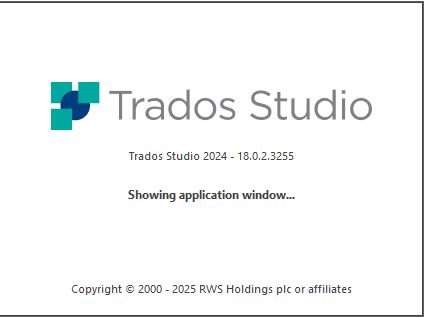
Trados Studio 2024 splash screen showing version 18.0.2.3255 with the message 'Showing application window...' and copyright notice from 2000 to 2025 RWS Holdings plc or affiliates.

Already tried restarts and other desktops.

What can we do?

Thanks in advance.

Kind regards,

Luc Steenbergen


Generated Image Alt-Text
[edited by: RWS Community AI at 2:07 PM (GMT 1) on 25 Jun 2025]

emoji
Parents Reply
  • Hi Andrew,

    You can do a Reset for Trados to its initial settings when the repair procedure does not solve the issue, by renaming the following folders on your machine:

    C:\Users\%USERNAME%\AppData\Roaming\Trados - rename the Trados Studio folder

    C:\Users\%USERNAME%\AppData\Local\Trados - rename the Trados Studio folder

    C:\Users\%USERNAME%\Documents - rename the Studio [version] folder to Studio [version]_old

    Uninstalling Trados may not solve issues related to certain files, so we recommend the reset to default state of Trados, since it returns Trados to the initial settings. Also, generally, when you cannot see a certain file, it might be hidden, and you can opt to show hidden files in Windows:

    Windows 11

    1. Open File Explorer from the taskbar.
    2. Select View > Options > Change folder and search options.
    3. Select the View tab and, in Advanced settings, select Show hidden files, folders, and drives and OK

    Please let me know if this helps. Also, if it does not, please make your own post here  https://community.rws.com/product-groups/trados-portfolio/f/licensing   , include everything you already tried and we can help you further. Here, on somebody else's post, we cannot verify your account information.

    Kind regards,

    Anca

    Anca Stoian RWS Group

    emoji
Children