
Trados Studio 2024 does not start. It stops at "Showing application window...".

Trados Studio 2024 does not start on our desktops. It seems to stop at the step "Showing application window...". See below screenshot.
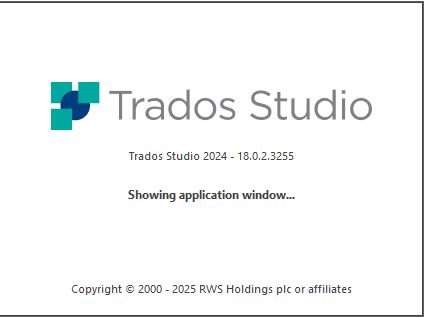
Trados Studio 2024 splash screen showing version 18.0.2.3255 with the message 'Showing application window...' and copyright notice from 2000 to 2025 RWS Holdings plc or affiliates.

Already tried restarts and other desktops.

What can we do?

Thanks in advance.

Kind regards,

Luc Steenbergen


Generated Image Alt-Text
[edited by: RWS Community AI at 2:07 PM (GMT 1) on 25 Jun 2025]

emoji
Parents
  • Hello,
    I had the same issue earlier this afternoon. After trying several solutions that didn’t work, I ended up completely uninstalling Trados Studio 2024 Freelance.
    It managed to reopen, but without any AI-related features (no Trados Copilot or Language Weaver).
    It was only when I came to this forum to report the issue that I realized someone else had the same problem, and the suggested solution worked.
    However, I lost several hours because I had to reinstall all my plugins and reconfigure the software.

    emoji
Reply
  • Hello,
    I had the same issue earlier this afternoon. After trying several solutions that didn’t work, I ended up completely uninstalling Trados Studio 2024 Freelance.
    It managed to reopen, but without any AI-related features (no Trados Copilot or Language Weaver).
    It was only when I came to this forum to report the issue that I realized someone else had the same problem, and the suggested solution worked.
    However, I lost several hours because I had to reinstall all my plugins and reconfigure the software.

    emoji
Children
No Data