 Translate


Hello,
I'm a translator working with Trados Studio 2021 SR2 - 16.2.12.9338 and


Hello,
I'm a translator working with Trados Studio 2021 SR2 - 16.2.12.9338 and GS 2020 SR1 CU04.
At our place of work, we have Office 365. Everything is completely up to date.
A while ago, Microsoft Word Spell Check stopped working in Studio. Only for me - my colleagues with the exact same set-up, do not have this problem.
When I try to select Microsoft Word Spell Check instead of Hunspell, I get this error message:
"Unable to select spell checker extension.
Unable to locate if Microsoft Word is installed on this machine."
The spell check works just fine in Word!
Can you help me resolve this issue?
Thanks!
Kind regards,
Emma


Please check, if you have the latest updates of Office installed on your machine. For a short period of time there was a problem with Word spell checking due to an improved macro security implemented by Microsoft. These settings have been changed in the meantime and the spellchecker works again.
_________________________________________________________
When asking for help here, please be as accurate as possible. Please always remember to give the exact version of product used and all possible error messages received. The better you describe your problem, the better help you will get.
Want to learn more about Trados Studio? Visit the Community Hub. Have a good idea to make Trados Studio better? Publish it here.


Hi Jerzy,
Thanks for your reply!
As mentioned in my original post, both Studio and Office are completely up to date.
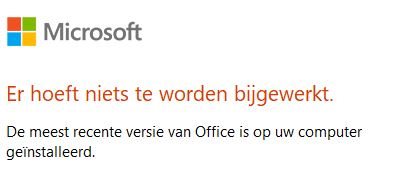
I've accepted all macros in Word's trust centre, and still the problem persists. Any other ideas?
Thanks!
Kind regards,
Emma

Hi Jerzy,
Thanks for your reply!
As mentioned in my original post, both Studio and Office are completely up to date.
I've accepted all macros in Word's trust centre, and still the problem persists. Any other ideas?
Thanks!
Kind regards,
Emma

Same here, unfortunately. I realized that today. Exactly as you my Office is completely up to date and all macros are allowed. Nonetheless, Word does not work as spellchecker.
I am the admin on my machine, I use my admin account for work and all apps have been installed as admin. So I can exclude this issue being in connection with admin rights.
_________________________________________________________
When asking for help here, please be as accurate as possible. Please always remember to give the exact version of product used and all possible error messages received. The better you describe your problem, the better help you will get.
Want to learn more about Trados Studio? Visit the Community Hub. Have a good idea to make Trados Studio better? Publish it here.

erg Jerzy Czopik Emma Maris
I have office 365 and I am using Trados 2022.
I can get it to work and while this not of help to you, what you can try check is this:
Under File - Options - Languages so you have a/the correct language proofing pack installed?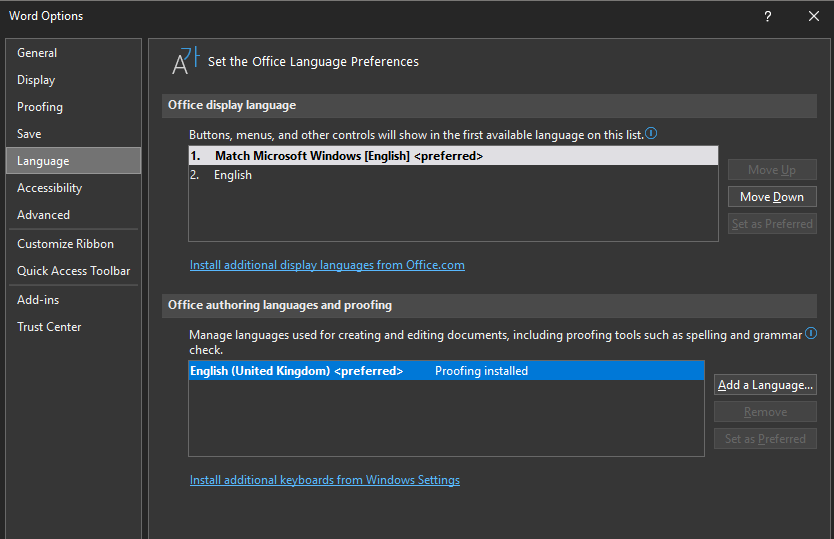
Looking forward to your confirmation
Lyds
Oana Nagy | QA Engineer | RWS Group
Hi Lydia,
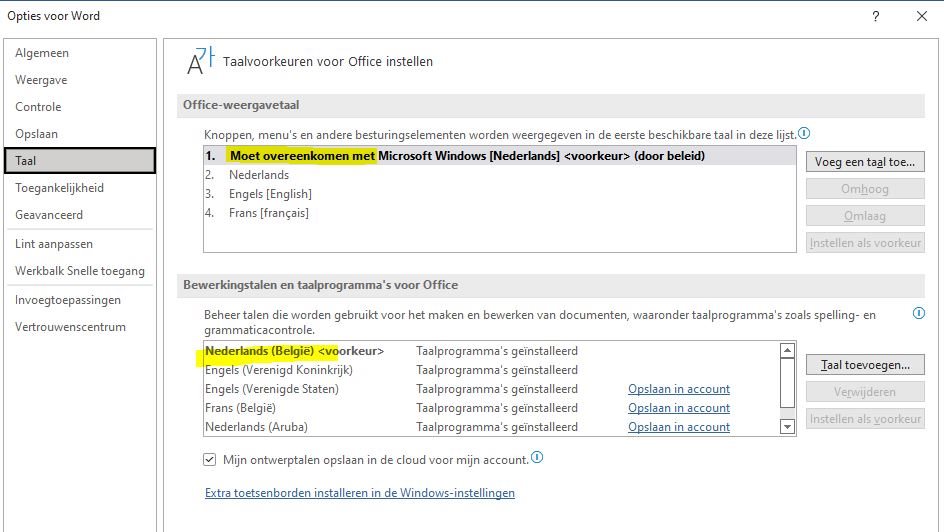
I confirm the appropriate language packages have been installed - if not, the spell checker would not work in Word either. ;-)
Screenshot for your information!
Kind regards,
Emma