How can I disable AT?

Hi folks,
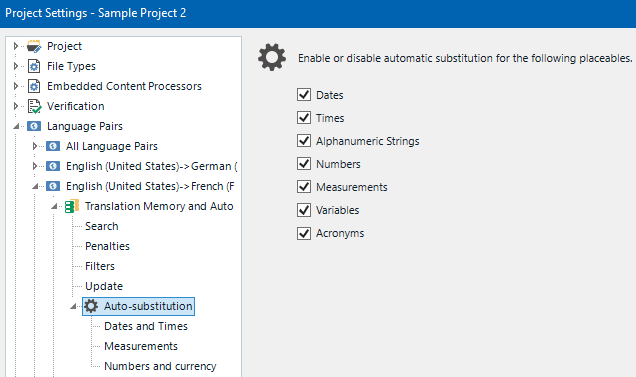
Does anybody know how can I prevent the blue AT status appearing in hyperlink-only segments? 
All of them are just a copy of the source and I don't need them marked as AT.
I know that there are apps or scripts for hiding AT status but I don't need hiding. I need to disable it.
I seem to have fiddled with all options I could find but AT survives all my efforts.
Any idea?

Screenshot of Trados Studio showing segments with hyperlinks, some segments are marked with a blue 'AT' status.


Generated Image Alt-Text
[edited by: Trados AI at 2:37 AM (GMT 0) on 29 Feb 2024]

emoji
Parents Reply
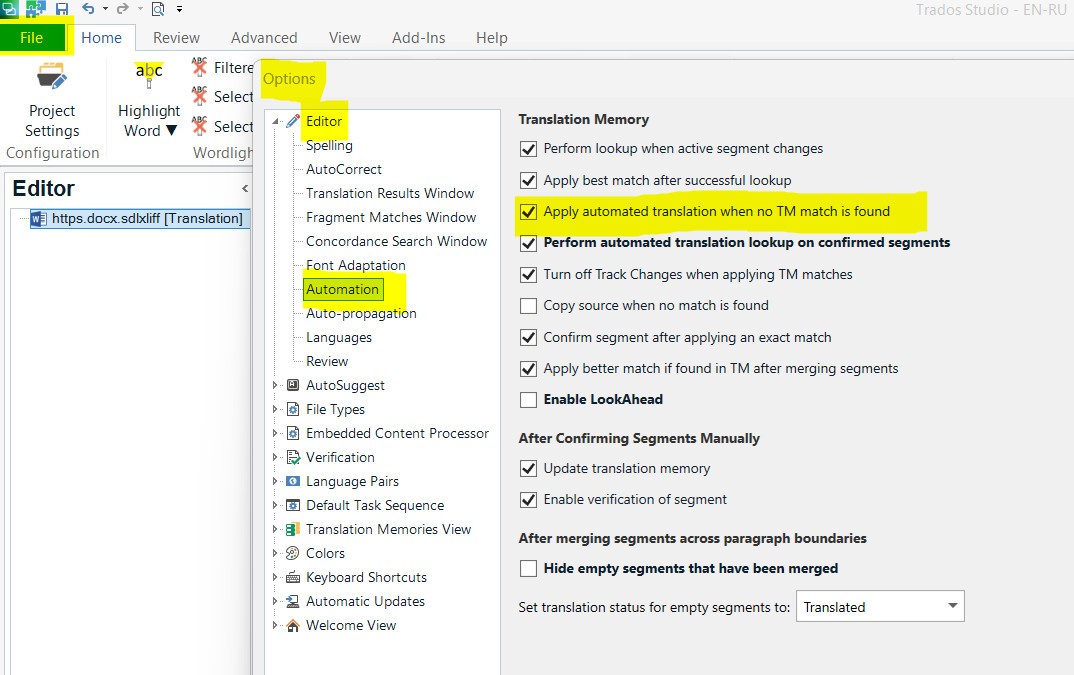
  • I can't say whether it applies to Trados 2022 or 2024, but in my 2021 version the AT status appears when I check this box:
    File > Options > Editor > Automation > Apply AT when no TM match is found.
    If you want to disable it, uncheck that box.

    *Keep in mind that you don't necessarily need to have AT providers enabled (like Cloud-based resorces, etc.).
    The AT status can be applied or not applied based on the above mentioned setting even if you enable just a regular TM alone.

    Screenshot of Trados Studio options menu highlighting the 'Apply automated translation when no TM match is found' setting checked under Editor > Automation.

    emoji


    Generated Image Alt-Text
    [edited by: RWS Community AI at 8:48 PM (GMT 0) on 17 Jan 2025]
Children