You are currently working on UAT 

Deactivation failure

Hallo, I'm, trying yo deactivate the Trados 2019 version (in order to activate the 2021 one). The procedure fails and the following error message appears: Error 143. Failure in accessing the license or persisting store.
Could you help me to solve the problem please?

Thank you ,

Serena

Parents Reply
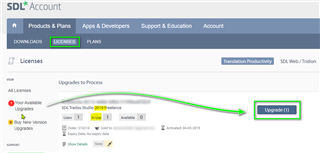
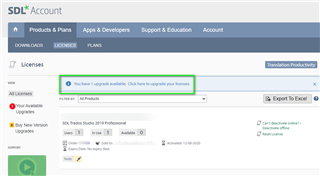
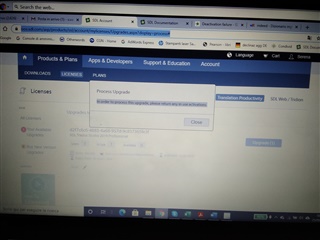
  • Hallo Steven, thanks for your kind reply. Indeed, I have clicked that banner and it was ok. After that, a blue banner appeared on the left (Upgrade1) and when I click this banner the folloqing message appears: 

    In order to process this upgrade, please return any in use activations.

    So, it doesn't work... 

    Screenshot of Trados Studio showing a 'Process Upgrade' pop-up with a message instructing to return any in-use activations before proceeding.

    My initial problem is that a have troubles when I try to deactivate the 2019 version, as I get the following error message: 

    Error 143 Failure in accessing the license or persistaence in store.

    Do you have an idea of how I could solve this problem?

    Thank you so much, 

    Serena

    emoji


    Generated Image Alt-Text
    [edited by: Trados AI at 10:55 PM (GMT 0) on 28 Feb 2024]
Children
No Data