
 Translate



Hello,
since the update to SDL Trados 2019, we have sometimes the problem, that we can't import Studio packages and receive the following error:
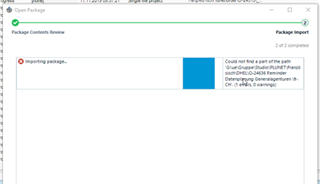
This happens with all different builds from SDL Trados Studio 2019, but it is possible to open the same Studio package with SDL Trados Studio 2017.
Is this something anyone already had and figured out how to solve this?
Would be happy to get any help.
Best regards,
Daniel Ganz
Generated Image Alt-Text
[edited by: Trados AI at 7:14 PM (GMT 0) on 28 Feb 2024]



