
 Translate



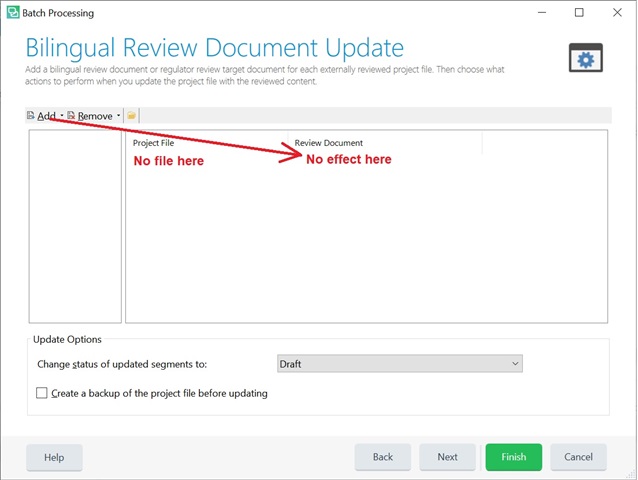
Update from bilingual review won't work for mxliff files. It does not even see the source file (Project File section is empty). When I add this file to a project along with other file types, the BRDU process only see those other files but not the mxliff file. Pressing Add > Specific Review Document... does not give any effect. No messages, no errors, no action at all. Once I select the 'Specific Review Document...' option from the 2-option popup menu it just disapperas. Is it by design?
Generated Image Alt-Text
[edited by: Trados AI at 6:31 PM (GMT 0) on 28 Feb 2024]



