

You are currently working on UAT 

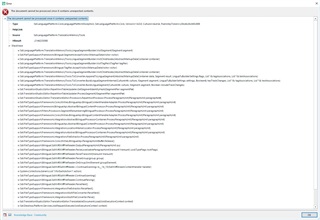
PDF the document cannot be processed since it contains unexpected contents?

Error message in Trados Studio stating 'The document cannot be processed since it contains unexpected contents.' with a list of problematic elements in the PDF file.

Hello,

PDF the document cannot be processed since it contains unexpected contents? Well this is the problem, cant find find the solution for PDF files. For that reasen I am creating a new question. Looking forward to any sugestions.

Best regards,


Generated Image Alt-Text
[edited by: Trados AI at 6:22 PM (GMT 0) on 28 Feb 2024]

emoji
Parents
  • It would be helpful if you told us what version of Studio you are using and also whether you used Iris or not?  It would also be interesting to know whether a Docx was created anyway when you try to open the PDF directly in Studio?  You can test by opening the PDF (or trying to) with the single file translation flow and look for the Docx in the same folder as the PDF.  If it does then you should clean up the Docx with with TransTools or something like that and translate the Docx instead.

    If yo still have the same problem with a cleaned up Docx then you can divide and conquer to find the problem part in the file.  So split the file into two and try to open both halves, hopefully only one will fail.  Split that one and repeat the process until you are able to identify what it is in the file that is causing the problem.

    Finally you can remove the offending part of the document that causes the problem and translate the rest; then manually complete the missing part at the end after inserting it back ito the original file (Docx).

    Paul Filkin | RWS

    Design your own training!
    You've done the courses and still need to go a little further, or still not clear? 
    Tell us what you need in our Community Solutions Hub

Reply
  • It would be helpful if you told us what version of Studio you are using and also whether you used Iris or not?  It would also be interesting to know whether a Docx was created anyway when you try to open the PDF directly in Studio?  You can test by opening the PDF (or trying to) with the single file translation flow and look for the Docx in the same folder as the PDF.  If it does then you should clean up the Docx with with TransTools or something like that and translate the Docx instead.

    If yo still have the same problem with a cleaned up Docx then you can divide and conquer to find the problem part in the file.  So split the file into two and try to open both halves, hopefully only one will fail.  Split that one and repeat the process until you are able to identify what it is in the file that is causing the problem.

    Finally you can remove the offending part of the document that causes the problem and translate the rest; then manually complete the missing part at the end after inserting it back ito the original file (Docx).

    Paul Filkin | RWS

    Design your own training!
    You've done the courses and still need to go a little further, or still not clear? 
    Tell us what you need in our Community Solutions Hub

Children