Translate



Hello !
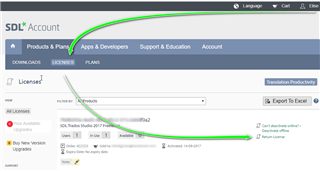
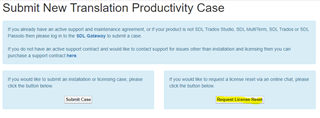
Two days ago, my computer crashed and I had to reinstall Windows. After the reinitialisation, I reinstalled all my applications, SDL Trados Studio 2017 included. What I didn't know is that I apparently had to deactivate my licence on my SDL account before reinstalling Studio on my computer. Now I am in trial mode and cannot deactivate my licence to activate a new one again. And I don't know what will happen when the trial mode will end. Should I uninstall Studio to be able to deactivate my licence through the SDL account and then reinstall it?
I don't really know what to do as it is the first time I had to reinstall Studio, so thanks for your advice!
Elise
[locked by: Steven Whale at 10:21 AM (GMT 1) on 19 Sep 2019]