 Translate



I have tried entering
“e.g.” and “g.” for “Exceptions” at
Options -> Editor -> AutoCorrect
This does not help.
You are currently working on UAT

I have tried entering
“e.g.” and “g.” for “Exceptions” at
Options -> Editor -> AutoCorrect
This does not help.
Hi Anthony Rudd
I'm stating the obvious here but...
Are you sure you entered it under the correct tab?
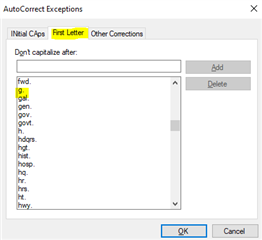
It should work set thus but I prefer to work with the auto-capitalisation turned off anyway.
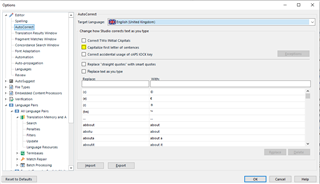
I'd rather be in charge myself of when to capitalise and when not...
All the best,
Ali 


Hi Alison, Yes
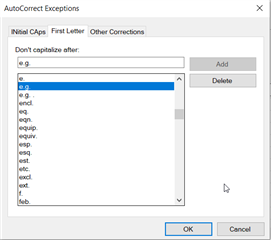

Looks a bit buggy to me so I have logged it with support. However, I also found a workaround that works for me.
1. Export your list of autocorrections (I know I used Germany... make sure you use the right language for the task):
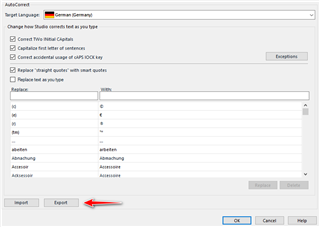
2. Edit the exported file:
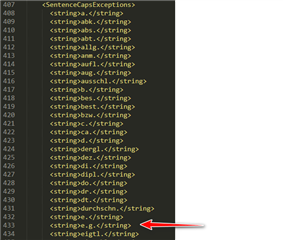
3. Import the edited file
After this it worked for me immediately. It seems like a refresh issue and my guess is a restart of Studio might also do the same job.
Paul Filkin | RWS
Design your own training!
You've done the courses and still need to go a little further, or still not clear?
Tell us what you need in our Community Solutions Hub

Hi Anthony Rudd
Of course, but I had to ask... to be sure 
Ali 
Thanks Paul
But for some reason it does not work for me, even after restarting Studio. I checked that my edited entry is contained in the Exceptions list after the import. It does work if the word is entered directly after e.g.p but not e.g, P
I have the impression that this "feature" was introduced with the latest version, because I cannot remember there being a problem with previous versions. But with increasing age, memory is not always what it was!
