You are currently working on UAT 

Studio 2019 SR 2 keeps freezing in the projects view

Hi!

Ever since installing SR2, Studio 2019 keeps freezing in the projects view (nearly every time I enter the project view). It's extremely frustrating, as it means I have to force quit and reboot Studio about ten times every time I want to switch between projects (which I normally do quite often).

I have tried repairing and reinstalling Trados, and I believe have the right exclusions set in the virus protection software. Nothing seems to help.

Any ideas on how I can resolve this issue?

Johanna

Parents Reply
  • Hi Stephen,

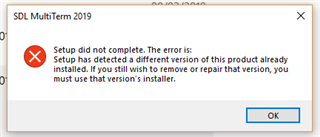
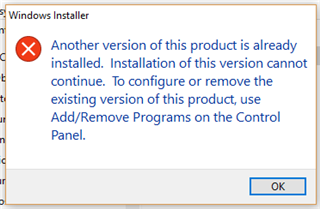
    Thanks for your message but this hasn't done the trick yet. When I double-click ob TradosCompatibility2.msi, I get the following message (very similar to the MT message):

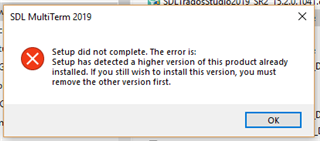
    Windows Installer error message stating 'Another version of this product is already installed. Installation of this version cannot continue. To configure or remove the existing version of this product, use AddRemove Programs on the Control Panel.' with an OK button.

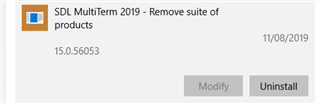
    I can run the other two .msi files and I can use Studio normally, too, but the issue that I'm concerned with is re-installing MultiTerm. As I described in my earlier post, I have uninstalled all the individual components of MT 2017 and MT 2019 via Start Menu > Settings > Apps. The two components that I can't uninstall are the "Remove suite of products" entries (probably because I should have uninstalled these first, as Alison pointed out).

    I have also checked the folders that are listed in the article and removed a few leftover .xml files from them - but to no avail.

    So how can I convince the installer that there is no higher version of MT installed on my machine any more?

    emoji


    Generated Image Alt-Text
    [edited by: Trados AI at 5:49 PM (GMT 0) on 28 Feb 2024]
Children