You are currently working on UAT 

Studio 2019 SR 2 keeps freezing in the projects view

Hi!

Ever since installing SR2, Studio 2019 keeps freezing in the projects view (nearly every time I enter the project view). It's extremely frustrating, as it means I have to force quit and reboot Studio about ten times every time I want to switch between projects (which I normally do quite often).

I have tried repairing and reinstalling Trados, and I believe have the right exclusions set in the virus protection software. Nothing seems to help.

Any ideas on how I can resolve this issue?

Johanna

Parents Reply
  • Hi Alison,

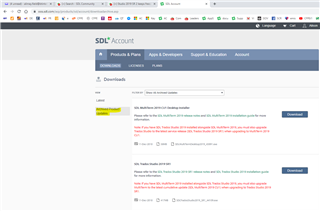
    OK, I now have a secondary problem. I downloaded the two packages that you show above and successfully updated my Studio version to SR1. However, I'm having real problems rolling back MultiTerm to CU1.

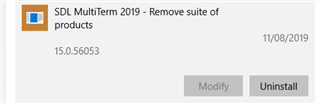
    When I ran the installer, it told me that a higher version of the product is already installed and it then closed. So I uninstalled all the MT components via Settings > Apps but the entry "Remove suite of products" can't be uninstalled.

    Screenshot of SDL MultiTerm 2019 - Remove suite of products with version 15.0.56053 and an uninstall button.

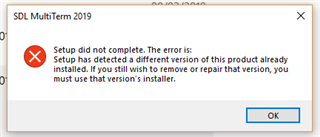
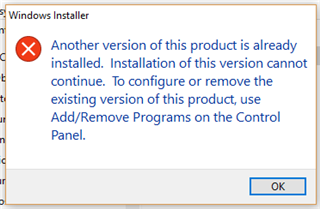
    When I click on Uninstall button, I get the following message:

    Error message from SDL MultiTerm 2019 setup stating a different version of the product is already installed.

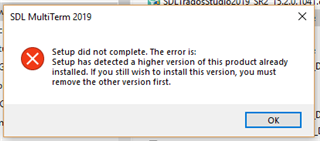
    The upshot of all this is that I have now uninstalled both MT 2017 and MT 2019 but I can't re-install either of them because that generates the "higher version" error:

    Error message from SDL MultiTerm 2019 setup stating a higher version of the product is already installed.

    So I'm now completely stuck with regard to re-installing MT. Can you help?

    emoji


    Generated Image Alt-Text
    [edited by: Trados AI at 5:49 PM (GMT 0) on 28 Feb 2024]
Children