This morning I wanted to start translating, however, all my projects were gone, except for the sample project. I have the 2019 version. Does this happen more often and what can I do about it?
You are currently working on UAT

This morning I wanted to start translating, however, all my projects were gone, except for the sample project. I have the 2019 version. Does this happen more often and what can I do about it?
Hello Femke Adams ,
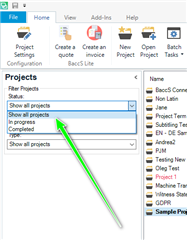
The first thing to check would be your settings in Studio
and 'Show All Projects'

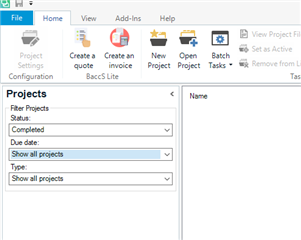
If this is set to 'completed' for example- this maybe the reason you cannot see the projects...

Also check the Due Date settings and Type.
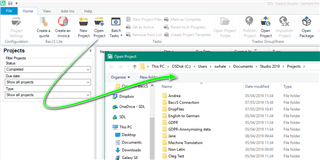
If you still cannot see the projects- they should be in your projects folder-
Just navigate to -
C:\Users\yourusername\Documents\Studio 2019\Projects (or to the folder you have set up if not using the default location).
Then double click the sdlproj. icon and this will reopen the project in Studio.
Alternatively you can open the project using Studio-

Is the problem now resolved?
Oana Nagy | QA Engineer | RWS Group
Hi Steven,
Thank you for your help. The problem is solved. Settings were ok though, still do not know what happened.
Kind regards,
Femke
Hi Steven,
Thank you for your help. The problem is solved. Settings were ok though, still do not know what happened.
Kind regards,
Femke