You are currently working on UAT 

numbers not placeable

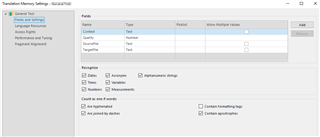
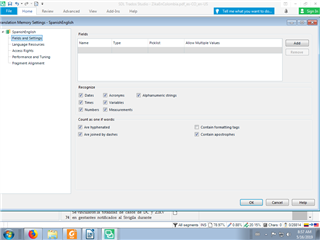
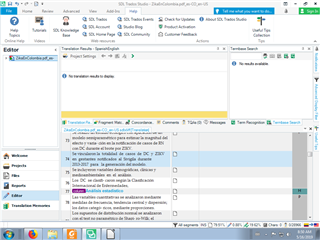
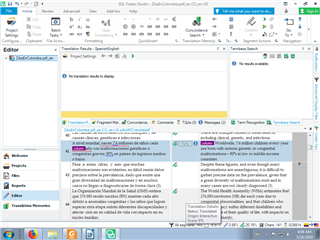
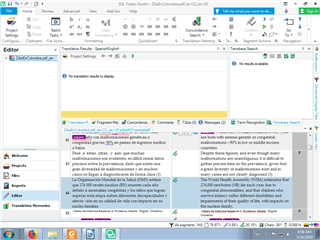
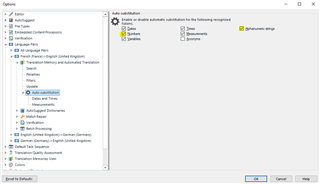
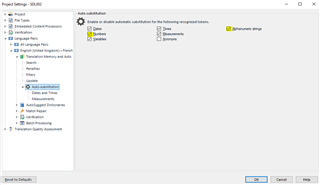
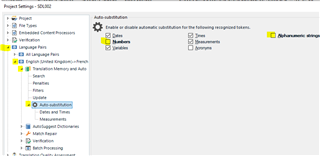
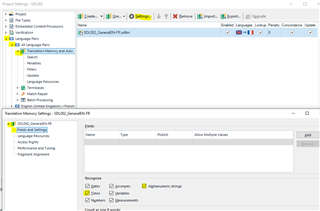
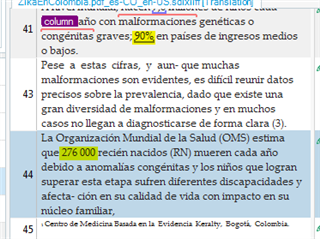
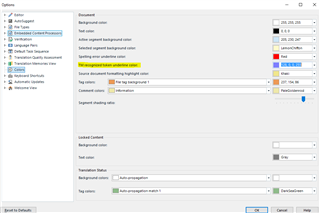
I am a relatively new user of CAT Tools and I am using the 30-day free trial of Studio 2019. I am translating an editable PDF (not scanned). None of the numbers in the source text are underlined as placeable. I am using a TM, and in settings the box to recognize numbers is checked. Is there something else I have to do? It shouldn’t be a matter of telling Windows to recognize international number formats, because it doesn’t recognize years or footnote numbers, nothing.

Do I have to add a method of recognizing numbers to a variable list? I am unable to download any apps because I am on the free trial. Sorry if I am overlooking something basic.

Parents Reply Children
  • Hi , hi

    In that case, Daniel, I don't know what to suggest, apart from a Windows repair of Studio. Would you try that please, Masha:

    1. Close all SDL applications.
    2. Open the Control Panel:
      • Windows Vista/7Start > Control Panel > Programs > Programs and Features.
      • Windows 8: Right-click on the screen at bottom-left corner and choose Control Panel > Uninstall a Program.
      • Windows 10: Right-click on Start > Control Panel > Select View by: Small Icons > Programs and Features
      • - or type 'Control Panel' in the search line on your bottom Windows toolbar.
    3. Click/highlight the relevant SDL product from the list (e.g. SDL Trados Studio 2019 etc) and click 'Repair' either on the top toolbar or on the right-click dropdown menu.
    4. Restart Studio.

    Let us know, Masha, if this makes any difference...

    All the best,

    Ali :)