

You are currently working on UAT 

SDL Trados Studio 2019 SR1 version 15.1.3.55768 error: Exception has been thrown by the target of an invocation.

Dear All,

I have just updated SDL MultiTerm 2019 to version 15.0.3.55976 and SDLTrados Studio 2019 SR1 to version 15.1.3.55768.

Now, when I try to check the open project's setting (Project Settings)  from inside the editor window, the following error message appears:
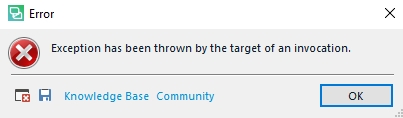
Error dialog box in Trados Studio with a red cross icon, displaying the message 'Exception has been thrown by the target of an invocation.' with 'Knowledge Base' and 'Community' buttons and an 'OK' button.

...and you guessed it correctly, I cannot access the project settings.

I am in the middle of a demanding medical project and I cannot even open the project settings or edit them.

I am really tired of these half-baked updates being pushed onto paying customers and breaking the product with which we work on a daily basis.

Suggestions?

Best regards,

Pavel Tsvetkov


Generated Image Alt-Text
[edited by: Trados AI at 4:30 PM (GMT 0) on 28 Feb 2024]

emoji
Parents
  • Hi 

    Again, try a Windows Repair of both Studio and MultiTerm components, as here:

    1. Close all SDL applications.
    2. Open the Control Panel:
      • Windows Vista/7Start > Control Panel > Programs > Programs and Features.
      • Windows 8: Right-click on the screen at bottom-left corner and choose Control Panel > Uninstall a Program.
      • Windows 10: Right-click on Start > Control Panel > Select View by: Small Icons > Programs and Features
      • - or type 'Control Panel' in the search line on your bottom Windows toolbar.
    3. Click/highlight the relevant SDL product from the list (e.g. SDL Trados Studio 2019 etc) and click 'Repair' either on the top toolbar or on the right-click dropdown menu.
    4. Restart Studio/MultiTerm.

    If that doesn't work, then you have the right to contact Installation Help free of charge, here:

    installation and licensing help

    Select 'Installation' from the 'Case type' dropdown menu.

    Someone will help in the next day or two if you give your correct email address.

    All the best,

    Ali :)

Reply
  • Hi 

    Again, try a Windows Repair of both Studio and MultiTerm components, as here:

    1. Close all SDL applications.
    2. Open the Control Panel:
      • Windows Vista/7Start > Control Panel > Programs > Programs and Features.
      • Windows 8: Right-click on the screen at bottom-left corner and choose Control Panel > Uninstall a Program.
      • Windows 10: Right-click on Start > Control Panel > Select View by: Small Icons > Programs and Features
      • - or type 'Control Panel' in the search line on your bottom Windows toolbar.
    3. Click/highlight the relevant SDL product from the list (e.g. SDL Trados Studio 2019 etc) and click 'Repair' either on the top toolbar or on the right-click dropdown menu.
    4. Restart Studio/MultiTerm.

    If that doesn't work, then you have the right to contact Installation Help free of charge, here:

    installation and licensing help

    Select 'Installation' from the 'Case type' dropdown menu.

    Someone will help in the next day or two if you give your correct email address.

    All the best,

    Ali :)

Children
No Data