
 Translate



Dear All,
I have just updated SDL MultiTerm 2019 to version 15.0.3.55976 and SDLTrados Studio 2019 SR1 to version 15.1.3.55768.
Now, when I try to check the open project's setting (Project Settings) from inside the editor window, the following error message appears:
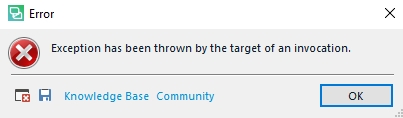
...and you guessed it correctly, I cannot access the project settings.
I am in the middle of a demanding medical project and I cannot even open the project settings or edit them.
I am really tired of these half-baked updates being pushed onto paying customers and breaking the product with which we work on a daily basis.
Suggestions?
Best regards,
Pavel Tsvetkov
Generated Image Alt-Text
[edited by: Trados AI at 4:30 PM (GMT 0) on 28 Feb 2024]


