You are currently working on UAT 

My automatic TM stopped working

Hi all. My Trados 2019 was working perfectly, using the automated TM. I have had a little issue with the Cloud settings, I had to accept, I am unsure what it was...but now I have no automated TM, and my target segments remain blank. I I have tried some of the tips, however nothing seems to work. Any advice would be appreciated.


Many thanks!

Parents
  • Hello  ,

    I think we need a little more information to understand the issue here


    When you mention 

    Patrycja Olech said:
    My Trados 2019 was working perfectly, using the automated TM
    are you referring to a TM attached to the Project or indeed using Machien Translation such as Google or SDL Language Cloud?

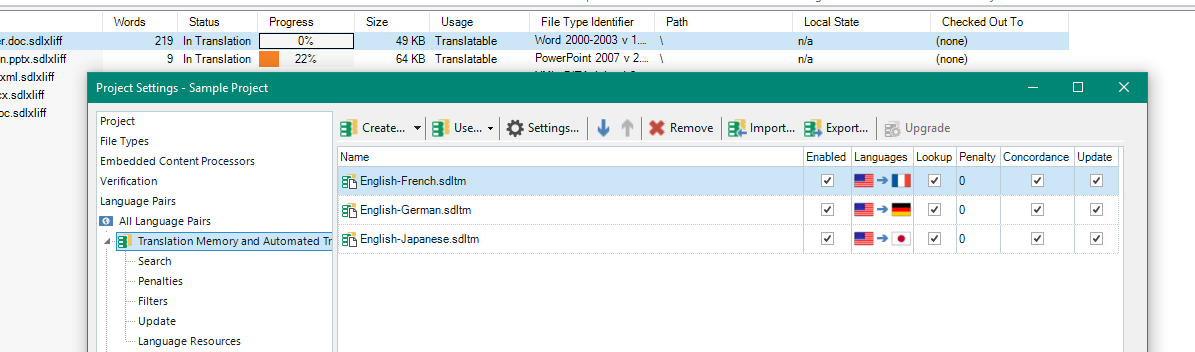
    If you are working on a project (your own creation or one sent to you by a client) you need to ensure the TM (s) are attached and enabled-

    Trados Studio project settings window showing Translation Memory and Automated Translation tab with Google and SDL Language Cloud options.

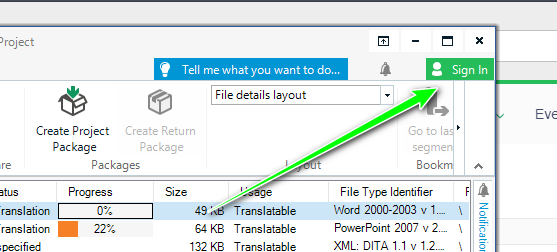
    If you are using Google/Language Cloud machine translation then you should ensure you are logged into your SDL Account

    Trados Studio sign-in prompt pointing to the sign-in button in the top right corner of the project window.


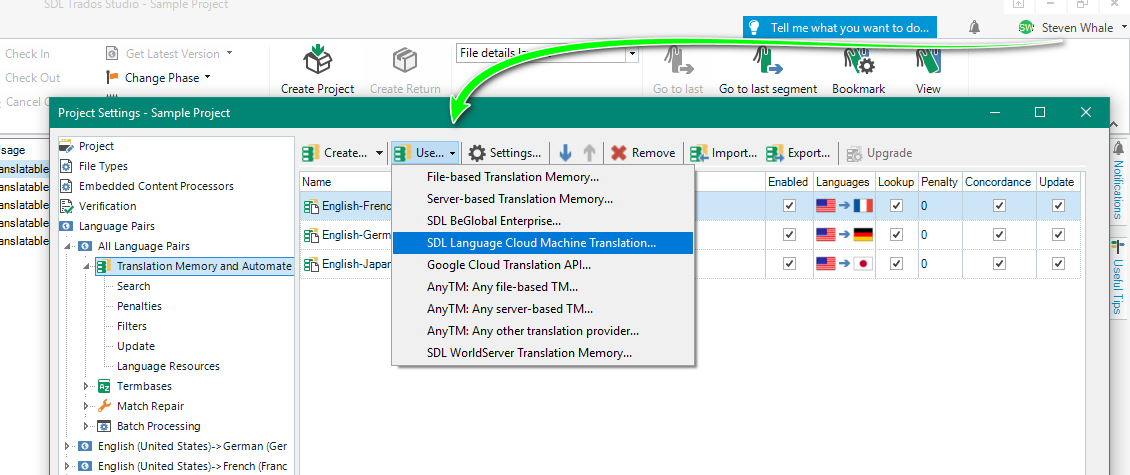
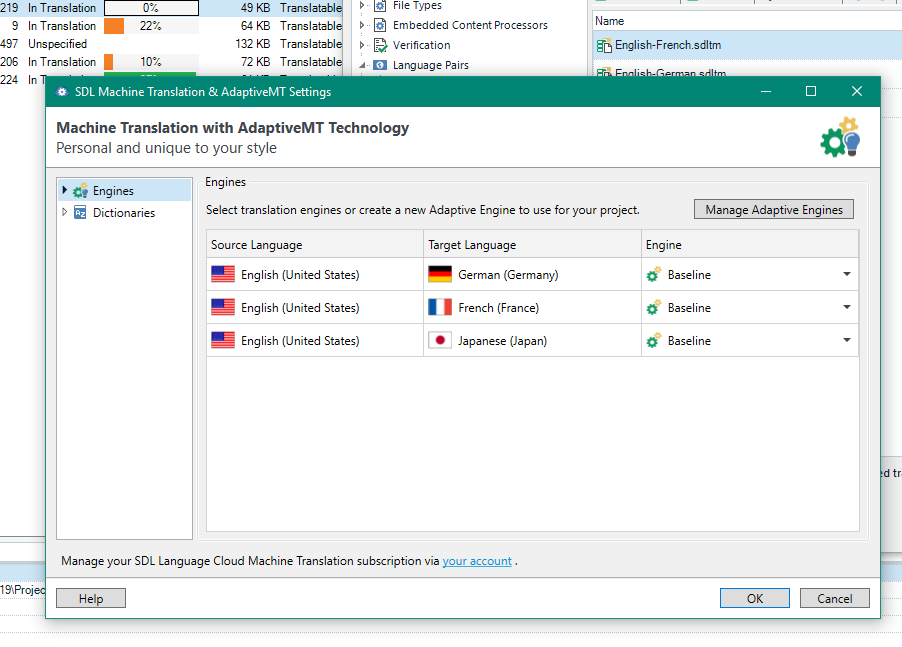
    Once you are logged in you can select your MT provider

    Trados Studio project settings window with an arrow pointing to the Automated Translation settings tab.

    Trados Studio Machine Translation settings window displaying source language as English (United States) and target language options including French (France).


    Does this help?


    Oana Nagy | QA Engineer | RWS Group

    emoji


    Generated Image Alt-Text
    [edited by: Trados AI at 5:37 PM (GMT 0) on 28 Feb 2024]
Reply
  • Hello  ,

    I think we need a little more information to understand the issue here


    When you mention 

    Patrycja Olech said:
    My Trados 2019 was working perfectly, using the automated TM
    are you referring to a TM attached to the Project or indeed using Machien Translation such as Google or SDL Language Cloud?

    If you are working on a project (your own creation or one sent to you by a client) you need to ensure the TM (s) are attached and enabled-

    Trados Studio project settings window showing Translation Memory and Automated Translation tab with Google and SDL Language Cloud options.

    If you are using Google/Language Cloud machine translation then you should ensure you are logged into your SDL Account

    Trados Studio sign-in prompt pointing to the sign-in button in the top right corner of the project window.


    Once you are logged in you can select your MT provider

    Trados Studio project settings window with an arrow pointing to the Automated Translation settings tab.

    Trados Studio Machine Translation settings window displaying source language as English (United States) and target language options including French (France).


    Does this help?


    Oana Nagy | QA Engineer | RWS Group

    emoji


    Generated Image Alt-Text
    [edited by: Trados AI at 5:37 PM (GMT 0) on 28 Feb 2024]
Children