You are currently working on UAT 

SDL MultiTerm 2019 -15.0.2.49020 not recognizing existing terms in Editor, but aware that terms exist

Dear All,

I have the latest version of MultiTerm installed: SDL MultiTerm 2019 -15.0.2.49020, but the problem described below has been around forever.

I have noticed time and again that MultiTerm does not recognize terms from the termbase (about which my memory serves me better), but when asked to add the term suddenly tells me that the term already exists:

Screenshot of Trados Studio showing a dialog box with a warning that the selected term 'tasks' already exists in the active termbase, asking if the user wants to edit the existing term.

So, the term exists and Trados knows it, but the term is not recognized in the source segment and there is no red bracket above it.

Any ideas?

Best regards,

Pavel


Generated Image Alt-Text
[edited by: Trados AI at 5:20 PM (GMT 0) on 28 Feb 2024]

emoji
Parents Reply Children
  • Hello,

    I don't have a case number for this one as I was not contacted by SDL team for this one. Unlike my other problem with crashing during spellcheck.

    For this one I was merely sharing my similar experience.

    Below are the screenshots.

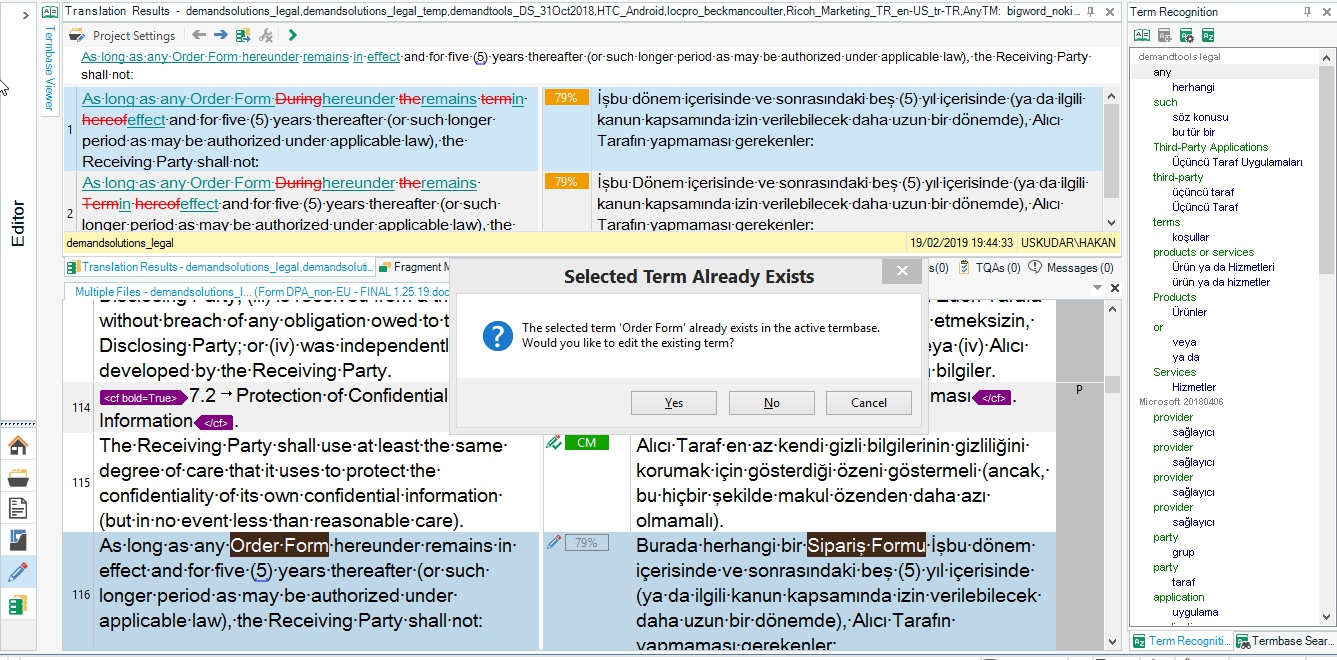
    First, I thought I had added the term Order Form, but saw that it was not appearing in the term recognition. I was kind of sure because it was one of the basic terms.

    Then I decided to add to my termbase, regardless, then it warned me saying it is already in the termbase. But, it was not visible in the term recognition.

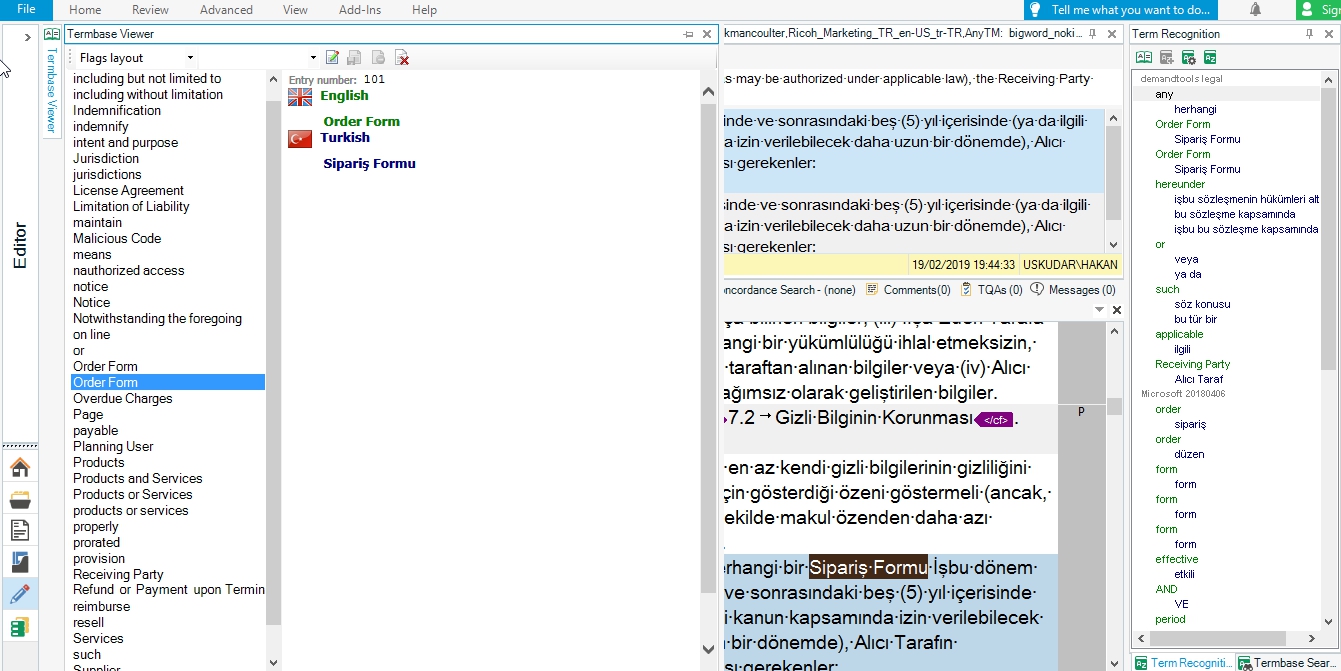
    When I saved it without joining the term, then I had two Order Form in my termbase and now both are appearing in the term recognition panel. If I had moved back and forth, then it would have appeared in the second visit to the segment

    Additional both TM and Termbase results are very slow at loading. TB has around 100 terms. TM might be normal because I have around 8 TMs connected for this project.

    Below are the screenshots

    Hope it helps

    Thank you

    Best regards


    Hakan


    Screenshot of Trados Studio showing term recognition panel without the term 'Order Form' and a warning message indicating the term is already in the termbase.Screenshot of Trados Studio with the term 'Order Form' now visible in the term recognition panel after being added to the termbase a second time.


    emoji


    Generated Image Alt-Text
    [edited by: Trados AI at 5:20 PM (GMT 0) on 28 Feb 2024]
  • This happened only when this segment or this term was visited for the first time after opening Trados. After taking above screenshots, it worked normally.
  • In addition to my reply with screenshots.

    This happened only when this segment or this term was visited for the first time after opening Trados.

    After taking above screenshots, it worked normally.

    I closed the file and kept Trados open and re-opened the file. It worked normally.

    I closed Trados and re-opened. It worked normally.

    I have not tried restarting my PC.

    If it is any clue, my this client's termbase has about 100 terms. It takes about 20 secs to load for term recognition and about 18 secs for TM results