
 Translate



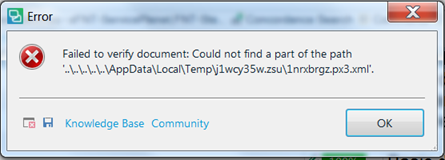
After running a general cleanup to remove superfluous files, I receive an error message on startup that a dependency file is missing
(file name …\Local\Temp\...\1nexbrgz.px3.xml), despite the error message Studio opens.
However, after running a Verify, a similar error message appears and the Verify pane fails to open.
Question: How can I correct this problem? If they are not "temp" files, why are they stored in this directory?
Generated Image Alt-Text
[edited by: Trados AI at 3:01 PM (GMT 0) on 28 Feb 2024]


