
 Translate



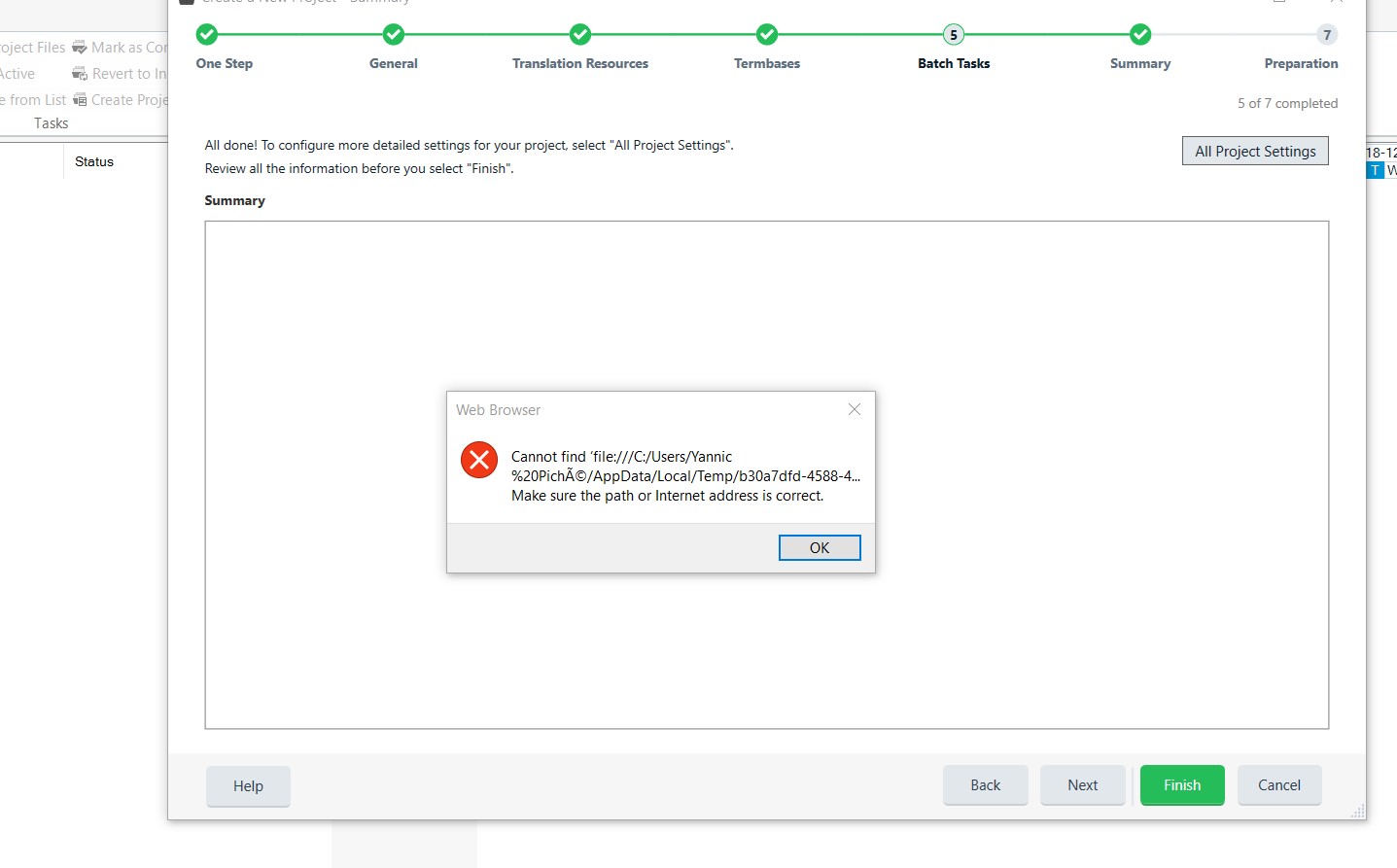
Ever since I upgraded to 2019, I consistently get an error message upon creating a project. I get the same error message on both my desktop (both before and after a clean Windows 10 Pro system installation) and my laptop (Windows 10 Pro). Installing SR1 didn’t fix the problem either.
Title of error message box: “Web Browser”
Caption: “Cannot find ‘file:///C:/Users/[…] Make sure the path or Internet address is correct.”
Available options: “OK” only
Clicking “OK” gets me through it and does not impede any of my usual activities. It’s just a bummer to always have to dismiss this error message.
A Google search with ["SDL" "Make sure the path or Internet address is correct."] returned only three results, none of which are related to SDL.
Any idea what this could be?
Generated Image Alt-Text
[edited by: Trados AI at 2:59 PM (GMT 0) on 28 Feb 2024]

