You are currently working on UAT 

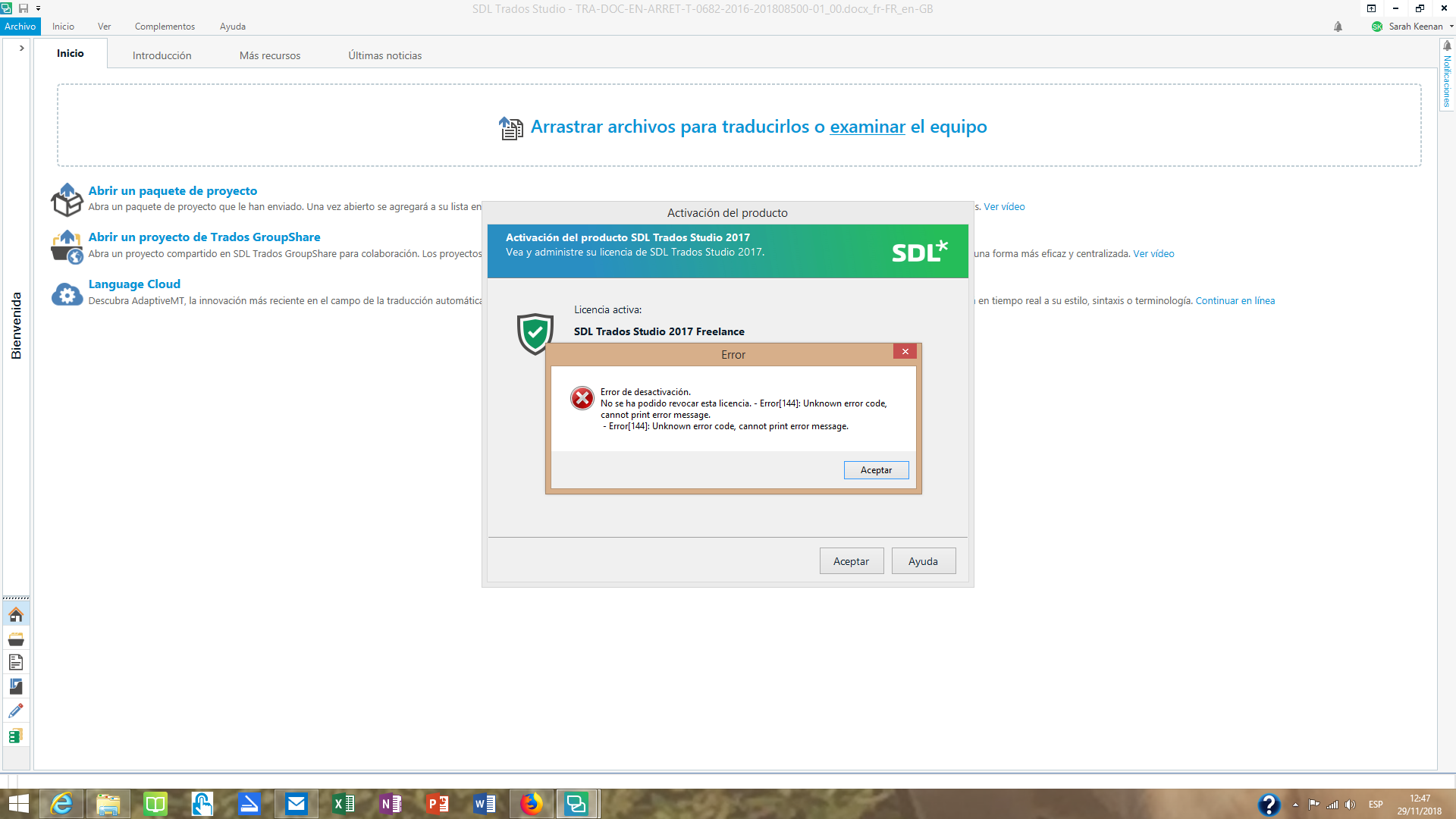
Deactivation Failed. Could not revoke this license. - Error [144]:

I had some licencing issues a short time ago when SDL's licence server crashed. In short, I could not activate the licence and SDL support gve me the following solution, which worked:

"*Go this path: <C:\ProgramData\SDL\SDL Trados Studio\Studio5\Data>
* Rename the Studio.lic file (ex. old_Studio.lic)
* Start Studio using the "Run as Administrator' option.
* Perform again the activation."


However, I now want to deactivate the licence on my home computer in order to reactivate it on my PC, something I've done many times before, but this error prevents me from doing so: Deactivation Failed. Could not revoke this license. - Error [144]. Unknown error code, cannot print error message.


I have no idea how to fix this. I cannot deactivate offline and cannot find any record of a similar error in the forums and knowledge areas of this website.

Any help would be appreciated.


Parents
  • Hi 

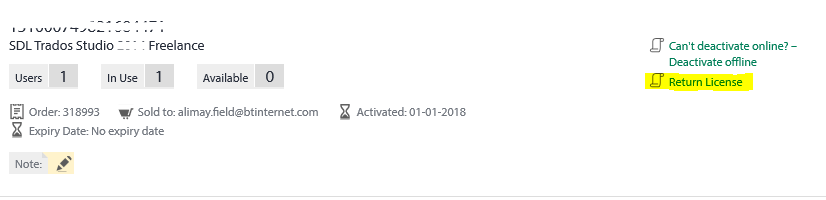
    The usual way if you have the Freelance version is to go to your SDL Account Licenses page and you will see against your license entry 'Return License'

    SDL Trados Studio - Freelance license page showing 'Return License' button and a warning message 'Can't deactivate online - activation offline'.

    Click on that.

    However, as you're in an error situation that may not work. In that case - and if you have a Professional license - go to this page:

    liveagentlicensing

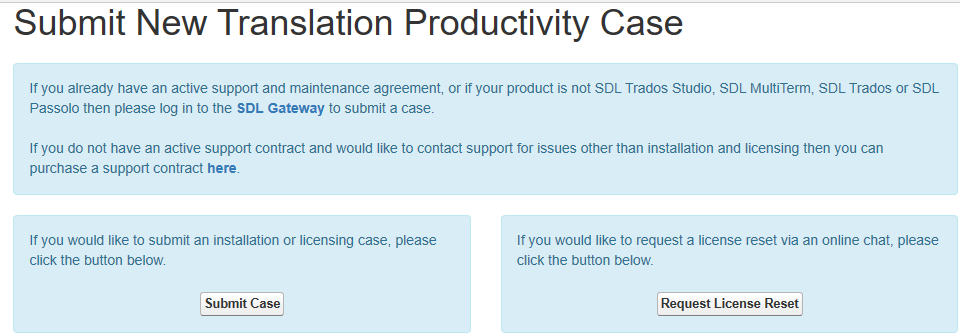
    There you will see the following:

    Webpage with title 'Submit New Translation Productivity Case' offering two options: 'Submit Case' and 'Request License Reset'.

    Click on 'Request License Reset' on the right-hand button then fill out the brief form that pops up.

    Don't navigate away because someone will come back to you via live chat, usually immediately.

    Then you can discuss the problem you're having and ask them to reset your license for you.

    ('Submit Case' opens a longer form that is sent to them by email)

    All the best,

    Ali [:)]

    emoji


    Generated Image Alt-Text
    [edited by: Trados AI at 2:46 PM (GMT 0) on 28 Feb 2024]
Reply
  • Hi 

    The usual way if you have the Freelance version is to go to your SDL Account Licenses page and you will see against your license entry 'Return License'

    SDL Trados Studio - Freelance license page showing 'Return License' button and a warning message 'Can't deactivate online - activation offline'.

    Click on that.

    However, as you're in an error situation that may not work. In that case - and if you have a Professional license - go to this page:

    liveagentlicensing

    There you will see the following:

    Webpage with title 'Submit New Translation Productivity Case' offering two options: 'Submit Case' and 'Request License Reset'.

    Click on 'Request License Reset' on the right-hand button then fill out the brief form that pops up.

    Don't navigate away because someone will come back to you via live chat, usually immediately.

    Then you can discuss the problem you're having and ask them to reset your license for you.

    ('Submit Case' opens a longer form that is sent to them by email)

    All the best,

    Ali [:)]

    emoji


    Generated Image Alt-Text
    [edited by: Trados AI at 2:46 PM (GMT 0) on 28 Feb 2024]
Children