You are currently working on UAT 

Isolating text from a document with HTML

Hey there, 


I am looking for a way to isolate just the plain text from an excel document that includes code. Some examples of the code are "<ul><li> <ul><b>". If i could isolate just the plain text, I think i could translate more efficientlly.  Note: I  am using a trados studio 2019


Thank you!

-Aly

Parents Reply
  • Hey Paul,

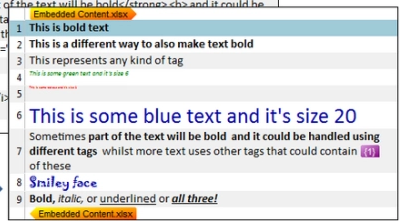
    I figured it out for the most part. I was following the instructions in the article, but i was missing one final step. I opened up the original file as a new project in studio and that applied the changes from my settings to the project. Now my issue is that i want my project to appear like this:


    Screenshot of Trados Studio interface showing text with embedded content tags and formatting options like bold, italic, and underlined text.

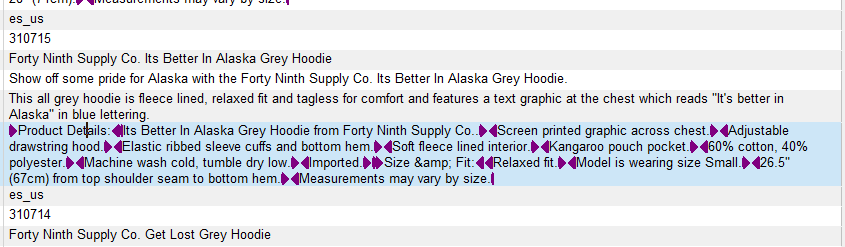
     My project currently looks like this :


    Screenshot of Trados Studio project with text segments containing tags, formatted text in different colors, and a segment with a warning icon indicating an issue.


    I would like to have the text between tags to show up as a separate segment, so that my translation memory will recognize those segments as previously translated. Is this possible?


    Thanks for the help!

    emoji


    Generated Image Alt-Text
    [edited by: Trados AI at 2:20 PM (GMT 0) on 28 Feb 2024]
Children
No Data