
You are currently working on UAT 

原文を編集すると「Fuzzy autopropagation not initialised」のメッセージが出ます

Trados2017で、原文が英語、訳文が日本語で使用しています。

「原文の編集」を右クリックから選択して原文を編集した後に、以下のメッセージが毎回出ます。
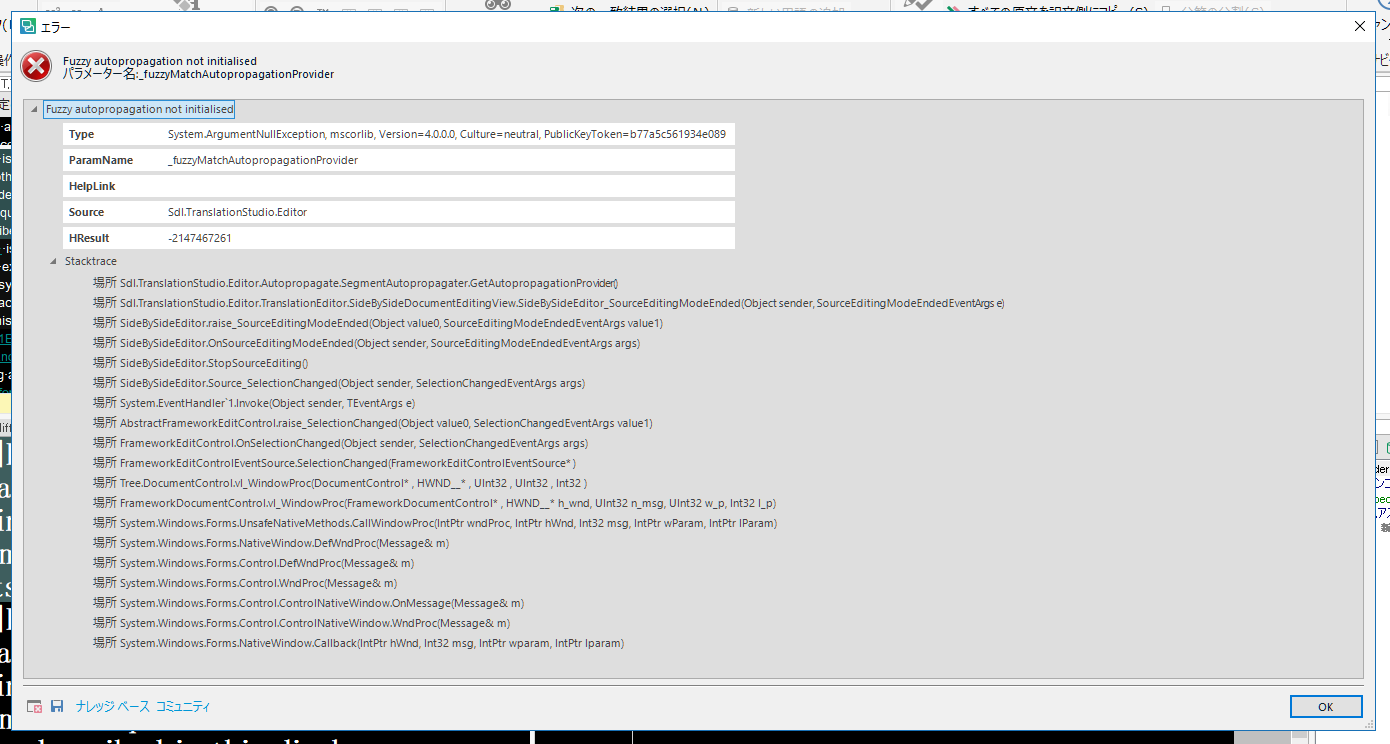
Error message in Trados Studio 2017 after editing the source text in a project with English source and Japanese target language. The message lists multiple error details and file paths.


編集自体は問題なく行えています。

何が問題なのか、メッセージが出なくなるようにするにはどうしたらよいか、ご教示いただきたいです。

よろしくお願いいたします。


Generated Image Alt-Text
[edited by: Trados AI at 2:16 PM (GMT 0) on 28 Feb 2024]

emoji
  • Hi

    I'd try a reset first because this often cures strange things. You could use this app for the reset and this will also explain what you will lose by carrying out a reset before you do it:

    appstore.sdl.com/.../

    But if you'd rather do this manually then rename this folder (just add _old to the end or something, it's not important what you rename it to) and restart Studio:

    c:\Users\[USERNAME]\AppData\Roaming\SDL\SDL Trados Studio\14.0.0.0

    So the path would become this:

    c:\Users\[USERNAME]\AppData\Roaming\SDL\SDL Trados Studio\14.0.0.0_old

    If you can't find this folder then you need to unhide your hidden files/folders:

    www.howtogeek.com/.../

    If that doesn't work then please log a support case. For licensing or installation issues that prevent you from working we have a route for all customers to get help. This can be achieved really quickly using this link:

    gateway.sdl.com/liveagentlicensing

    You have two options:

    1. Submit a case using a webform
    2. Use live chat to get a licence reset

    You want to use the first option and make sure that you refer to this thread so the teams can see what you have tried already.

    Regards

    Paul

    Paul Filkin | RWS

    Design your own training!
    You've done the courses and still need to go a little further, or still not clear? 
    Tell us what you need in our Community Solutions Hub
