

You are currently working on UAT 

Studio 2019 fails when trying to create a new project: An error occured whilst trying to determine the file version.

Hi All,


I have installed the new Studio 2019 under a brand new installation of Windows 10 x64. I have imported my projects and templates from Studio 2017. Now when I try to create a new project I get this:
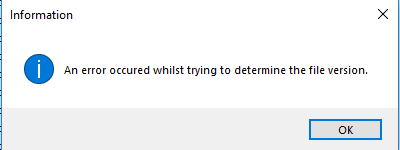
Information dialog box with an error message: An error occurred whilst trying to determine the file version. With an OK button.

...which is a hilarious message, as in the best of Trados traditions it means nothing to the paying user, and it also contains a spelling error: occurred. I do appreciate the usage of the archaic form 'whilst' (adds a touch of class).

Typos aside, I can see that others have had the same problem, and so I have read through the answers and:

1. Closed and re-opened Trados. No luck.

2. Added several extensions to the exclusion list of my Kaspersky Internet Security (generally, a bad idea, but I need to be able to create new projects in my shiny new Studio 2019). Alas, this fixed nothing.

3. Renamed the Project Templates directory, as advised in one of the threads:
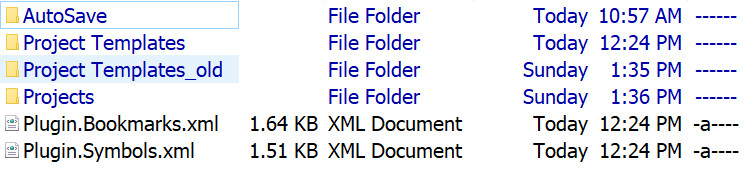
File explorer window showing folders and files related to Trados Studio. 'Project Templates' folder has been renamed to 'Project Templates_old'.

...thought I had it this time... No.

So do I need to also sacrifice the list of my projects that I have so meticulously saved?

Any and all suggestions welcome.


Best regards,

Pavel


Generated Image Alt-Text
[edited by: Trados AI at 2:21 PM (GMT 0) on 28 Feb 2024]

emoji
Parents
  • Hi

    In general it's a bad idea (because Studio doesn't handle it well) to migrate some resources, like project templates or custom filetypes, from an older version. I would always do this when upgrading:

    1. Read the release notes and see what's changed
    2. Migrate anything that has not changed
    3. Recreate things that have

    Unfortunately project templates often touch everything so I would always recreate them when moving from one version to another. I'd like to see a better migration process built into the upgrade from one version to another but until we have this it makes sense to recreate if in any doubt. I know it takes a while, but the effort spent messing around trying to resolve the problems that can be caused by this could be a lot more.

    Paul Filkin | RWS

    Design your own training!
    You've done the courses and still need to go a little further, or still not clear? 
    Tell us what you need in our Community Solutions Hub

  • Hi Paul,

    Thank you for your message.

    1. Indeed, when I deleted the following file

     Screenshot showing a file named 'projects.xml' with a size of 46.1 KB, type XML Document, modified on Sunday at 5:05 PM.

    ...from C:\Users\[User Name]\Documents\Studio 2019\Projects, the problem was solved.

    2. It is unfortunate that I will now have to re-create the client list and templates from scratch—after investing a lot of time and effort into backing those up (along with the projects list) on a daily basis, so that this exact sequence of events could be avoided.

    It would be great if SDL can make those resources reusable.

    Best regards,

    Pavel

    emoji


    Generated Image Alt-Text
    [edited by: Trados AI at 2:21 PM (GMT 0) on 28 Feb 2024]
Reply Children
No Data

