
 Translate



Hi All,
I have installed the new Studio 2019 under a brand new installation of Windows 10 x64. I have imported my projects and templates from Studio 2017. Now when I try to create a new project I get this:
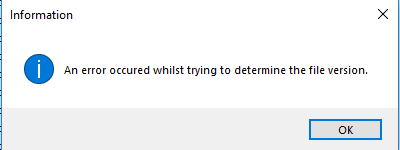
...which is a hilarious message, as in the best of Trados traditions it means nothing to the paying user, and it also contains a spelling error: occurred. I do appreciate the usage of the archaic form 'whilst' (adds a touch of class).
Typos aside, I can see that others have had the same problem, and so I have read through the answers and:
1. Closed and re-opened Trados. No luck.
2. Added several extensions to the exclusion list of my Kaspersky Internet Security (generally, a bad idea, but I need to be able to create new projects in my shiny new Studio 2019). Alas, this fixed nothing.
3. Renamed the Project Templates directory, as advised in one of the threads:
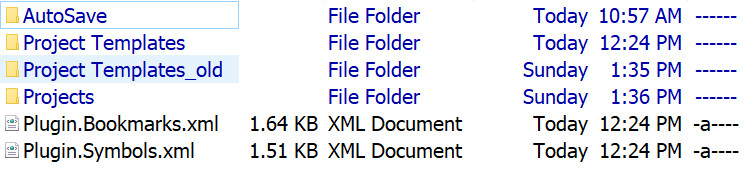
...thought I had it this time... No.
So do I need to also sacrifice the list of my projects that I have so meticulously saved?
Any and all suggestions welcome.
Best regards,
Pavel
Generated Image Alt-Text
[edited by: Trados AI at 2:21 PM (GMT 0) on 28 Feb 2024]




