 Translate



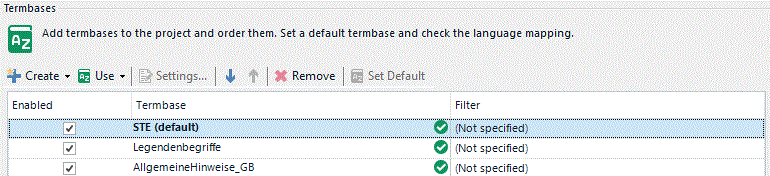
On every project - I need to adjust the display settings?
You are currently working on UAT

On every project - I need to adjust the display settings?
Paul Filkin | RWS
Design your own training!
You've done the courses and still need to go a little further, or still not clear?
Tell us what you need in our Community Solutions Hub


You do this through your Project Settings. Easiest way to get to this is here:
Paul Filkin | RWS
Design your own training!
You've done the courses and still need to go a little further, or still not clear?
Tell us what you need in our Community Solutions Hub
Paul Filkin | RWS
Design your own training!
You've done the courses and still need to go a little further, or still not clear?
Tell us what you need in our Community Solutions Hub
Paul Filkin | RWS
Design your own training!
You've done the courses and still need to go a little further, or still not clear?
Tell us what you need in our Community Solutions Hub
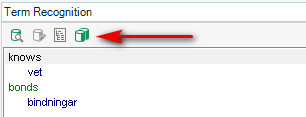
I don't know how else to say this, but unless you are using the Language Cloud (Beta) that button will be greyed out. It doesn't matter if you have more termbases there. Those settings for not for "normal" termbases.
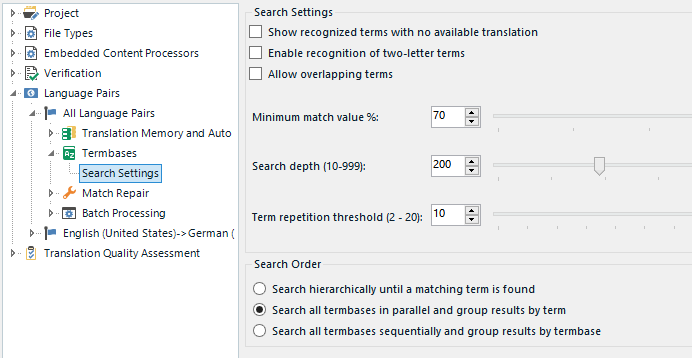
There are also no settings for case sensitivity on a termbase anyway. These are your only options:
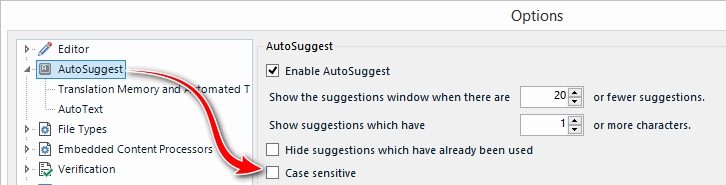
You can set the case for use with AutoSuggest in here but you can't change any settings on the Termbase for case sensitive recognition:
Paul Filkin | RWS
Design your own training!
You've done the courses and still need to go a little further, or still not clear?
Tell us what you need in our Community Solutions Hub
Paul Filkin | RWS
Design your own training!
You've done the courses and still need to go a little further, or still not clear?
Tell us what you need in our Community Solutions Hub