You are currently working on UAT 

Upgraded to Studio 2015 SR3 5262 but unable to launch the program. Please help!

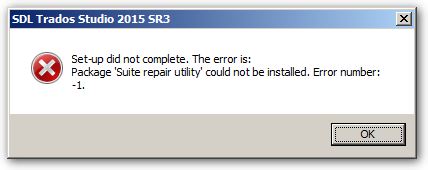
I've just upgraded from 2015 SR2 to SR3, but after "successfully" installing SR3, I couldn't launch the program. Here's the error message:


There is a problem with the installation. Studio cannot be run. If the problem persists you will need to re-stall Studio.


I've tried to re-install SR3 but still had the above error. I then uninstall Studio via Windows 10 manager, reinstall SR3 but FAILED again!!! That error message is still there. I really need help. I have a project to deliver in a few hours and now I couldn't do anything. Please help!

Parents Reply
  • Hallo Holger, I have the same problem. I uninstalled SR3 and when I tried reinstalling SR2, a message informed me that setup had detected a higher version of the product already installed. I then realized that there was another item to uninstall: "SDL Trados 2015 SR3 - Remove Suit of products". I tried proceeding with the uninstallation but I was asked to deactivate my license. Now my question is: how can I deactivate it if Studio did not open after installation of SR3 and if I uninstalled one of the two components of SR3? Actually I have no way to open Trados Studio to deactivate my license and I do not know what to do. Can Anybody advise? Thank you. MC
Children