How can I use Regex to identify a placeable?

Hi, 

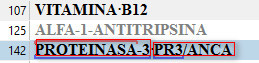
I realise - too late - that in a huge file with alphanumeric strings recognised as placeables, that strings needing translation have incorrectly autopropagated without being translated.

For example:

ALFA-1-ANTITRIPSINA

PROTEINASA-3

(to name but a few).

I'd like to filter by

1. All segments containing a placeable (plus any other content).

2. All segments containing a placeable only.

Can anyone suggest a Regex string that would catch Studio placeables that I'd be able to use in the Advanced Display Filter and/or in QA checker>Regular expressions?

I've got as far as ([A-Z]|\d)(-|–|_|\.)([A-Z]|\d) but it's not specific enough (e.g., it also catches \d-\d).

Many thanks,

Emma

Parents Reply
  • Hi Emma,

    Ok.. I looked at this a little bit better. First point to note is that this is not a capturing expression, so Ctrl+F will not return what you expected. It's only a lookahead to see if the expression can be matched and then filter accordingly.

    If you want Ctrl+F to work too then try this:

    \b(?=\S*[a-zA-Z])(?=\S*[0-9])\b\S*

    This adds the bit to select your text after asserting it can be found. If you want to use it in QA then you would also create a back reference to remember what it found:

    \b(?=\S*[a-zA-Z])(?=\S*[0-9])\b(\S*)

    Make sense?

    Then to make this work in all your scenarios I'd need to see some more examples... but perhaps this will help you?

    Regards

    Paul

    Paul Filkin | RWS

    Design your own training!
    You've done the courses and still need to go a little further, or still not clear? 
    Tell us what you need in our Community Solutions Hub

Children
  • Last one I promise... Regex does this to me;-)

    \b(?=\S*[a-zA-Z])(?=\S*[0-9])\b([^\s.]*)

    That should ignore the full stops when you have one at the end of a sentence... think you mentioned that earlier too.

    Regards

    Paul

    Paul Filkin | RWS

    Design your own training!
    You've done the courses and still need to go a little further, or still not clear? 
    Tell us what you need in our Community Solutions Hub

  • Paul Filkin said:


    \b(?=\S*[a-zA-Z])(?=\S*[0-9])\b([^\s.]*)

    This is excellent, Paul! Thank you!

    It works almost perfectly in the ribbon filter and with Ctrl+F.

    (It includes forward slashes (see red rectangles) whereas Studio doesn't (see blue line): 

    The Advanced Display Filter picks up the same, but also segments with tag content, so:

    This is an important difference, because at the moment I can't use the Advanced Display Filter to combine with other filters. 

    But still, this is quite workable now. Many thanks for your help.


    P.S. One last request. How could I filter for segments with alphanumeric strings and nothing else? (e.g. segment 125 above)