What is a 'Container' in a GroupShare context?

I'm trying to create a TM in GroupShare and have followed the "Creation wizard for a new translation memory".

However, at the final stage the "Finish" button is greyed-out. I suspect this is because the "Container" field has been left empty.

I've looked around and found that our GroupShare installation doesn't yet have any containers defined, and that I can define these in the Infrastructure section.

But this brings about two questions:

  1. What is a container in this context?
  2. I'm unable to create a container because the "Database server" drop-down doesn't offer anything to select.

I've added a database (which I called "Default" and which I pointed towards the same DB on which GroupShare is already running), and then attempted to attach a container to this. But it tells me

    Cannot find configuration data for [whatever I enter in the "Database Name" field] - this is not a TM Server database/container
    Invalid object name 'dbo.parameters'
    --> Start upgrading Database Schema from TM Server 8.05 to 8.06...

It looks like my lack of understanding is restricting me here. Can anyone shed any light on this situation?

Parents
  • Andrew

    A container is a subdivision of a "server". As you may know, TMs are stored in a SQL database. By default, the GroupShare server only uses one SQL database, that is one physical db file to store all TMs of a server instance. Containers allow you to split your TMs into several physical SQL databases. This can be useful if you have a lot of TMs, first for performance reasons but also for backup, because in such a case every container will be a separate SQL db file and can also be backed up separately.

    If you are trying to add a TM on a GS server that is already configured, you should simply select the existing container in step 1 "Select location" of the TM create wizard.
    You can also see what containers and servers you have configured by going to the view "Infrastructure".

    Hope this helps.
    Walter
  • Thanks very much for the reply, Walter.

    I'm still a little confused though - am I right in surmising that a container maps to a physical DB, thus allowing me to use multiple physical DBs, each labelled as a container? In such a case, is 'container' just a label or mapping for the physical DB?

    Also, on my GS installation there are no containers configured. I've updated my original question with details on what happens when I try to create a container.
  • Hi Andrew

    Yes this is correct, a container maps to a physical DB.

    I can't imagine that you don't have any container configured. You cannot create any TMs without having first configured (1) a DB server and (2) at least one container.

    What do you see in the tab "Infrastructure"?

    Walter
  • >> What do you see in the tab "Infrastructure"?

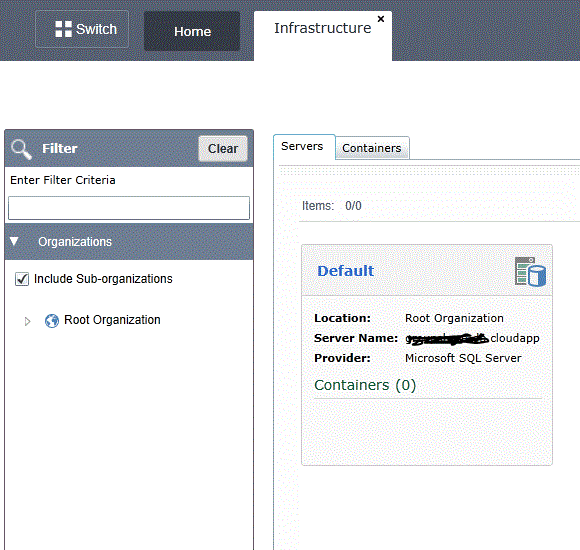
    On the "Servers" tab I see a server which I configured yesterday (perhaps it's configured wrongly, I don't know)


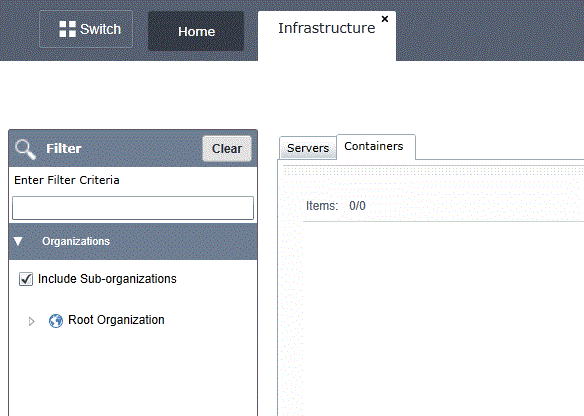
    And on the "Containers" tab I see nothing.

  • Andrew

    Your server should contain at least one container.
    Make sure this server points to a SQL server instance. The reason I ask is that your server name "gr.....udapp" does not look like the name of a SQL server instance, which should have the format "servername\SQL instance name". This might be your problem.

    Walter

  • Hi Walter,

    The DB's name, as shown on the image, is not complete. For security I won't say what the full name is, but GroupShare doesn't show the full name - it does when double-clicked and more details are revealed, but in that summary view it shows only the first X characters.

    I know that these details must be correct because GroupShare tests the details provided when adding a server; if I edit the server now and change the username, it tells me that it can't connect unless the correct details are entered.

    >> our server should contain at least one container.

    That's the impression I got, but there presently isn't one. And that's what I'm trying to do now. Is this a step which you would expect the installer to have taken care of? We installed GroupShare ourselves using SDL's guide.

    The specific problem I'm having now is while trying to add a Container, what do I enter in the "Database name" field? It doesn't allow the name of my database (...-db.cloudapp.net) because of the characters it contains.


    [Also, I've replaced the graphic in my previous post which contained part of the DB name. Would you mind removing it from your reply for security reasons?]

  • Andrew

    I edited the DB name in my post.

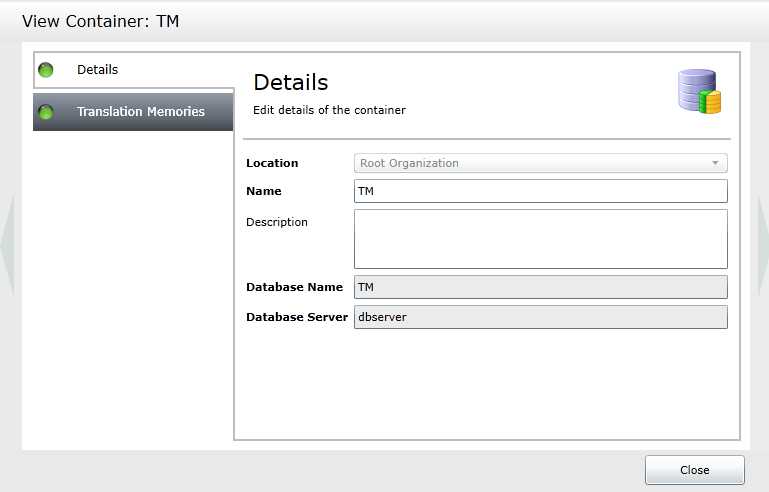
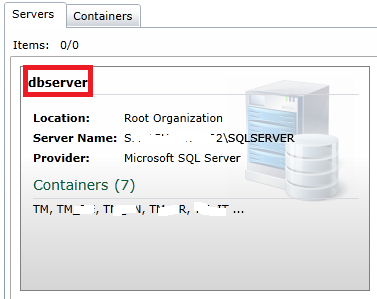
    When you create a container, the "Database name" is the internal name you want to give to your container (actually the SQL DB name) and not the name of the DB server. The DB server name must be entered into the last field labelled "Database Server" and must match your server name. See this example:

    Walter

  • Great, I've now successfully created a container, in which I was then able to create a new TM.

    One last thing, Walter: can you offer any guidance as to how we might want to divide our TMs across containers? Is it just for size reasons or might we, for example, want a container for each source language, or perhaps by subject (i.e., a medical TMs container, technology TMs container)?

    Thanks very much for your help, Walter.
  • Andrew

    Glad you solved it.

    Personally, I only split TMs into containers for performance and backup reasons (because you then get several SQL DB files on the server) but never for logical reasons. Most GS customers I know have only one container. I would never split by language pair or specialty.

    Walter
Reply Children