What is a 'Container' in a GroupShare context?

I'm trying to create a TM in GroupShare and have followed the "Creation wizard for a new translation memory".

However, at the final stage the "Finish" button is greyed-out. I suspect this is because the "Container" field has been left empty.

I've looked around and found that our GroupShare installation doesn't yet have any containers defined, and that I can define these in the Infrastructure section.

But this brings about two questions:

  1. What is a container in this context?
  2. I'm unable to create a container because the "Database server" drop-down doesn't offer anything to select.

I've added a database (which I called "Default" and which I pointed towards the same DB on which GroupShare is already running), and then attempted to attach a container to this. But it tells me

    Cannot find configuration data for [whatever I enter in the "Database Name" field] - this is not a TM Server database/container
    Invalid object name 'dbo.parameters'
    --> Start upgrading Database Schema from TM Server 8.05 to 8.06...

It looks like my lack of understanding is restricting me here. Can anyone shed any light on this situation?

Parents
  • Andrew

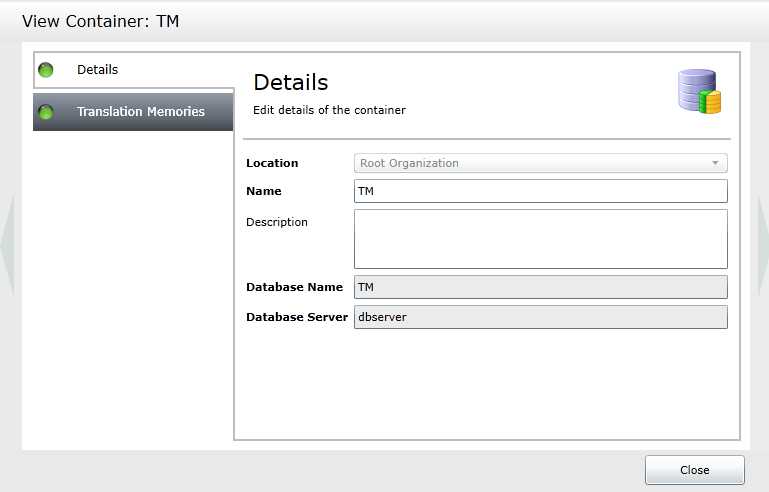
    A container is a subdivision of a "server". As you may know, TMs are stored in a SQL database. By default, the GroupShare server only uses one SQL database, that is one physical db file to store all TMs of a server instance. Containers allow you to split your TMs into several physical SQL databases. This can be useful if you have a lot of TMs, first for performance reasons but also for backup, because in such a case every container will be a separate SQL db file and can also be backed up separately.

    If you are trying to add a TM on a GS server that is already configured, you should simply select the existing container in step 1 "Select location" of the TM create wizard.
    You can also see what containers and servers you have configured by going to the view "Infrastructure".

    Hope this helps.
    Walter
  • Thanks very much for the reply, Walter.

    I'm still a little confused though - am I right in surmising that a container maps to a physical DB, thus allowing me to use multiple physical DBs, each labelled as a container? In such a case, is 'container' just a label or mapping for the physical DB?

    Also, on my GS installation there are no containers configured. I've updated my original question with details on what happens when I try to create a container.
  • Hi Andrew

    Yes this is correct, a container maps to a physical DB.

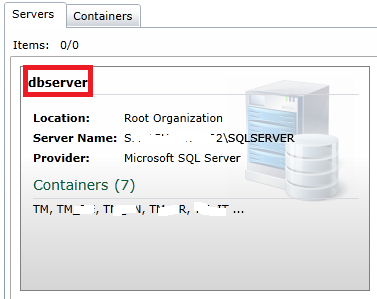
    I can't imagine that you don't have any container configured. You cannot create any TMs without having first configured (1) a DB server and (2) at least one container.

    What do you see in the tab "Infrastructure"?

    Walter
  • >> What do you see in the tab "Infrastructure"?

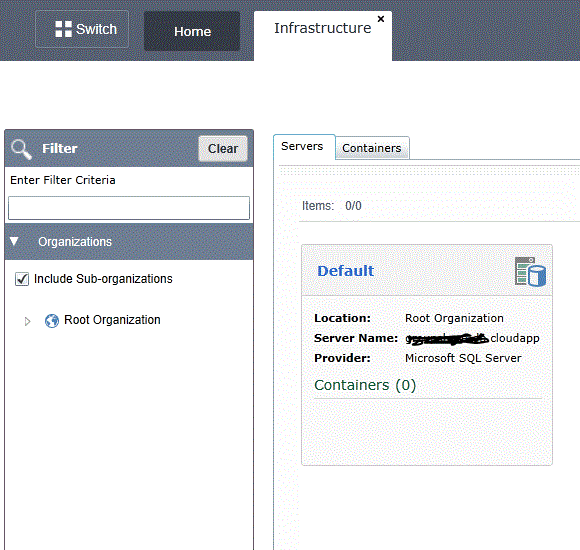
    On the "Servers" tab I see a server which I configured yesterday (perhaps it's configured wrongly, I don't know)


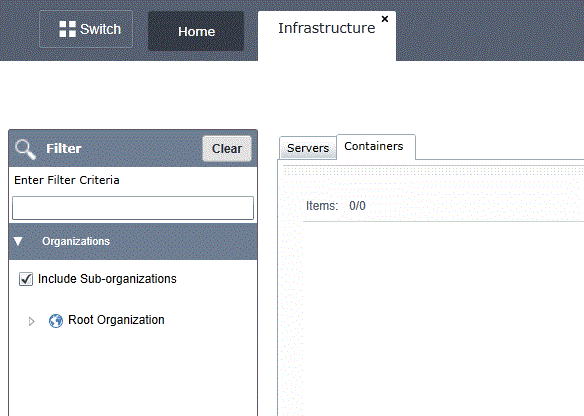
    And on the "Containers" tab I see nothing.

  • Andrew

    Your server should contain at least one container.
    Make sure this server points to a SQL server instance. The reason I ask is that your server name "gr.....udapp" does not look like the name of a SQL server instance, which should have the format "servername\SQL instance name". This might be your problem.

    Walter

  • Hi Walter,

    The DB's name, as shown on the image, is not complete. For security I won't say what the full name is, but GroupShare doesn't show the full name - it does when double-clicked and more details are revealed, but in that summary view it shows only the first X characters.

    I know that these details must be correct because GroupShare tests the details provided when adding a server; if I edit the server now and change the username, it tells me that it can't connect unless the correct details are entered.

    >> our server should contain at least one container.

    That's the impression I got, but there presently isn't one. And that's what I'm trying to do now. Is this a step which you would expect the installer to have taken care of? We installed GroupShare ourselves using SDL's guide.

    The specific problem I'm having now is while trying to add a Container, what do I enter in the "Database name" field? It doesn't allow the name of my database (...-db.cloudapp.net) because of the characters it contains.


    [Also, I've replaced the graphic in my previous post which contained part of the DB name. Would you mind removing it from your reply for security reasons?]

Reply
  • Hi Walter,

    The DB's name, as shown on the image, is not complete. For security I won't say what the full name is, but GroupShare doesn't show the full name - it does when double-clicked and more details are revealed, but in that summary view it shows only the first X characters.

    I know that these details must be correct because GroupShare tests the details provided when adding a server; if I edit the server now and change the username, it tells me that it can't connect unless the correct details are entered.

    >> our server should contain at least one container.

    That's the impression I got, but there presently isn't one. And that's what I'm trying to do now. Is this a step which you would expect the installer to have taken care of? We installed GroupShare ourselves using SDL's guide.

    The specific problem I'm having now is while trying to add a Container, what do I enter in the "Database name" field? It doesn't allow the name of my database (...-db.cloudapp.net) because of the characters it contains.


    [Also, I've replaced the graphic in my previous post which contained part of the DB name. Would you mind removing it from your reply for security reasons?]

Children