Trados Business Manager – End of Life Announcement

Trados Business Manager (TBM) has reached end of life. Following the discontinuation of TBM sales on 31 October 2023, all maintenance and support services will conclude on 31 October 2024.
What Does This Mean for TBM Users?

  • End of Services: RWS will no longer provide any services related to the installation or updating of TBM.
  • Existing Installations: TBM will remain functional where already installed, but the RWS support team will not offer assistance in troubleshooting issues, addressing reported problems, or providing further development for TBM.
  • Documentation: The TBM documentation has been removed from docs.rws.com.
  • Community Support: The community forum for TBM will remain accessible in a read-only format for users to reference if needed.

TBM Connector plugin

Hello!

I am not able to connect my Trados Studio 2021 with TBM 6. I own a licensed version of the first and a trial version of the latter, both installed on my desktop. I am able to get analysis data in TBM from Studio; however, I am not able to create quotes/jobs/invoices via Studio. I installed the plugin and filled in the plugin settings form with following data:

http://localhost:44345

TBM

xxxxxxxx-xxxx-xxxx-xxxx-xxxxxxxxxxxx

Admin

User@TBM

The key I copypasted from TBM, the password must be correct, as this is the one I use to login to TBM.

Am I missing something?

Thanks and kind regard

Eszter

Parents
  • Hello, Eszter,

    Thanks for trying this integration and for your question.

    For configuration, you did it correctly. Also, you say that you're able get analysis data in TBM from Studio, which means that connection is established and integration works.

    So, when you say that you're not able to create quotes/jobs/invoices via Studio, what it means? Just nothing happens? Or you get some error? If you see some error, then where you see it: in Studio or in TBM?

    Also, that blue icon ("target" image) on the Studio toolbar signals that connection is established?

    Also, which version and UI language of Studio you use?

    I just tested, quote creation worked correctly.. still not sure about a way how to determine where is an issue..

  • Hello Eugene,

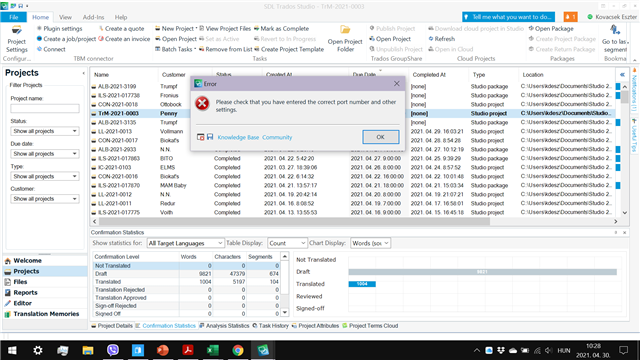
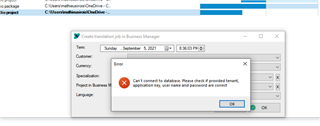
    thanks for your answer. First, here a screenshot with the error I get in Studio:

    Error message in Trados Studio 2021 stating 'Please check that you have entered the correct port number and other settings' with an 'OK' button, displayed over the main project list interface.

    I get the same message with all options (Create job/invoice/quote).

    The "target" image is blue, if you mean the one below "Create a job/project" button. I also tried to click the Connect button, and also get this same error message.

    I use Studio 2021 and the UI language is set to English.

    emoji


    Generated Image Alt-Text
    [edited by: Trados AI at 10:54 AM (GMT 0) on 4 Mar 2024]
  • Hello, Eszter,

    I think I see an issue: URL address and port. If you installed latest update (6.0.1), you can open settings, go to integrations tab, and you will find new field there: URL address, near application key. I think you will see a different port there (not 44345). Can you please try to check this, change settings in the plugin accordingly, and try again? Almost sure this will fix your problem.

Reply Children