Do you use Publication report?

Hello Community,

I’m Kseniia Kurganskaia, a UX designer on Tridion Docs.

As you know, Tridion Docs team currently is working on the 15th version, and we want to make sure we're not moving redundant functionality to the new version of the app. Now we're considering the role of the Publication report and even if we still keep it, but wanted to get some feedback from the community first.

If you use the Publication report (which you can access by clicking the report button while selecting a publication in a repository in the Web client) in your organization, could you please describe how you use it and what value it provides for you?

If you don't use this report, is there a reason you don't use it or is there another report that you prefer to use instead?

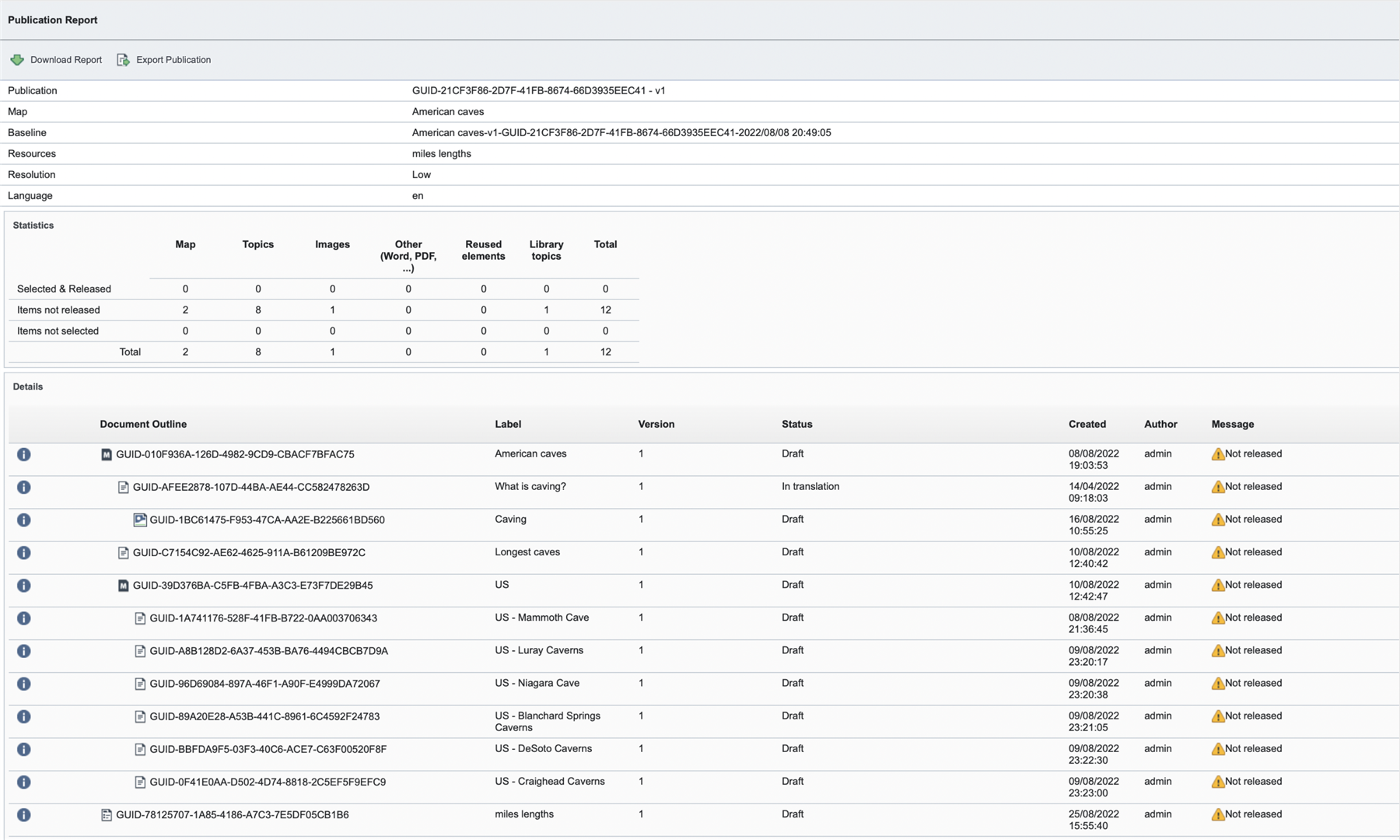
The screenshots below are for context to remind you which report this is.

Any input would be greatly appreciated. Thanks in advance for your feedback!
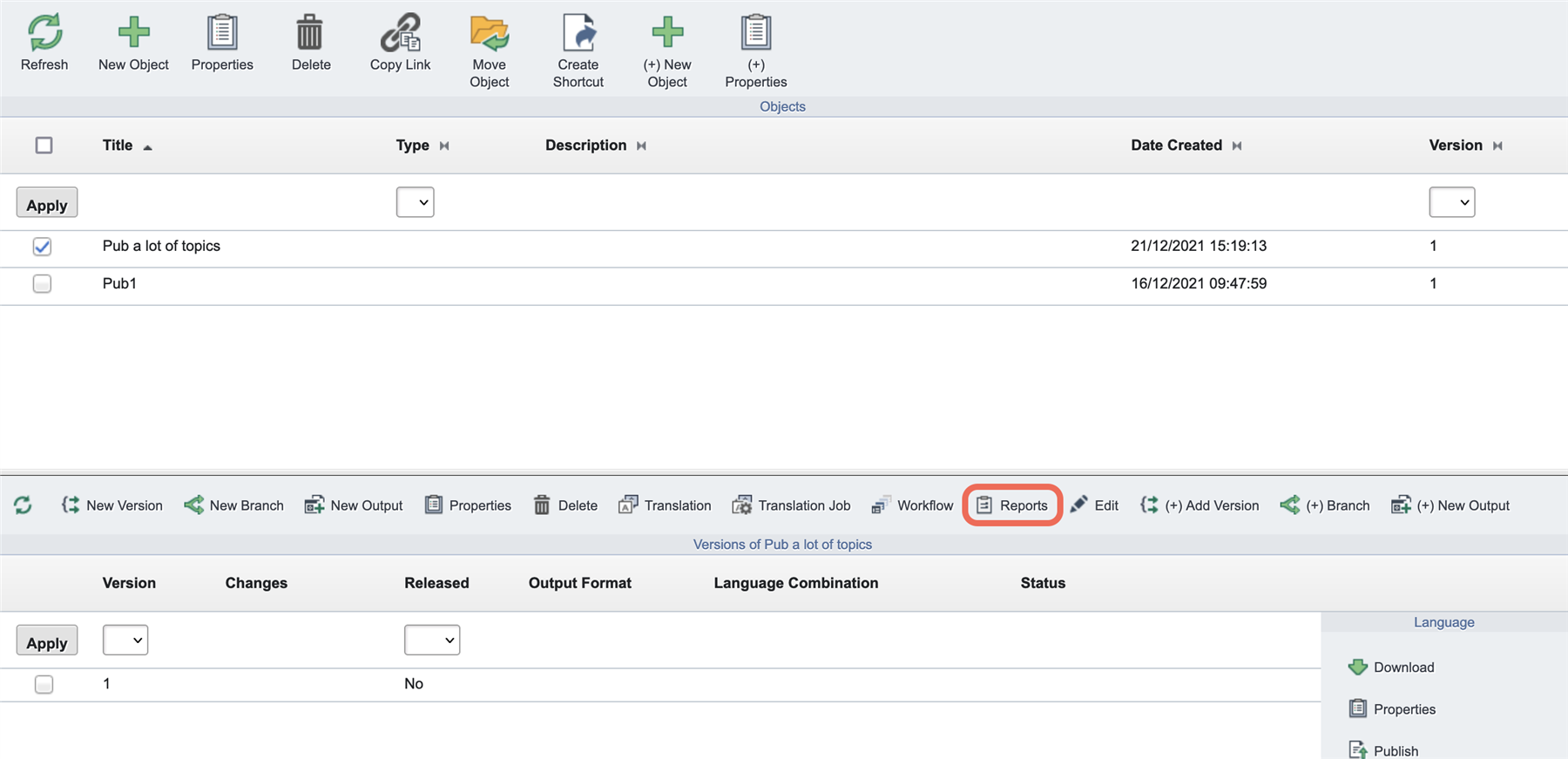
Publication report in Action toolbar Publication report - example


Corrected the number of the release's version
[edited by: Kseniia Kurganskaia at 2:37 PM (GMT 0) on 5 Jan 2023]

emoji
  • Hi, Kseniia. I use the report, but only in a superficial way. I'll copy the report, paste it into NotePad++, and search for the string "could not." This is a quick way to find out if I have a broken link or a missing file, without going into the web client and viewing the DITA-OT log. Most of the report contents -- especially the lines that report objects with status="Draft" and High-res images being unavailable -- is just noise that I have to filter out.

    I would be OK if you eliminated the report, or simplified it so it just flagged broken links, missing images, and that kind of thing.

    emoji
  • Hi Kseniia,

    I like how the report lets you do a diff at the publication level as to what has changed between publication versions. I also like the option to drill-down to do a diff of topic changes, by clicking the information icon for a changed topic and to use the Preview functionality to view the diff from a previous version. I realize you can diff a topic in other parts of the software but I like the functionality of being able to do it here too.   

    emoji
  • Hi, Kseniia.

    I'm glad you posted this request for feedback. Is RWS looking at the Translation report and the Workflow report, both available in the web client, as having the same functionality as the Publication report? What functionality is the same or different among those reports? If the functionality is not identical, will RWS update the remaining reports to ensure no functionality is lost if the Publication report is removed?

    To answer your question -- We use the Publication report to export all files for a publication from our production server (we import them and rebuild the pub on our dev server), and to batch download all high-resolution images for a publication. For both of those processes, the downloadable Excel files are very useful.

    I briefly reviewed all 3 reports, and I noted some functionality differences, including the ability in the Publication report to specify the resolution of exported images and to export released files (neither the Translation nor the Workflow report allowed me to select Released status files for export). Both of those features are critical to how we use the Publication report.

    Although I use it infrequently, the Compare feature in the Publication report is also helpful, but it doesn't seem to be available in the Translation or Workflow reports.

    emoji
  • Hi Kseniia, we use the Reports to do comparison reports between different versions of publications.  We've just started doing these in V14sp3.  We will want to be able to continue doing these reports moving forward so please do not get rid of this functionality.

    emoji
  • Hello Larry,

    thank you for the response!

    We're going to cover this use case in Workflow/Translation reports marking "broken" objects in the outline and displaying a tooltip describing what might be wrong.

    emoji
  • Hello Christina,

    Thank you for letting us know that the compare functionality is also useful in this report :)

    emoji
  • Hello Amy,

    What we’re trying to figure out is what is valuable about the Publication report for customers and if it is possible to incorporate this functionality into our Workflow and Translation reports, or if indeed a separate report would be necessary.

    emoji
  • Hello Tim,

    Thank you for letting us know about the value of it for your team!

    emoji
  • Hei!

    I understand that you are referring to the publication report in the web browser, and NOT in the Publication Manager. We use both, but mainly the report in the publication manager.

    DO NOT remove the functionality provided by this report! It is crucial to us, and the primary way find errors in our publications. We use a lot of library topics, and we also use keywords, KeyDef, KeyRef and ConKeyRef functionality. If any links are missing the publication report offers the easiest way to find them.

    Feel free to merge it with another report, that's ok. And also, please introduce filters so that I can remove for example messages related to "Draft" and "High resolution image missing" - that would save us a lot of work in Notepad++.

    We normally copy the report into Notepad++ (as I see that many others do also) and use the functionality in Notepad++ to search and filter.

    On a side note here: If you want to improve to the Publication Manager, I have several times suggested to make the previewer optional. Please include a setting somewhere that allows me to disable it. We hardly ever use it, and it is very slow.

    emoji
  • Hello Kseniia,

    We use Publication Report of web client to save a publication. I mean we use the Publication Report to export a publication. Objects in a publication might be deleted with some unpredictable reason. In the case, we'll be able to restore the objects from the exported publication.

    For the publication report purpose, we developed a dedicated output format. When you redesign the Publication Report function, please consider following requests:

    Make it possible to

    1. export a report to an Excel or csv file
    2. select which metadata to be output
    3. set order of output metadata

    Thanks,

    Naoki

    emoji