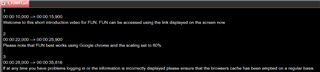
Subtitling: Line is missing in Subtitling Data

Dear Team,

I've installed the Subtitling Plugin, loaded my .srt- and .mp4-file, and opened the Subtitling Preview and Subtitling Data.

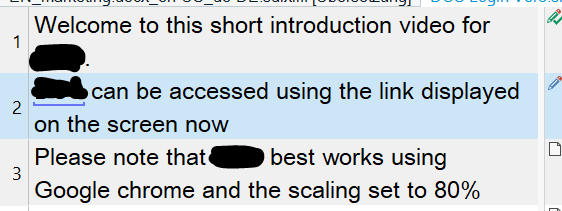
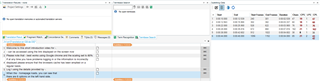
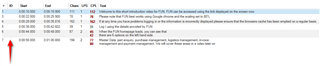
When starting the translation, I noticed that in the Subtitling Data line 2 is missing, see:
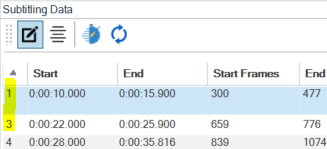
Screenshot of Trados Studio's Subtitling Data panel showing missing line 2 between lines 1 and 3.

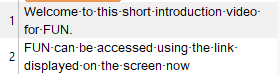
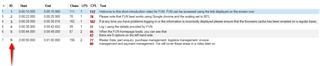
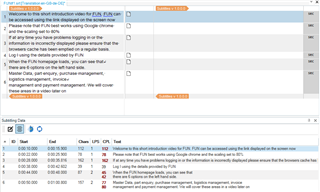
Even though it is displayed correctly in the editor, see:
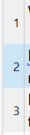
Close-up of Trados Studio's Subtitling Data panel highlighting the line numbers where line 2 is absent.

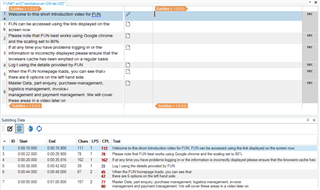
The content of line 2 was somehow shifted to line 1, so, I'd now have to split line 1 to create line 2.

Is this possible?

Many thanks in advance for your support and best wishes,

Janina


Generated Image Alt-Text
[edited by: Trados AI at 10:57 AM (GMT 0) on 4 Mar 2024]

emoji
Parents Reply
  • ok.  In my opinion you should change your process and do this:

    1. copy the content from the word file into an srt file
    2. open the srt file in subtitle edit
    3. go through the subtitles and complete a thorough spotting exercise to make sure the source is as you would like to see it, splitting merging as needed
    4. only then add the file to Trados Studio and translate as required

    That will make it a lot easier for you and will ensure you can use normal segmentation rules which will be better for re-use longer term on more projects.

    Paul Filkin | RWS

    Design your own training!
    You've done the courses and still need to go a little further, or still not clear? 
    Tell us what you need in our Community Solutions Hub

Children