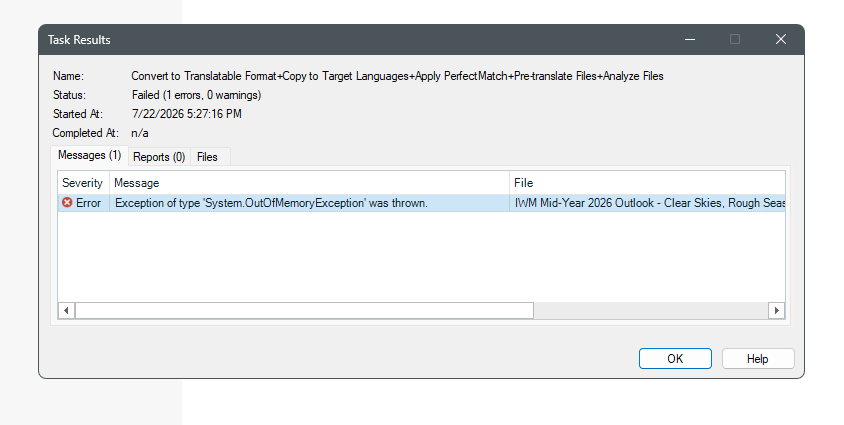
Error message: System out of Memory Exception

Hi Group,

I received above error message since yesterday. Though I deleted old files and even deleted file on my pc, the problem still exist.  

What can I do?

Regards

Jennifer 


Removed AI Suggestion
[edited by: Jennifer Chu at 9:58 AM (GMT 1) on 22 Jul 2026]

emoji
Parents Reply
  •   

    i think the file size also a factor.

    It may very well be… I know there are some files too big to be processed by Trados Studio (Trados Studio 2026 handles big files better than 2024 and previous versions), but I've never found such a huge document. How big is your document? Anyway if there is a chance you can do it by running the steps one at a time, you'll finish the preparation phase. That's why I recommend restarting Trados Studio or the step by step procedure.

    How to do this step by step? 

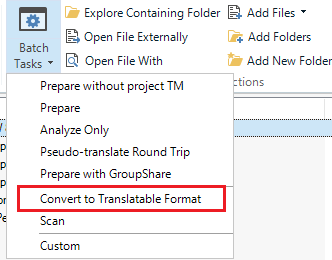
    In the ribbon, each of the steps is in the Batch Tasks button. For example, the first step is Convert to Translatable Format:

    You just need to follow the 4 steps of your Batch Task I see in your screnshot:

    emoji
Children