Translate


Dear all,
I have a quick and urgent question:
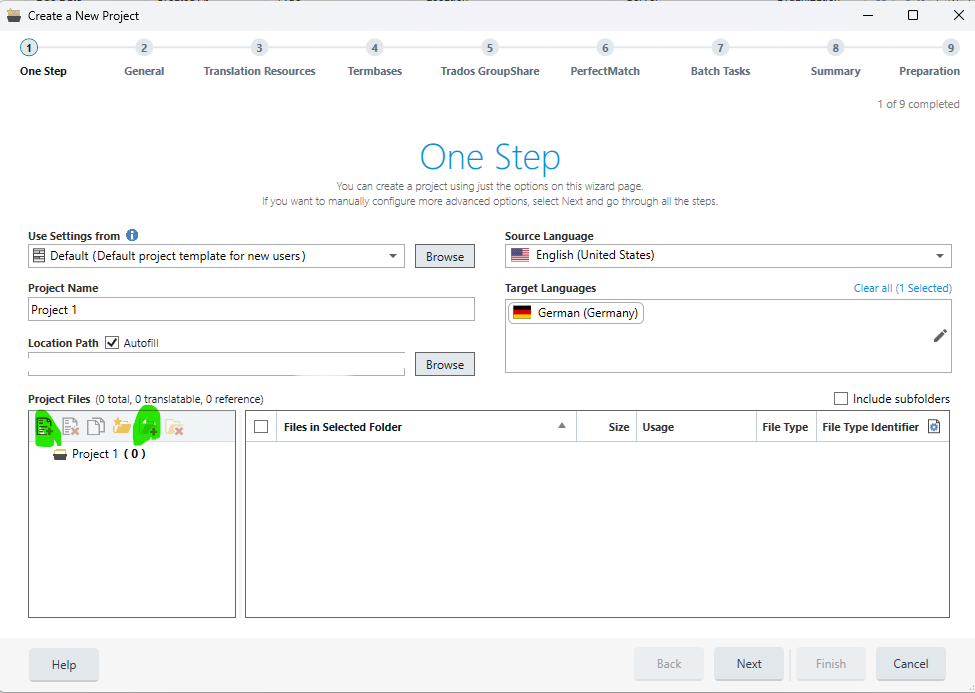
- I am working in Tradios Studio 2022. Via New Project, I open the ‘ Create a New Project Wizard.
- Having entered settings, languages and project name, I try to “Add files” under “Project Files”
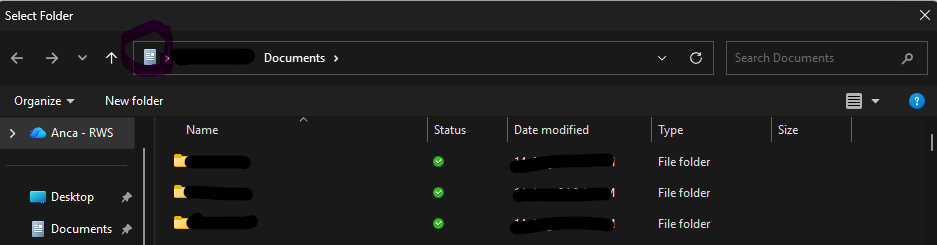
- There, all systems come to halt, as Studio cannot find any file, as it seems to follow a path which has been deleted from our systems. Program freezes, nothing happens, and I get stuck (and unhappy).
Question:
Is there any way I can find the default setting/directory for files to be added and then
manually change the default path from where I get my project files?
(Please note: I am not referring to the “Location path” where my new project goes one completed.)
It is the directory where Trados gets my source files from, before I add TMs etc.
Any help would be greatly appreciated. Many thanks.
Best regards,
Matthew