I can't import and Xliff into an Existing TM

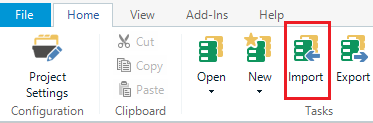
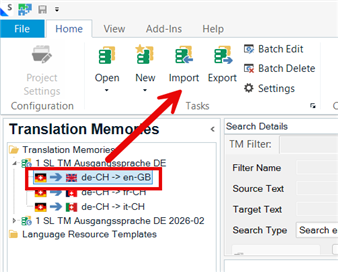
I am using Trados studio 2019 and have been having issues with TMs for a while. However, now I want to update a TM with some project-specific Xliffs but I can't see the 'Import' button when I open the TM. 

Is this something basic that I am missing?

Many thanks.


Removed AI Suggestion
[edited by: Chris Barella at 10:20 AM (GMT 1) on 16 Jul 2026]
emoji
Parents
  • Hello,

    It sounds like you're encountering a common issue when trying to import XLIFF files into an existing TM in Trados Studio 2019. Let me guide you through the steps to ensure everything is set up correctly:

    ### Step 1: Open the Translation Memory View

    - Make sure you are in the **Translation Memories** view in Trados Studio. You can switch to this view by clicking on the "Translation Memories" tab in the bottom-left corner of the application.

    ### Step 2: Open the TM

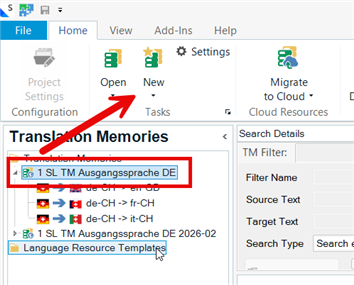
    - Open the TM you want to update by right-clicking on it in the list of TMs and selecting **Open**. The TM should now appear in the main window.

    ### Step 3: Locate the Import Button

    - Once the TM is open, you should see the **Import** button in the ribbon at the top of the screen. If you don’t see it, ensure that the TM is selected and active.

    ### Step 4: Prepare the XLIFF File

    - If your file is an XLIFF, ensure it is properly prepared for import. Trados Studio does not directly import XLIFF files into TMs. Instead, you need to process the XLI

    emoji
Reply Children