
A new guard page for the stack cannot be created.

I am using the latest 2024.

When I tried to translate .xlf downloaded from Matecat as XLIFF with SDL Trados via the context menu "Translate in Trados Studio" of Windows Explorer, SDL told me that the language pair of file does not match with the automatically populated translation memory and then showed me this error:
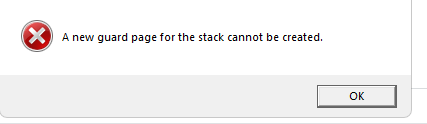
Error message with red cross icon stating 'A new guard page for the stack cannot be created' and an 'OK' button below..

After clicking "OK". SDL closed.


Removed AI Suggestion
[edited by: Olav at 3:22 PM (GMT 1) on 16 Jun 2026]

emoji
Parents
  • Hello,

    Thank you for sharing the details of the issue you're encountering. It seems that the error you're experiencing is related to a known issue in Trados Studio 2024 when handling .xlf files downloaded from Matecat, particularly when there is a mismatch between the language pair of the file and the translation memory.

    Here’s how you can resolve this issue step-by-step:

    ### Option 1: Translate the file as a single-document translation

    1. Open Trados Studio.

    2. Instead of using the "Translate in Trados Studio" context menu in Windows Explorer, manually open the file in Trados Studio:

      - Go to **File > Translate Single Document**.

      - Select the .xlf file you downloaded from Matecat.

    3. Ensure that the language pair matches the file's source and target languages.

    4. Proceed with the translation.

    ### Option 2: Adjust the project language settings

    1. Create a new project in Trados Studio.

    2. When setting up the project, select **English (United States)** as the target language instead of **English (United Kingdom)**.

    3. If your translation memory (TM) is language-specific, create a new TM or set your existing TM to "

    emoji
  • Then Trados should give a warning for that and suggest the Option 1 via software or ask the user to abort the operation or open the single file open dialogue.

    emoji
Reply Children
No Data