.sdltm is corrupt

Hi!

The .sdltm file is stored on a memory stick.

After opening the laptop from sleep regime and trying to continue working by saving segment i.e. updating a TM, the software crashed and after a new execution of Trados, Trados told that the TM is corrupt.

How to recover the TM? 


Removed AI Suggestion
[edited by: Olav at 4:18 PM (GMT 0) on 17 Mar 2026]

emoji
Parents Reply
  •  

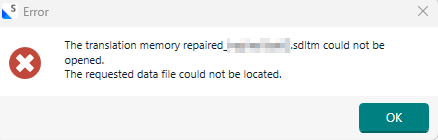
    SDL showed me this error when I tried to add the repaired TM (repaired with the SDLTM Repair tool) to the project: Error message in Trados Studio: 'The translation memory repaired filename.sdltm could not be opened. The requested data file could not be located.' with an OK button..

    After using a small utility of TM Fusion for Trados (Preview) built to attempt to recover a corrupt Translation Memory, I was able to open the TM again in Trados project. Although TM Fusion for Trados (Preview) showed some sort of error at the first launch and closed unexpectedly after the repair process and did not add the .exe to the Start menu after install.

    emoji


    Generated Image Alt-Text
    [edited by: RWS Community AI at 11:02 AM (GMT 1) on 2 Apr 2026]
Children
No Data