Trados Studio 2024 SR1 - 18.1.2.6370 crashing repeatedly

Hello,

My team and I (total of 4 translators) have been experiencing occasional crashes since switching to Trados Studio 2024 (we were previously using Trados Studio 2019).

A few weeks ago, I started experiencing repeated crashes, to the point where I could not work on my files anymore.

Here are my computer specs : Windows 10 Enterprise 64 bits, version 19045.4651 (freshly reinstalled on Oct. 23, 2025), 32 GB of RAM, 12th Gen Intel(R) Core(TM) i7-12700   2.10 GHz Processor

Trados version : Trados Studio 2024 SR1 - 18.1.2.6370

We currently mostly work on MadCap Flare files (htm, fslnp, flglo, fltoc).

I tried to repair, debug, uninstall (making sure I delete everything under Local and Local Roaming), rebooted, reinstalled on several occasions and nothing worked. Our technical support department ended up reinstalling Windows on my Computer. 

RWS told me it was probably due to our non optimal workflow (shared location for our termbase), but we've always been working this way.

I tried to work from a local version of the termbase and it did not fix the issue.

I noticed something happening with the tag settings. When selecting "Show all formatting and tags", I go under View, and try to select these two options : Screenshot of the Trados Studio options menu showing various tag display options, including a green checkmark and a red X icon.

When clicking on the one with a green checkmark, it shows as selected, but with a red X instead of a green checkmark. I also noticed the software has not been crashing much if I choose to show partial tags (middle option on the left instead of bottom one) instead of complete tags. The thing I do not understand is that my coworkers are able to show complete tags (we need this option for our work) and they only experience occasional crashed. We all work on the same file types.

A lot of the log files mention "Stack Overflow Exception".

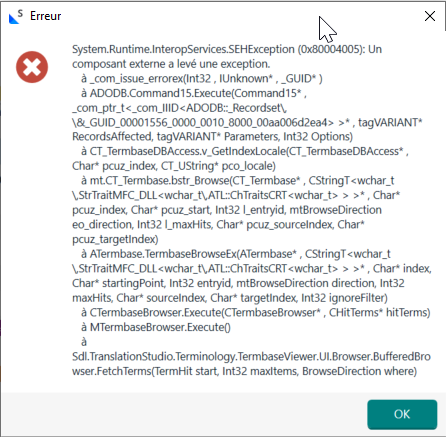
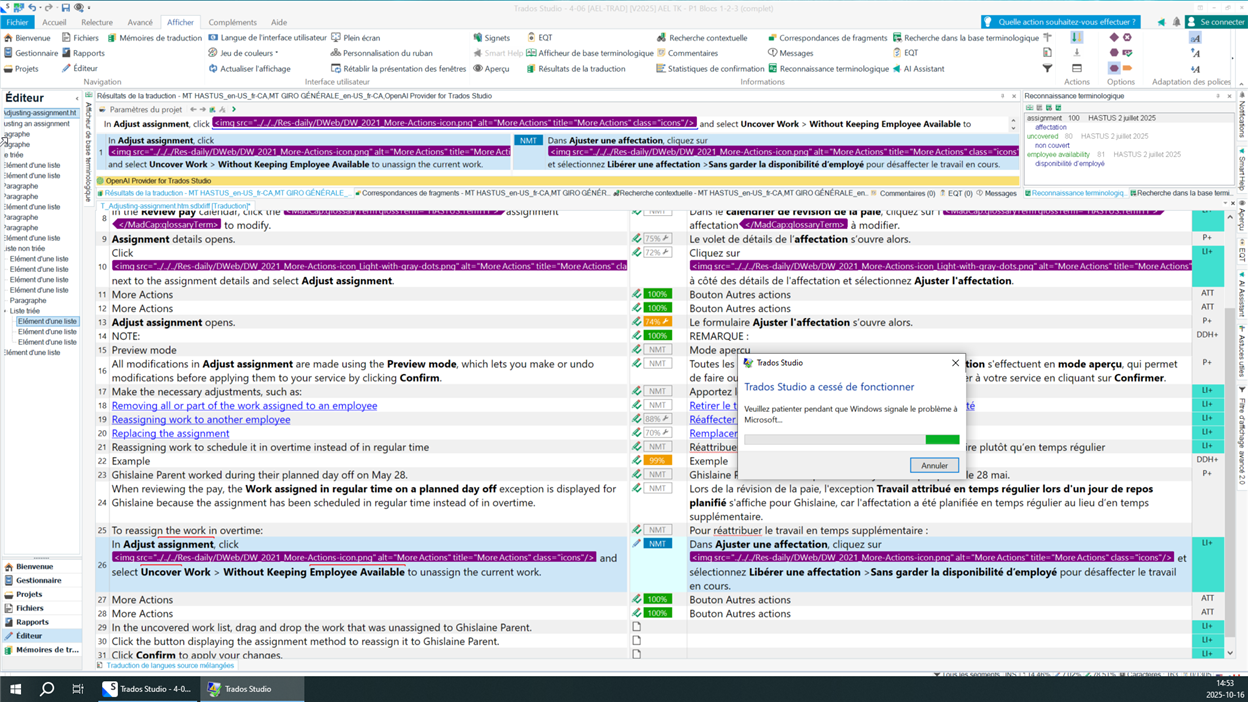
Here are a few of the error messages I have been getting (in French):
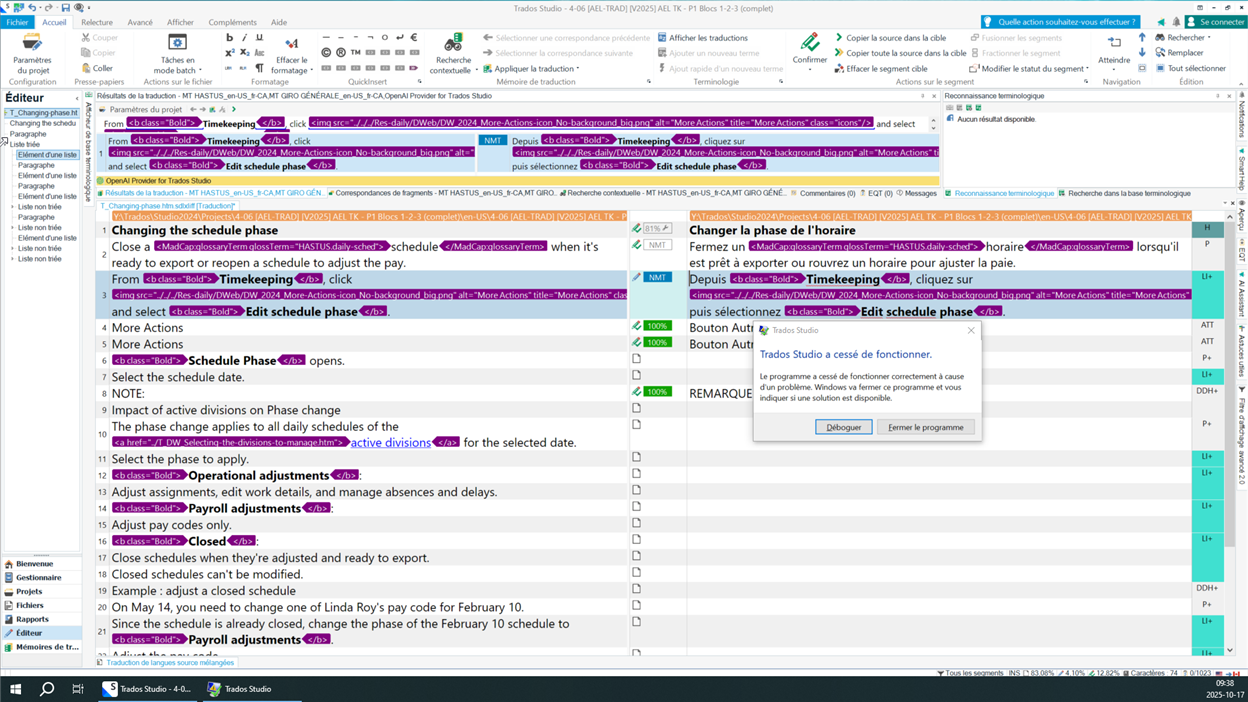
Screenshot of Trados Studio editor with a crash error message in French stating 'Trados Studio a cess  de fonctionner' and options to debug or close the program.

Screenshot of Trados Studio editor with a crash error message in French and a progress bar indicating 'Windows signale le probl me   Microsoft.'

Error message in French with a red X icon, showing a System.Runtime.InteropServices.SEHException error with technical details and an OK button.

Would you have a solution that would allow me to use complete tags without experiencing repeated crashes?


Generated Image Alt-Text
[edited by: RWS Community AI at 9:26 PM (GMT 0) on 4 Nov 2025]

emoji
Parents
  • We will be pleased to help you with this problem so have logged a support case on your behalf. We do prioritise customers who have a support contract so please keep in mind it could take up to 48 hours, especially over a weekend, but rest assured we will contact you as soon as we can. You will be contacted at the email address used for this Community. Support Case Id : CS0030428.

    Elisa Maxim| RWS Group

    Design your own training!
    You've done the courses and still need to go a little further, or still not clear?
    Tell us what you need in our Community Solutions Hub

    emoji
  • Same problem. It's a bit cheeky referencing support contracts since this software crashing means it's sailing close to 'not fit for purpose', at least under UK law. Also on Windows 10, all updates installed. I'm mainly working with mxliff. This is just my gut but I suspect Studio is struggling to communicate with my termbase (everything is on my local machines, it's NOT a connectivity issue and 32GB RAM surely are enough) because every now and then, when I move from one segment to the next, it stops suggesting matches from the termbase and I have to close and re-open before it starts suggesting them again (a bug I've been reporting since 2018).

    emoji
Reply
  • Same problem. It's a bit cheeky referencing support contracts since this software crashing means it's sailing close to 'not fit for purpose', at least under UK law. Also on Windows 10, all updates installed. I'm mainly working with mxliff. This is just my gut but I suspect Studio is struggling to communicate with my termbase (everything is on my local machines, it's NOT a connectivity issue and 32GB RAM surely are enough) because every now and then, when I move from one segment to the next, it stops suggesting matches from the termbase and I have to close and re-open before it starts suggesting them again (a bug I've been reporting since 2018).

    emoji
Children
No Data