Edit source not available for some segments

Hello,

I'm translating a document with mistakes in some source segments, so I'm using the option "Edit source" to correct them before I save the translation in my TM.

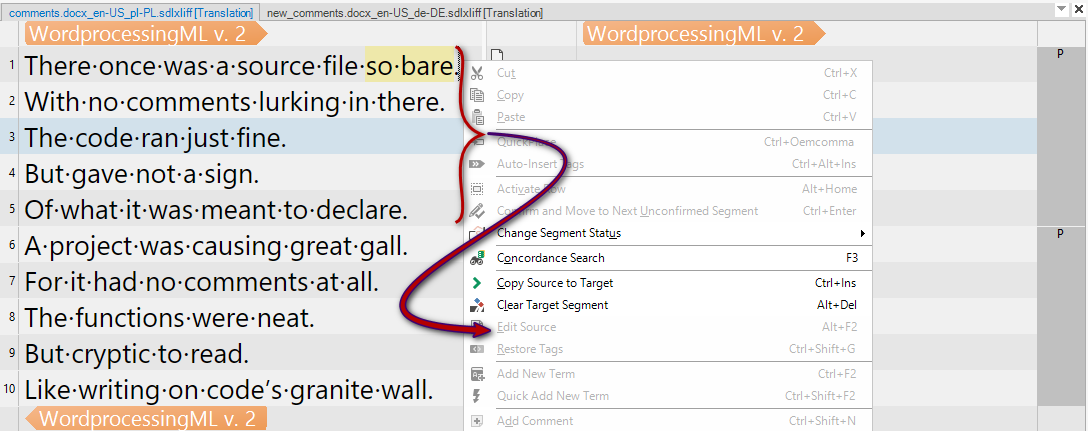
The strange thing is, while this option works well for some segments, it is greyed out and not available for others (see screenshots).

I checked and the case "Allow Source Edition" is activated in my Project Settings, so that is not the problem.

I know I can check the source document before I load it in Trados, but that is very time consuming for a handful of segments that I want to correct.

I'm working with Trados Studio 2024.

I find this quite intriging, so if anyone would know the source of this strange behaviour, that would be greatly appreciated Blush.

Thank you in advance,

Katleen
emoji
Parents Reply
  •  

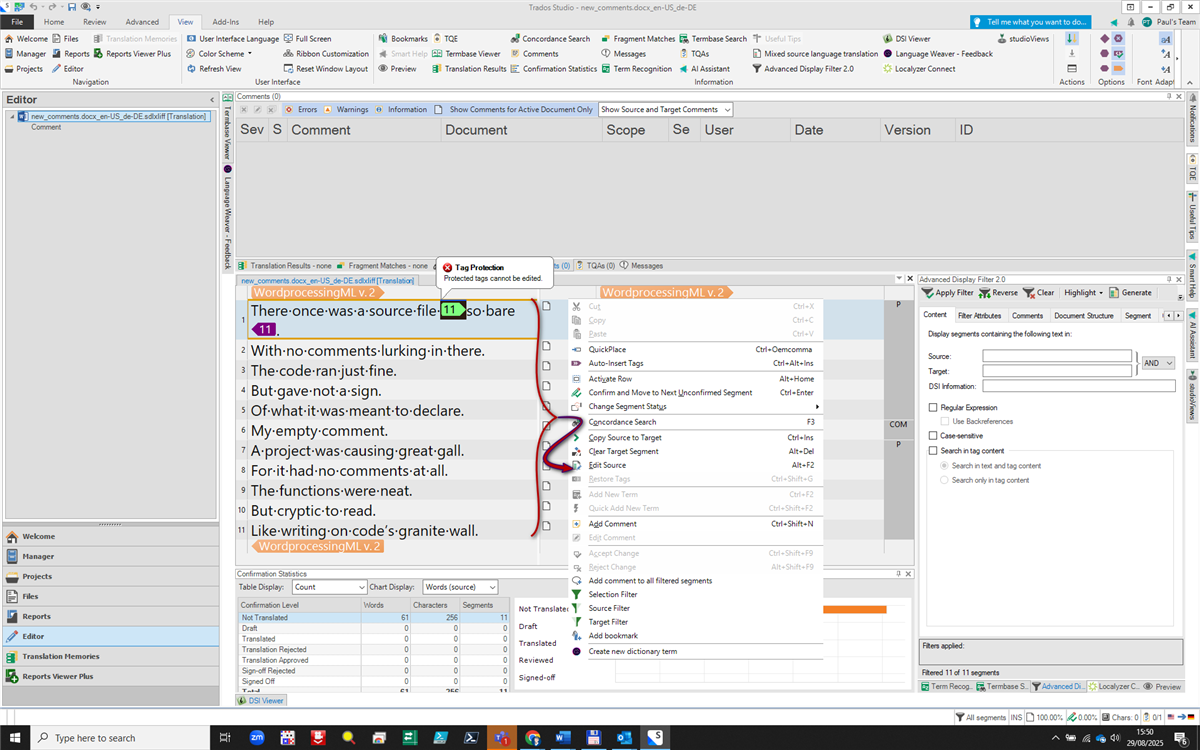
    Good detective work!  I believe this is because Studio is most likely protecting these paragraphs to avoid the comment being deleted.  If you extract the comment for translation then it is possible to edit the content as the tags are protected from deletion and the comment itself is also editable.

    So this:

    Trados Studio editor view showing a WordprocessingML v. 2 file with a poem-like text. A right-click menu is open, displaying options like 'Change Segment Status' and 'Concordance Search'.

    Compared to this:

    Trados Studio interface with an open WordprocessingML v. 2 file. A tag protection warning is visible, and the right-click menu shows options for editing and segment actions. The bottom pane displays confirmation statistics.

    So if you need to edit segments like that you need to prepare your project with the source comments extracted.

    Paul Filkin | RWS

    Design your own training!
    You've done the courses and still need to go a little further, or still not clear? 
    Tell us what you need in our Community Solutions Hub

    emoji


    Generated Image Alt-Text
    [edited by: RWS Community AI at 1:53 PM (GMT 1) on 29 Aug 2025]
Children