
autopropagation does not work!

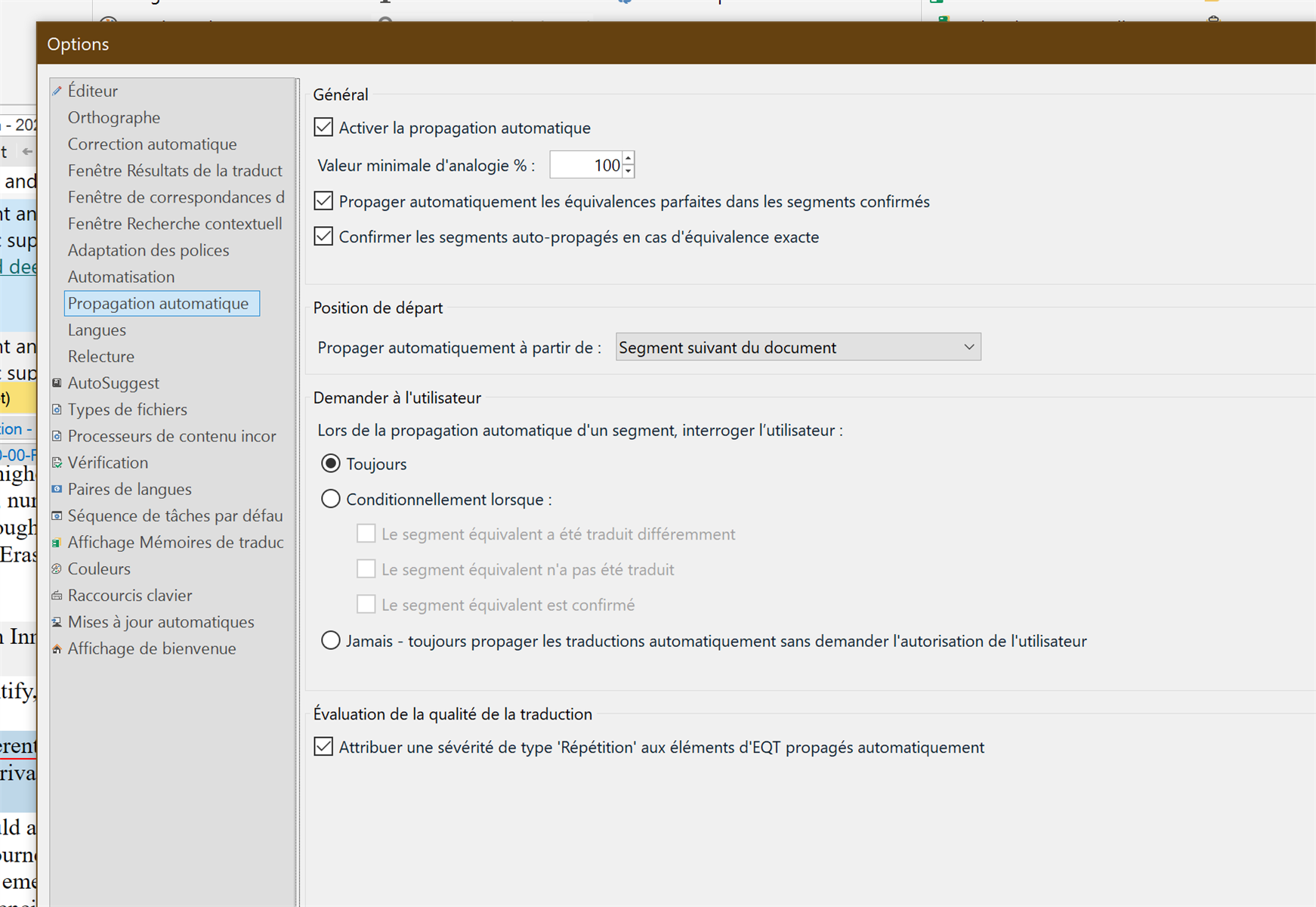
I have a huge document to deliver in a week. Although I have set up my options, the autopropagation does not work! I have no idea why. I have gone to "editor" autopropagation" and tickedthe boxes... Nothing...Trados Studio options window showing the 'Propagation automatique' settings with checkboxes for enabling auto-propagation and related options, all selected.


Generated Image Alt-Text
[edited by: RWS Community AI at 2:28 PM (GMT 1) on 13 Aug 2025]

emoji
Parents Reply
  •  

    Please also change the option "Segment suivant du document" in "First segment in document".

    Then go to View in Editor and use "Reset window layout". Restart Studio, go to File - Setup - Manage user profiles and reset the user profile. Restart Studio once again. Now it should work.

    _________________________________________________________

    When asking for help here, please be as accurate as possible. Please always remember to give the exact version of product used and all possible error messages received. The better you describe your problem, the better help you will get.

    Want to learn more about Trados Studio? Visit the Community Hub. Have a good idea to make Trados Studio better? Publish it here.

    emoji
Children
No Data
