Several problems after installing new Trados Studio 2024 SR1 - 18.1.2.6370, interface not resized and options not visible

Hello all,

I just updated to the new version of Trados Studio and I have had many problems, as it sadly seems to be usual thing lately.

I have managed to solve some, losing a lot o fime... but there are others that I simply cannot. 

My interface is not ok, see the screen capture:
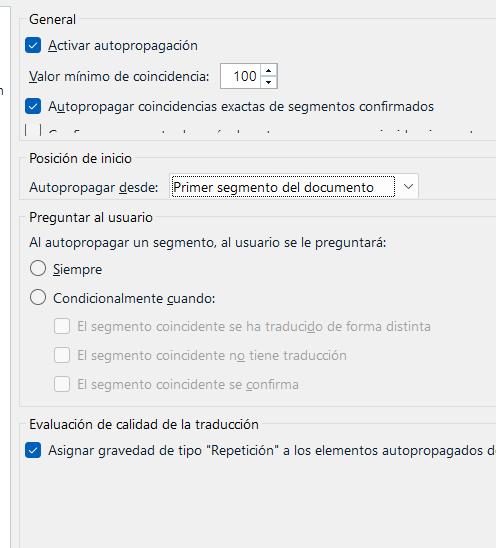
Screenshot of Trados Studio settings showing the 'General' section with options for activating autopropagation, minimum match value set to 100, and partially visible text in some options.

As you can(not) see, some options are only partially visible and some others are just not visible, like the "never" ask in autopropagation. I had to test several possible shortcuts until I could activate it.

Is this happening only to me?

Thanks in advance for your replies.

Antonio


Generated Image Alt-Text
[edited by: RWS Community AI at 12:27 PM (GMT 1) on 7 Aug 2025]

emoji
Parents Reply
  • Hello Alison,

    Thanks for your help. 

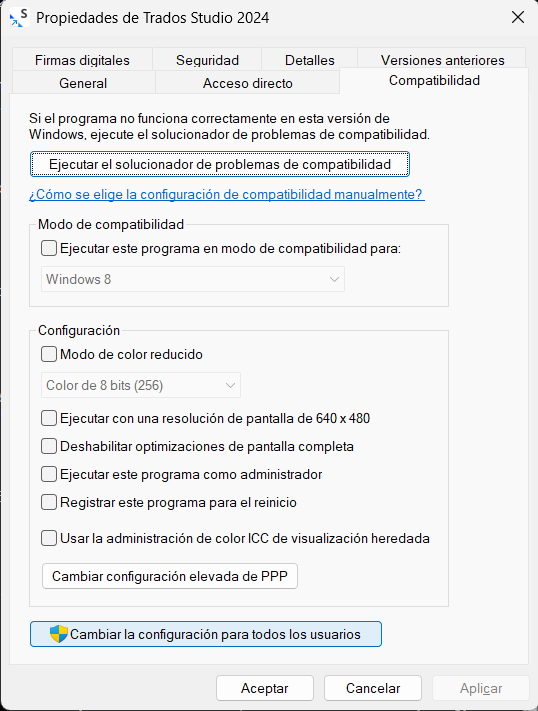
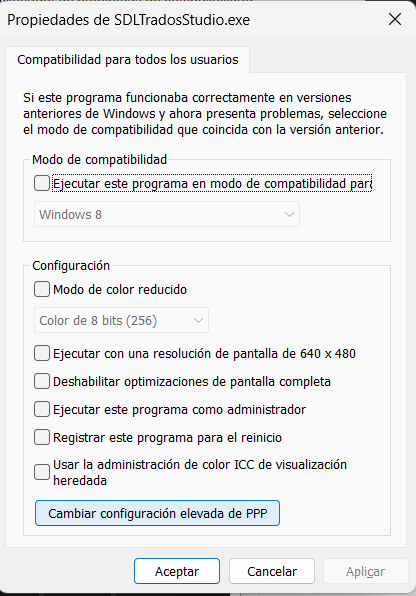
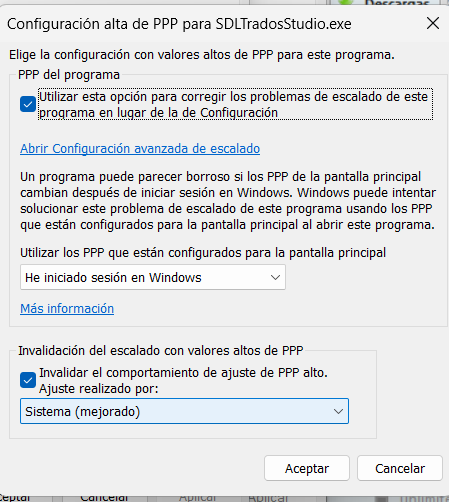
    In the meantime I tried several options and I found that this one seems to work in my system:

    Compatibility settings window for Trados Studio 2024, showing options like compatibility mode for Windows 8, reduced color mode, and high DPI settings.  Compatibility settings for SDLTradosStudio.exe, with options for compatibility mode, reduced color mode, and high DPI settings for all users.  High DPI settings window for SDLTradosStudio.exe, showing options to fix scaling issues, use system settings, and override high DPI behavior.

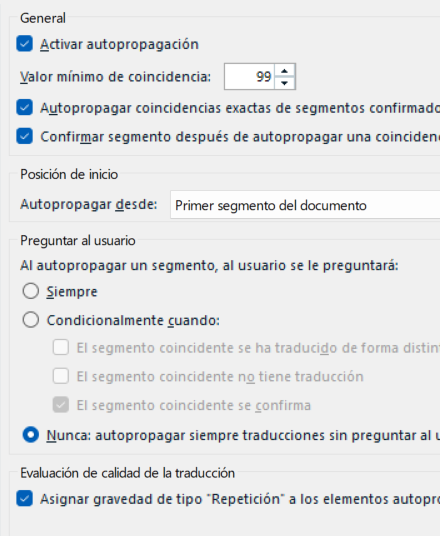
    System and System (Enhanced) options seem to work. The interface is a bit blurry but at least I can see everything now:

    Autopropagation settings in Trados Studio, showing options for minimum match value, segment confirmation, and translation quality evaluation.

    This seems to confirm that Studio is apparently not communicating well with Windows in the font area. 

    Cheers, and I hope this helps others with the similar problems.

    Antonio

    emoji


    Generated Image Alt-Text
    [edited by: RWS Community AI at 12:49 PM (GMT 1) on 8 Aug 2025]
Children